
Photo Editor Change Clothes: When a Dedicated AI Clothes Changer Works Better
Need a photo editor to change clothes? Compare manual editing, general photo apps, and a dedicated AI clothes changer for realistic outfit swaps.
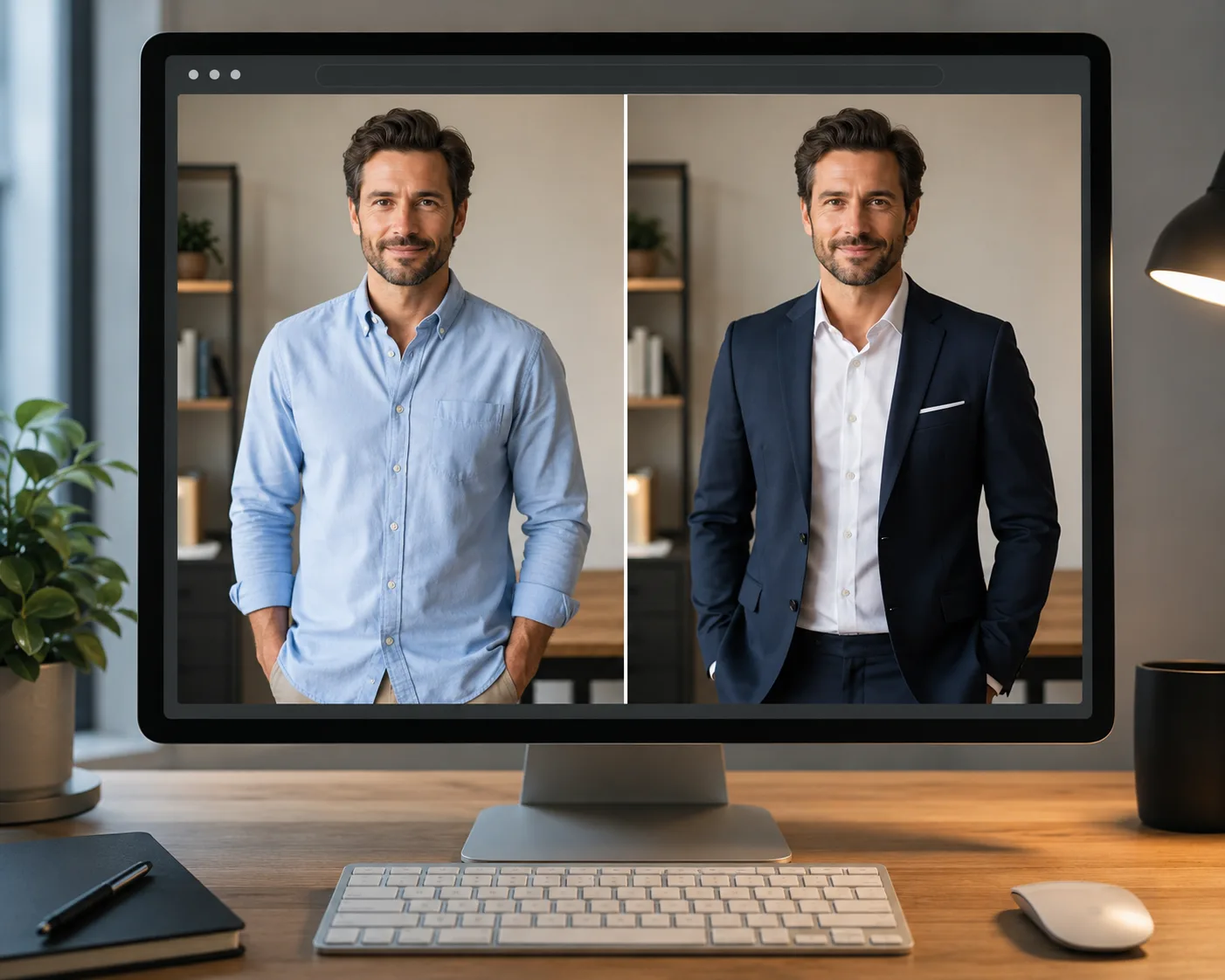
If you need a photo editor to change clothes, start with a dedicated AI clothes changer when speed and realism matter. General photo editors can work, but they usually ask you to mask, blend, recolor, and retouch by hand.
Last updated: July 6, 2026 - about 7 min read
Changing clothes in a photo sounds simple until you try to do it with a regular editor. The new shirt has to follow the body, match the light, keep the face untouched, and avoid turning hands or collars into a mess. That is exactly where a purpose-built AI clothes changer is more useful than a generic photo editor.
What "photo editor change clothes" really means
Most people mean one of three jobs:
- Swap the whole outfit. Example: t-shirt to blazer, dress to suit, hoodie to sweater.
- Change only the clothing color. Same garment, new color.
- Clean up or style a product photo. Better outfit presentation for ecommerce, listings, or social posts.
Those jobs need different tools. If the garment shape changes, use an AI clothes changer. If only the color changes, a recolor tool may be enough. If the photo is a paid campaign with strict retouching rules, Photoshop still has a place.
AI clothes changer vs manual photo editor
Here is the practical difference.
| Method | Best for | Time | Skill needed | Main risk |
|---|---|---|---|---|
| AI clothes changer | Whole outfit swaps, try-on previews, profile photos | About 1 minute | Low | Needs a clear source photo |
| Photoshop | High-end retouching and exact manual control | 15-45 minutes | High | Slow masking and blending |
| Canva or Picsart | Simple overlays, color tweaks, social graphics | 5-20 minutes | Medium | Looks pasted on for full swaps |
| Mobile filter apps | Quick entertainment previews | Seconds | Low | Less realistic, fewer controls |
If the task is "show this person wearing a different outfit," the AI route is usually the cleanest first attempt. If the result needs pixel-level commercial retouching, use AI for a draft, then finish manually.
When a dedicated AI clothes changer works better
Use a dedicated tool when the clothing itself changes. A good AI clothes changer is built to preserve the person and re-render the outfit area. That matters for:
- LinkedIn or resume photos where a casual shirt needs to become a blazer
- Ecommerce model photos where you want to test outfit variants
- Creator thumbnails where wardrobe needs to match a scene
- Personal styling previews before buying something
- Quick dress-up tests without downloading editing software
The best source image is clear, front-facing, and not covered by hands. See how to photograph clothes for AI outfit edits if your first result looks unstable.
When a regular photo editor is still the right choice
Manual editing still wins when the output has to match a strict art direction:
- You need exact brand colors under controlled lighting.
- You must preserve tiny logos, embroidery, or product labels.
- The clothing is partly hidden behind complex props.
- You are retouching a high-budget campaign image.
- You need layered files for a design team.
In those cases, a manual editor gives you control. But for everyday outfit swaps, it is usually too much work for the result you need.
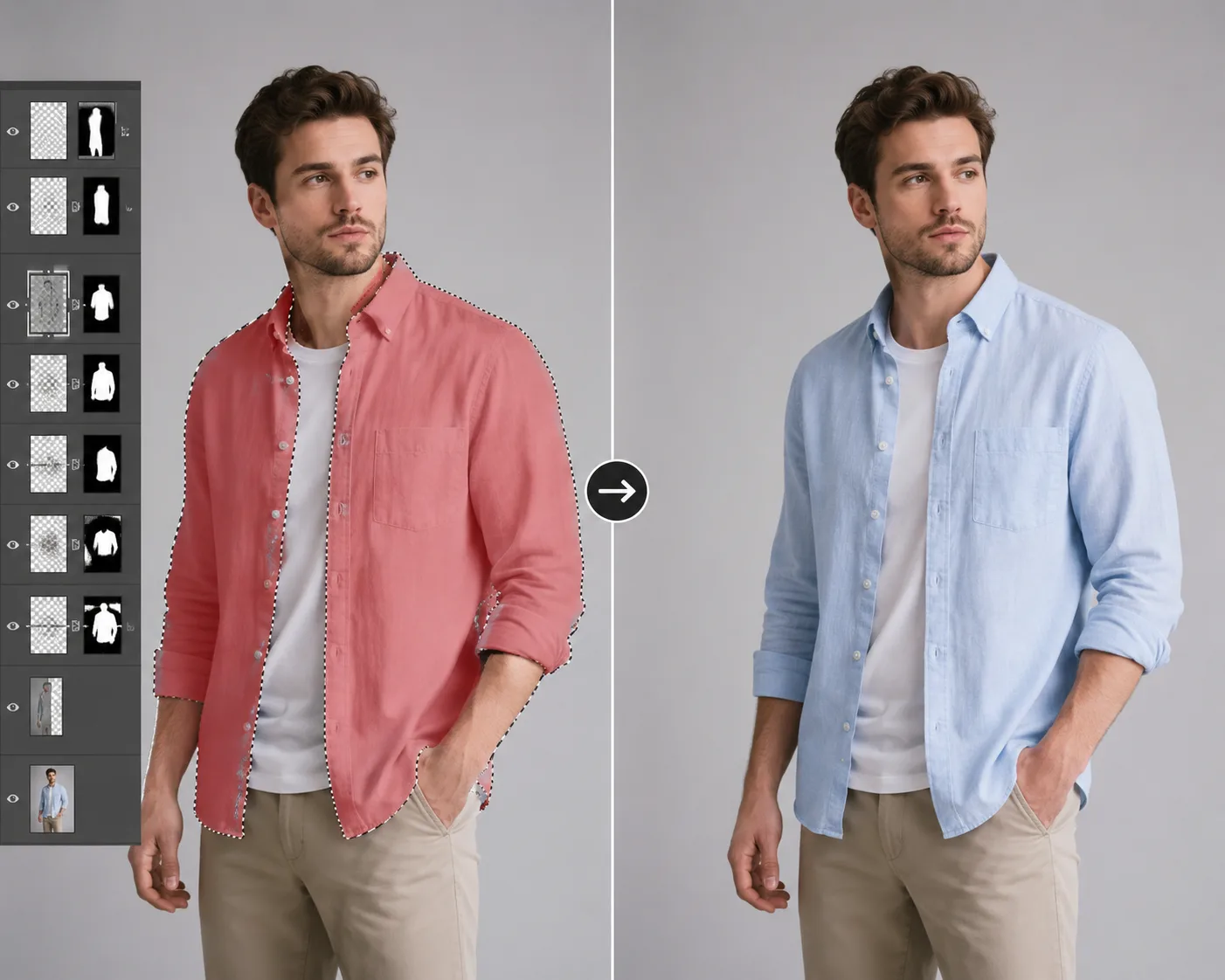
Manual tools give control. A dedicated AI clothes changer removes most of the masking and blending work.
How to change clothes in a photo with AI
The workflow is short:
- Upload a clean photo. The person and outfit should be visible from the area you want to change.
- Describe the new clothes. Include garment type, color, fit, and material.
- Protect the person. Add: "keep the same face, pose, body shape, lighting, and background."
- Generate two or three versions. Pick the one with the cleanest collar, sleeves, and waist.
- Download or refine. If a detail is off, edit the prompt instead of starting over.
Example prompt:
Replace the grey hoodie with a navy tailored blazer over a white crew-neck shirt. Keep the same face, hairstyle, pose, hands, body shape, background, and lighting.
That is more useful than "make the outfit professional" because it names the garment and tells the AI what not to touch.
For a full beginner walkthrough, read how to change clothes in a photo with AI.
Common mistakes to avoid
Uploading a low-quality photo. Blurry clothing gives blurry instructions. Start from the sharpest image you have.
Changing the person and outfit at the same time. Ask for the outfit only. Age, face, body, pose, and background should stay stable.
Using vague style words. "Elegant" or "cool" can mean too many things. Say "black satin slip dress" or "cream oversized cable-knit sweater."
Trying to fix a bad result with a longer prompt. If the source photo is the issue, retake it. More words will not fix hidden sleeves or harsh glare.
Frequently asked questions
What photo editor can change clothes?
You can use a dedicated AI clothes changer, Photoshop, Canva, Picsart, or some mobile editing apps. For full outfit swaps, a dedicated AI clothes changer is usually fastest because it re-renders the garment instead of asking you to mask and blend manually.
Can I change clothes in a photo online?
Yes. Use a browser-based AI clothes changer, upload the photo, describe the new outfit, and generate the result online without installing editing software.
Is AI better than Photoshop for changing clothes?
AI is better for speed, drafts, and everyday realistic outfit swaps. Photoshop is better when you need exact manual control, layered files, or high-end commercial retouching.
Can I change only the color of clothes?
Yes. If the garment shape stays the same, read how to change clothes color in photo. A color edit is simpler than a full outfit replacement.
Why does the changed outfit look fake?
Usually the source photo is unclear or the prompt is vague. Use a sharper photo, keep hands away from the clothing, and describe the garment type, fit, color, and fabric.
Related guides
- Try the AI clothes changer -> - change an outfit directly in your browser.
- How to change clothes in a photo with AI
- Best AI clothes changer tools
- Fotor clothes changer alternative
- AI dress-up vs AI clothes changer
The fast answer
Use a manual editor when you need total control. Use an AI clothes changer when you want a realistic outfit swap quickly and do not want to spend half an hour masking sleeves.