AI Dress Up vs AI Clothes Changer: Which One Should You Use?
AI dress up and AI clothes changer tools solve different outfit problems. Use this guide to pick the right workflow for try-ons, outfit ideas, swaps, and color edits.
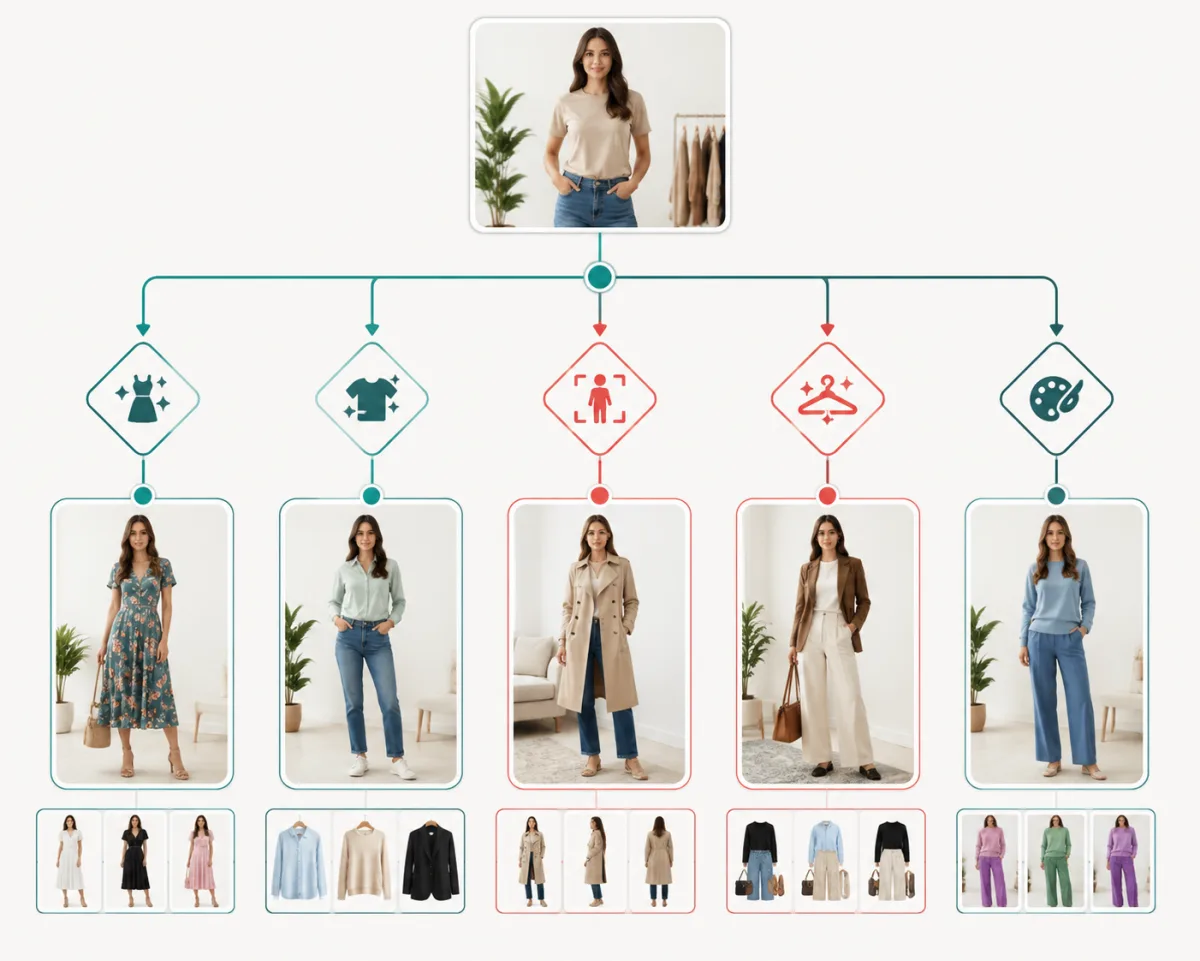
Use AI dress up when you want to preview a complete outfit on your own photo. Use an AI clothes changer when you need to replace, restyle, or edit one garment in a photo. The difference is simple: dress-up is for outfit planning; clothes changing is for photo editing.
Last updated: June 30, 2026 - about 7 min read
People use the two terms interchangeably, but they are not the same job. One person may want to test a wedding guest outfit before shopping. A seller may need five color variants of the same shirt. A creator may want a cleaner outfit for a thumbnail. Those tasks need different workflows, prompts, and quality checks.
This guide gives you the practical split, so you do not waste time using a color editor for a full outfit decision or a dress-up tool for a precise product edit.
The short answer
An AI dress-up tool answers: "What would this outfit look like on me?"
An AI clothes changer answers: "Can I change the clothing in this existing photo?"
That sounds close, but it changes the whole workflow:
| Your task | Better tool | Why |
|---|---|---|
| Preview a new full outfit on your photo | AI dress up | It treats the whole look as the goal |
| Replace a shirt, dress, jacket, or suit | AI clothes changer | It edits the garment inside the existing image |
| Test outfit ideas before buying | AI dress up | You can compare several looks before shopping |
| Recolor one garment | Clothes color changer | It should preserve fabric folds and texture |
| Create color variants for ecommerce | Clothes color changer | The product shape stays consistent |
| Build style inspiration from a selfie | AI outfit generator | It can suggest looks instead of only editing one item |
If you are unsure, ask yourself one question: are you deciding what to wear, or editing what is already in the photo?
When AI dress up is the right choice
Use AI dress up when the photo is only the starting point and the outfit decision is the real task. The goal is not to keep every seam from the original clothing. The goal is to see a believable new look on your own body, face, and posture.
The best use cases are:
- Trying a new style before you buy. Upload one clear photo, test a blazer, dress, hoodie, coat, or formal outfit, then compare the results before ordering.
- Planning event outfits. A wedding guest look, prom dress, business attire, graduation outfit, or family photo palette is easier to judge on your own photo than on a model.
- Exploring outfit ideas. If you do not know exactly what you want, an AI outfit generator can help you explore categories before you settle on one.
AI dress up works best when your photo is front-facing, the body is visible, and the original clothing does not hide the shape you want to preview. A standing photo with simple lighting beats a mirror selfie with one arm covering half the outfit.
Keep the first request simple. "Try a navy blazer, white shirt, and dark jeans" is better than a long list of style references, fabric types, jewelry, background changes, and camera effects.
When an AI clothes changer is the right choice
Use an AI clothes changer when the original photo matters. Maybe your face, pose, lighting, and background are already good, but the outfit is wrong. In that case, the tool should preserve the photo and edit only the clothing.
Typical examples:
- Change a casual shirt into a business shirt for a cleaner profile photo.
- Replace a dress with a more formal dress while keeping the same person and scene.
- Put a team jersey on a photo for a fan graphic.
- Clean up a creator thumbnail by changing the outfit but keeping the background.
- Recolor a garment with the clothes color changer instead of rebuilding the outfit.
The risk with a clothes changer is over-editing. If the tool changes the face, hands, background, or body shape, the result stops being useful. Good results keep identity and lighting stable while only the garment changes.
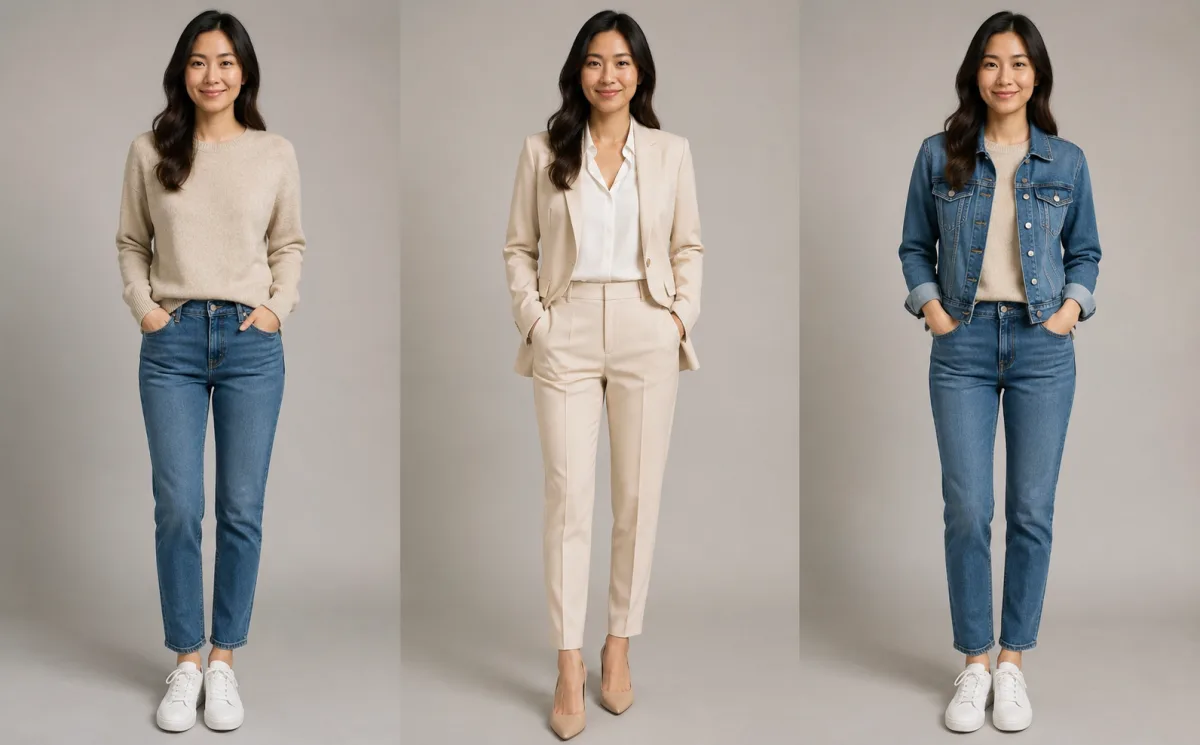 one person, three outputs, showing the difference between a full outfit preview and a targeted garment edit.
AI dress up vs virtual try-on
Virtual try-on is more specific than AI dress up. A virtual try-on usually starts with a known garment and asks, "How does this exact item look on me?" AI dress up can be looser: "Show me a black cocktail dress" or "Give me a smart casual outfit."
Use virtual try-on when:
- You have a garment photo, product page, or exact item in mind.
- Fit, length, and garment shape matter.
- You are closer to a purchase decision.
Use AI dress up when:
- You are exploring broad outfit ideas.
- You want several directions before shopping.
- You care more about the overall look than one exact SKU.
For online shopping, the best workflow is often both: start with AI dress up for direction, then use virtual try-on for the final item.
How to get better results from either tool
The input photo decides more than the model name. Use this quick checklist before you upload:
- Face and body are clearly visible.
- Lighting is even, with no heavy shadows across the clothing.
- The body is not heavily twisted or blocked by bags, arms, or furniture.
- The original outfit is not extremely loose, reflective, or transparent.
- The request changes one main thing at a time.
For AI dress up, describe the outfit as a stylist would: category, color, season, and formality. For an AI clothes changer, describe the garment edit: what item changes, what stays fixed, and what realism constraints matter.
Good AI dress-up prompt:
Try a fitted black blazer, white crew-neck shirt, straight dark jeans, and clean white sneakers. Keep the same face, pose, and background.
Good clothes-changer prompt:
Replace the red T-shirt with a navy button-down shirt. Keep the face, body shape, lighting, hands, and background unchanged.
Which one should ecommerce sellers use?
Small shops usually need the clothes changer first. If the product is already photographed, color and variant consistency matters more than fantasy styling. Use the clothes color workflow for color variants, then a try-on or model workflow when you need lifestyle context.
For personal shoppers and creators, AI dress up is usually the better first step. It helps answer the human question: "Would I actually wear this?"
Frequently asked questions
Is AI dress up the same as an AI clothes changer?
No. AI dress up previews complete outfits on your own photo. An AI clothes changer edits clothing in an existing photo. They overlap, but the intent is different: outfit planning versus image editing.
Can I use AI dress up to try clothes before buying?
Yes. It is useful for narrowing down style, color, and formality before you buy. If you have an exact garment, use a virtual try-on workflow so the preview stays closer to the item.
Which tool is better for changing shirt color?
Use a dedicated clothes color changer. A color workflow is more precise because it should preserve the garment shape, folds, texture, face, and background.
Why do AI outfit previews sometimes look fake?
The usual causes are poor input photos, too many changes in one prompt, blocked body parts, extreme poses, or vague outfit requests. Start with a clear front-facing photo and one specific outfit direction.
Related guides
- Try AI dress up on your photo
- AI clothes changer
- AI outfit generator
- Virtual try-on
- Clothes color changer
Try the right workflow
If you are planning a look, start with AI dress up. If you are editing a photo, start with the AI clothes changer. The best result comes from matching the tool to the decision you are actually trying to make.