
AI Outfit Changer: Compare Looks in One Photo
Use an AI outfit changer to compare two or three looks on the same photo. Keep the person and setting fixed, then review what changed before deciding.
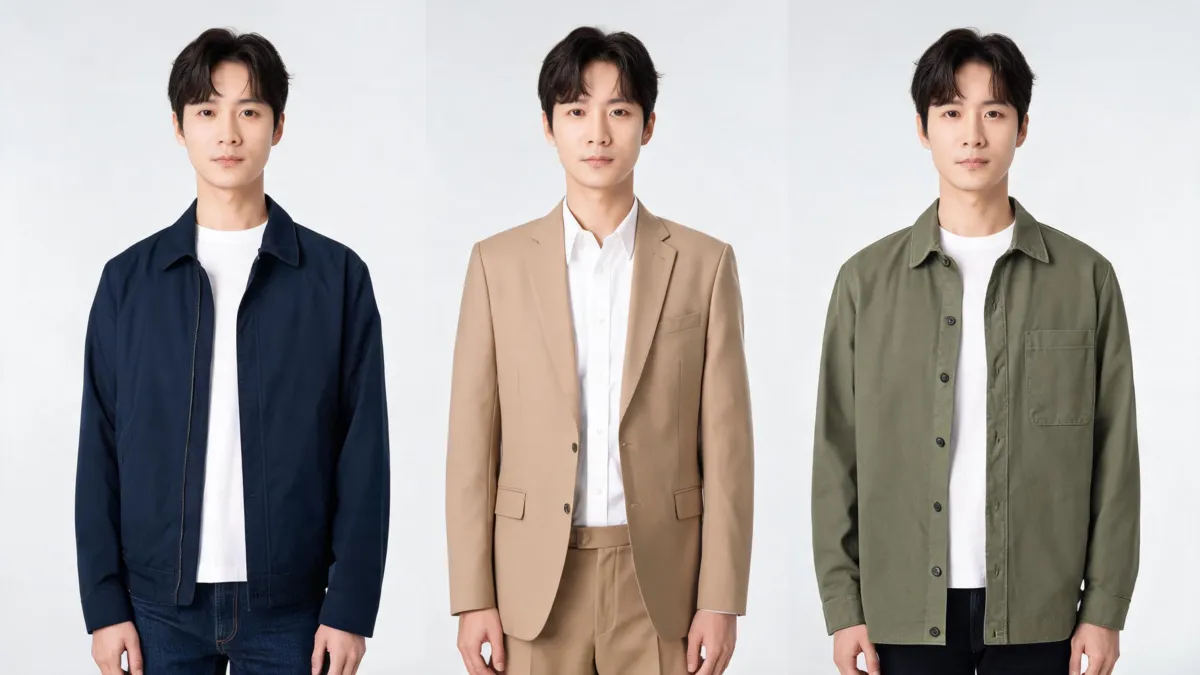
An AI outfit changer is useful when you compare a small number of looks on the same photo, with the person, pose, light, and setting kept as stable as possible. Pick one question—such as whether a blazer or overshirt reads better—then make two or three controlled versions in an AI clothes changer. Treat the result as a visual comparison, not proof of fit or an exact product match.
Last updated: September 3, 2026 · about 7 min read
The practical choice matters more than a longer prompt: use the tool to answer one clothing decision, then reject any version that changed the evidence around it.
Start with a question the image can answer
An outfit changer can show whether a color, layer, neckline, or degree of formality changes the impression of a photo. It is less reliable for questions that depend on the real garment: measured fit, fabric weight, comfort, availability, or a specific logo.
| If you need to decide… | A controlled photo comparison can help | Check elsewhere |
|---|---|---|
| Which jacket color works with this background? | Yes—keep the source and crop unchanged | The real color under your intended light |
| Does a blazer read more formal than an overshirt? | Yes—compare the same pose | Dress code or the event host's guidance |
| Will this exact jacket fit or drape correctly? | No | Size chart, garment measurements, returns policy, or a real try-on |
| Can this be a customer-facing product claim? | Not by itself | The physical garment, catalog data, and your approved review process |
For a shopping decision, a virtual try-on may be a better starting point when you have a reference garment. For color-only decisions, use the clothes color changer so you do not introduce a new silhouette at the same time.
Make a fair AI outfit comparison in three steps
- Choose a clear, permitted source photo. Use one person, even light, and a view of the clothing area. Avoid a bag, folded arms, loose hair, or furniture crossing the jacket, shirt, or dress you plan to change.
- Change one clothing variable. Ask for one layer, color direction, or level of formality. Keep face, hair, pose, body proportions, lighting, background, and crop unchanged. If you want to compare three looks, start each version from the original—not from the last generated version.
- Review beside the original. Look at the image full-size, then inspect the collar, shoulders, sleeves, hands, hems, and shadows. Name the decision the version supports: “prefer the tan blazer for a warm background,” not “this exact blazer will fit.”
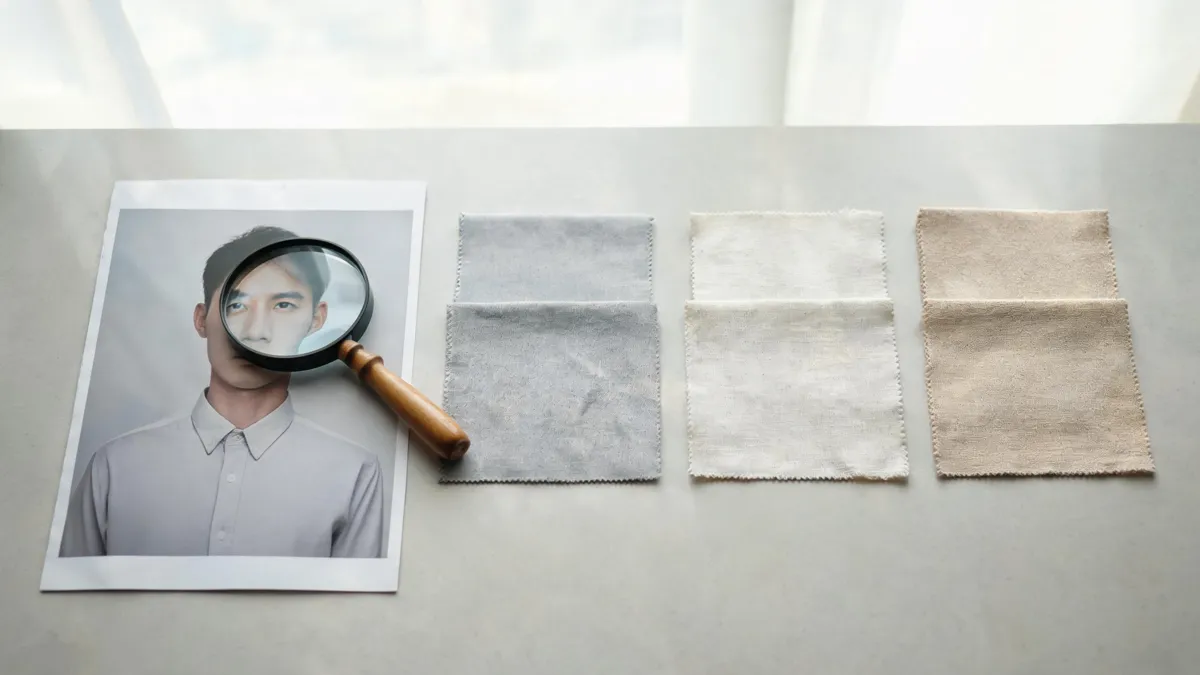
A useful comparison preserves the context around the clothes, so you can see whether the clothing choice—not a changed face or light—caused the difference.
If a result changes the person, camera angle, or scene enough to make the outfit look better, it is a new concept image rather than a fair comparison. Go back to the original source and reduce the request.
Use two versions before you use ten
More options do not automatically make a decision clearer. Start with the contrast that matters most: tailored versus casual, warm versus cool, or short layer versus long layer. Once you choose a direction, make one follow-up comparison inside that direction.
For example, someone choosing a casual work portrait might first compare a navy overshirt with a tan blazer. If the blazer feels right, the next controlled edit could compare a white shirt and a pale blue shirt beneath it. Changing the jacket, shirt, background, and pose together would make the result harder to interpret.
This sequence also makes failure easier to fix. A strange sleeve edge may mean the hands cover too much of the shirt. A painted-looking color may mean the prompt asks for too much at once. Fix the smallest visible problem, retain the original, and generate again from that stable source. See why AI clothes swaps look fake for the common overlap and lighting problems to watch for.
Review the result at the right level
At thumbnail size, an outfit can look convincing while the collar floats, a hand is malformed, or the new fabric belongs to different lighting. Review in this order:
- Whole frame: Is it still the same person, pose, crop, and setting?
- Clothing boundary: Are the neckline, shoulder, sleeve, waist, and hem plausible where they meet skin, hair, hands, or a bag?
- Material and light: Do folds, texture, shadow direction, and reflections belong together?
- Claim: What might another person infer from this image? Keep the use private if that inference is stronger than the evidence.
The AI clothes changer review checklist gives a stricter pass for results you may save, share, or use in a higher-stakes context.
A short tutorial
The tutorial below shows the general process of changing an outfit in a photo with AI, which is useful context but not proof of fit or product facts.
Keep provenance useful, not performative
If a result will move beyond a private comparison, keep the original photo, the generated version, the date, and a short description of what was changed. That record helps a teammate see the image for what it is: an outfit preview. Content Credentials are one optional provenance mechanism; the C2PA specification describes how provenance assertions can record an asset's history. They do not make an inaccurate garment detail accurate.
For personal use, this can be as simple as a folder containing the original and the two chosen alternatives. For a creator, add a note if an edited image could be mistaken for an event photo. For an ecommerce team, let product data, real garment checks, and your channel rules govern the public listing—not the generated image.
Frequently asked questions
What is an AI outfit changer?
An AI outfit changer is a photo-editing workflow that creates a clothing alternative on the same person image. It is most useful for a controlled visual comparison, not for proving fit, fabric, inventory, or a product specification.
How many outfit versions should I compare?
Start with two or three versions. More alternatives make it harder to tell whether a preference comes from the clothes or from accidental changes to pose, lighting, or the face.
Can an AI outfit changer show whether clothes will fit me?
No. It can help you assess color, silhouette, layering, and overall direction in a photo, but it cannot measure a body, confirm garment dimensions, or predict how a real item will feel or drape.
Related guides
- Try the free AI clothes changer →
- AI virtual try-on vs. clothes changer
- How to change an outfit without changing the face
- Best photo for an AI clothes changer
Compare the decision, not a new fantasy image
Keep the original photo beside two controlled alternatives, decide what changed your impression, and use real garment information for everything the image cannot verify. Try a focused outfit comparison →.