
WeShop AI Clothes Changer: What It Does and When to Use an Alternative
See what the WeShop AI clothes changer is designed to do, how to test an outfit edit fairly, and when a focused alternative is the better fit.

The WeShop AI clothes changer is a virtual try-on option inside WeShop's broader ecommerce image-and-video workspace. Use it when you need to change clothes in a photo or test a garment direction; use a focused AI clothes changer when your task is simply one controlled preview on one person photo. Neither result can prove real fit, stock, fabric, or permission.
Last updated: September 10, 2026 · about 8 min read
This is an editorial workflow comparison, not a sponsored review or a benchmark. We checked WeShop's current AI Clothes Changer page and its product homepage on September 10, 2026. The live site places the tool alongside virtual try-on, AI fashion-model, product-image, and image-editing options. Interfaces, credits, account requirements, and available models can change, so confirm the live controls before uploading an important image.
What does the WeShop AI clothes changer do?
WeShop labels the feature "Free AI Clothes Changer" and describes it as changing clothes in photos with virtual try-on technology. That makes it relevant to a few different jobs: testing a garment on a person photo, creating a fashion concept, or making an ecommerce visual inside a broader production workspace.
The useful distinction is between the tool's category and the decision you need to make. An image can help you see whether a jacket changes a portrait's formality or whether a color feels right against the existing light. It cannot tell you whether a particular jacket is available, fits your shoulders, uses a certain fiber, or will look the same outside the photo.
| If you need to decide… | A clothes-change preview can help with | Verify somewhere else |
|---|---|---|
| Whether a look feels more casual or formal | Color, silhouette, and broad styling direction | Venue expectations and comfort |
| Whether an item belongs in a campaign concept | Visual direction and composition | Product facts, rights, and approval |
| Whether a garment will fit or drape | Very little | Measurements, size chart, fabric, and returns |
| Whether a seller image is ready to publish | A first visual concept | SKU accuracy, logo detail, and final human QA |
Treat a generated clothing change as a visual draft. The more the image might be mistaken for a literal product claim, the more carefully it needs a human review.
When WeShop is a sensible option
WeShop makes sense when an outfit change is one part of a larger ecommerce or fashion-content workflow. Its live navigation includes virtual try-on, AI Fashion Model, an outfit generator for ecommerce, photo recoloring, and product-image tools. That broader menu can be useful to a seller who is testing product presentation across several assets.
Consider WeShop when you need to:
- Explore a virtual try-on alongside other fashion or product-image tasks.
- Keep a concept, model image, and visual-production workflow in one service.
- Test a garment reference as part of a wider ecommerce creative brief.
- Evaluate whether the surrounding tools, account setup, and current commercial terms fit a team process.
The trade-off is scope. If the only question is "Would this navy overshirt work on this portrait?", a full production workspace may be more than the decision needs. A narrower virtual try-on or AI outfit generator path can make the first comparison quicker to set up and easier to judge.
When a focused alternative is the better fit
A focused alternative is not automatically better. It is better when it reduces the variables you must inspect. Use one when you want to keep a source person, pose, background, and lighting steady while you make one clothing change.
The practical goal is a controlled comparison, not the most dramatic output. Start with a sharp, adult subject whose garment edges are visible. Then change one item or one color family. A request such as "replace only the overshirt with a matte navy blazer; preserve face, hair, hands, pose, lighting, and background" gives you something you can actually compare against the original.
Use a focused clothes color changer instead of a full swap when the cut of the garment is already right and only the shade is in question. For a garment reference, use the broader AI clothes changer workflow and inspect the result rather than assuming a reference will reproduce every seam, print, or label.
Test either workflow fairly in five steps
- Use the same authorized source photo. Pick a clear photo of one adult, with the face, shoulders, hands, and existing outfit readable. Keep a copy of the original beside every output.
- Change one thing. Choose one garment or one color. Do not combine a clothes change with a new location, new hairstyle, new body shape, and face retouch.
- Keep the instruction short. State the garment, the intended change, and what must remain unchanged. Extra styling directions make it harder to identify the cause of a good or bad result.
- Review at full size. Check the collar, hairline, cuffs, fingers, waist, hem, seams, pattern direction, shadows, and background. A polished thumbnail can hide a broken edge.
- Record the decision, not a fantasy claim. Save a preview that helps you select a color or silhouette. Check the real seller listing, product sample, and license before saying an image depicts an exact item.
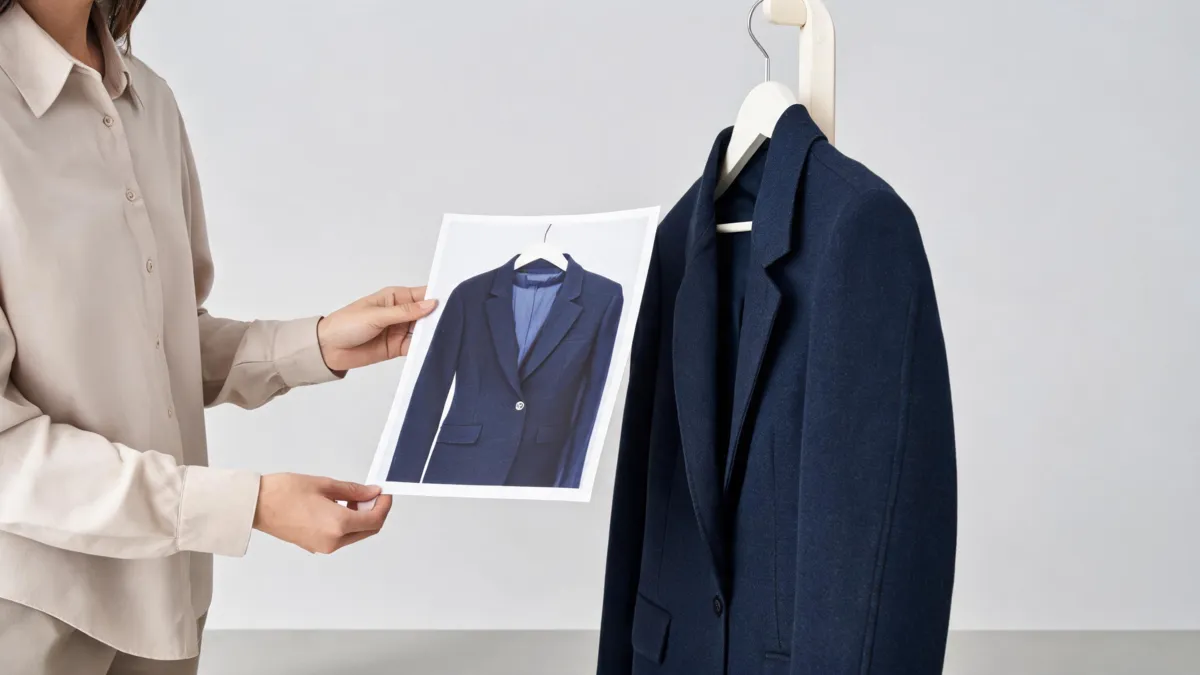
Check garment structure and scene consistency separately. A good-looking overall image can still fail at a cuff or neckline.
For a deeper failure diagnosis, see why AI clothes swaps look fake. If the input photo is the weak link, use the best photo for an AI clothes changer guide before repeatedly regenerating.
Watch the workflow, then run your own controlled test
This third-party walkthrough demonstrates dressing an AI influencer with WeShop AI; it is a demonstration, not independent evidence of output quality or current plan terms.
Privacy, consent, and commercial checks
Only upload photos you have the right to edit and only create adult wardrobe previews with the subject's permission. Do not use a generated render to imply an unverified product, price, size, availability, or before-and-after fact.
Before committing a client or store workflow, review the current service terms and privacy information for input retention, deletion, output rights, and plan restrictions. AIClothSwap's Content Policy sets the same baseline: a clothing preview is not a reason to misrepresent a person or a product.
Frequently asked questions
What does the WeShop AI clothes changer do?
WeShop currently presents its AI Clothes Changer as a virtual try-on tool for changing clothes in photos. Its wider site also includes virtual try-on, AI fashion-model, ecommerce image, and image-editing tools. Check the live tool page before relying on a particular input, export, credit, or account rule.
Can an AI clothes changer tell me whether clothes will fit?
No. A generated preview can help compare color, silhouette, or styling direction, but it cannot measure a body, verify a size chart, reproduce fabric weight, or confirm how a real garment will move.
When should I use a focused AI clothes changer instead?
Use a focused workflow when the decision is one photo and one controlled outfit change. Keep the face, pose, lighting, and background steady, then compare the neckline, cuffs, hands, fabric, and edges before saving the result.
Related guides
- Try the free AI clothes changer →
- Preview a garment with virtual try-on
- Test color with a clothes color changer
- How to photograph clothes for AI outfit edits
- AI clothing models for ecommerce
Pick the workflow around the decision
WeShop is worth testing when its wider fashion-production tools are part of the job. If you need one clean, comparable wardrobe preview, try the AI clothes changer, keep the source photo stable, and reject a result that changes more than the garment.