AI Model for Clothes: AI Clothing Models for Ecommerce
Use an AI model for clothes to put products on realistic, fully-clothed AI clothing models for ecommerce — cutting shoot cost and time.
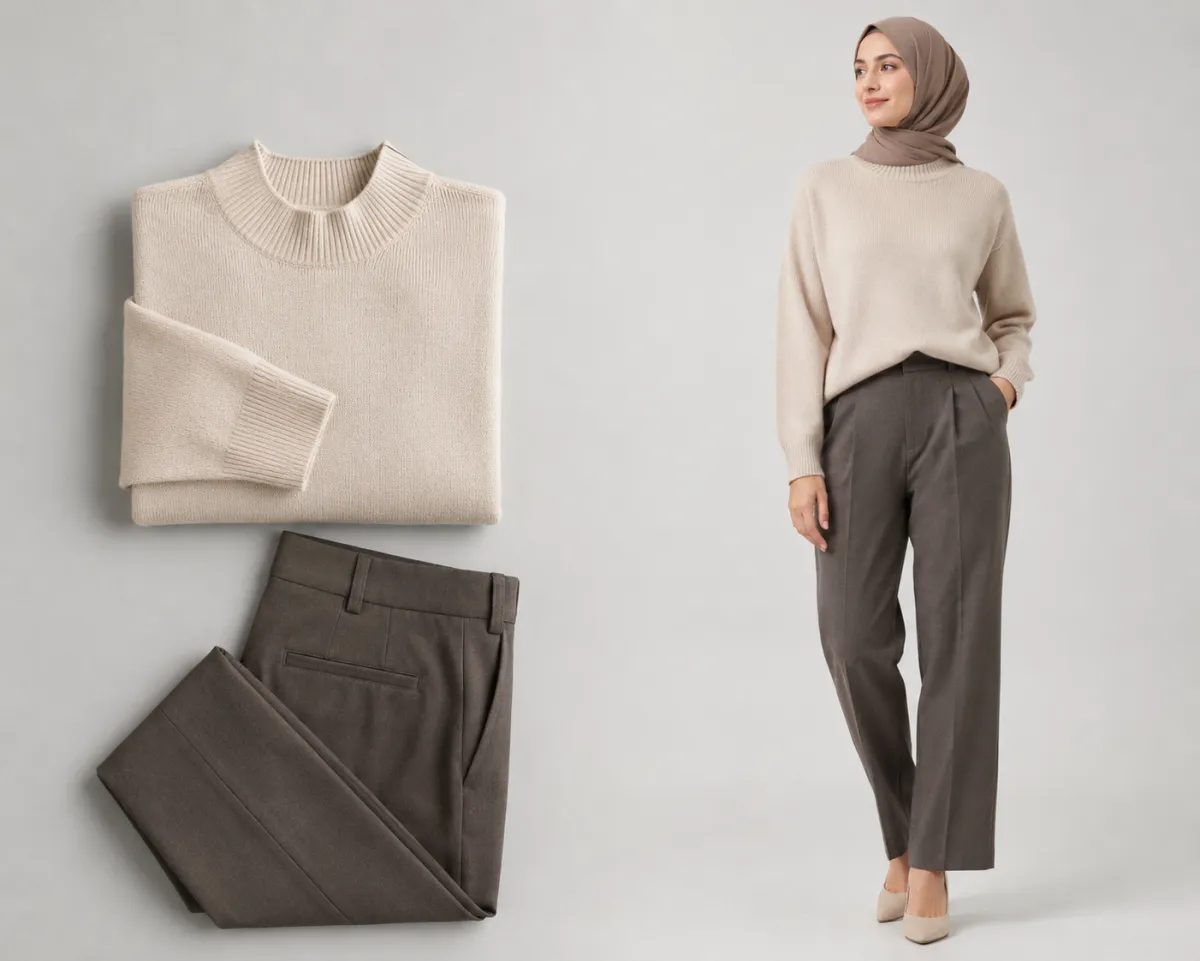
An AI model for clothes puts your real product garments onto AI-generated, fully-clothed models, so you get studio-style ecommerce photos in minutes instead of days — and for a fraction of a photoshoot's cost. Upload a product image, pick a model and pose, and an AI clothes changer renders the garment worn on a photorealistic person, ready to list.
That matters because for most small sellers the product photo, not the product, is the bottleneck: a single shoot ties up a model, a photographer, a studio, and a week of your calendar. This guide compares the real cost and speed of AI clothing models versus a traditional shoot, walks the workflow, compares the leading tools honestly, and is clear about where AI still falls short.
Last updated: June 22, 2026 · ~8 min read
The ecommerce photo problem: cost and time
If you sell clothing online, you already know the math. A small product shoot means booking a model, a photographer, and a studio, plus styling, editing, and turnaround. Industry retouching guides commonly cite per-image editing costs in the low single digits to tens of dollars before you even count the day rates — and a full lookbook can run into the hundreds or thousands.
It's also slow. From booking to delivered, retouched files, a shoot is usually a week or more. For a seller adding new SKUs every week, that cadence is impossible to keep up with — so listings go live with a flat-lay or a phone snap, and conversion suffers. Product imagery is one of the most-cited drivers of online purchase decisions: Shopify and other commerce resources consistently rank clear, on-model photos among the top factors shoppers use to decide whether to buy.
AI clothing models attack exactly this gap: the cost per image and the turnaround.
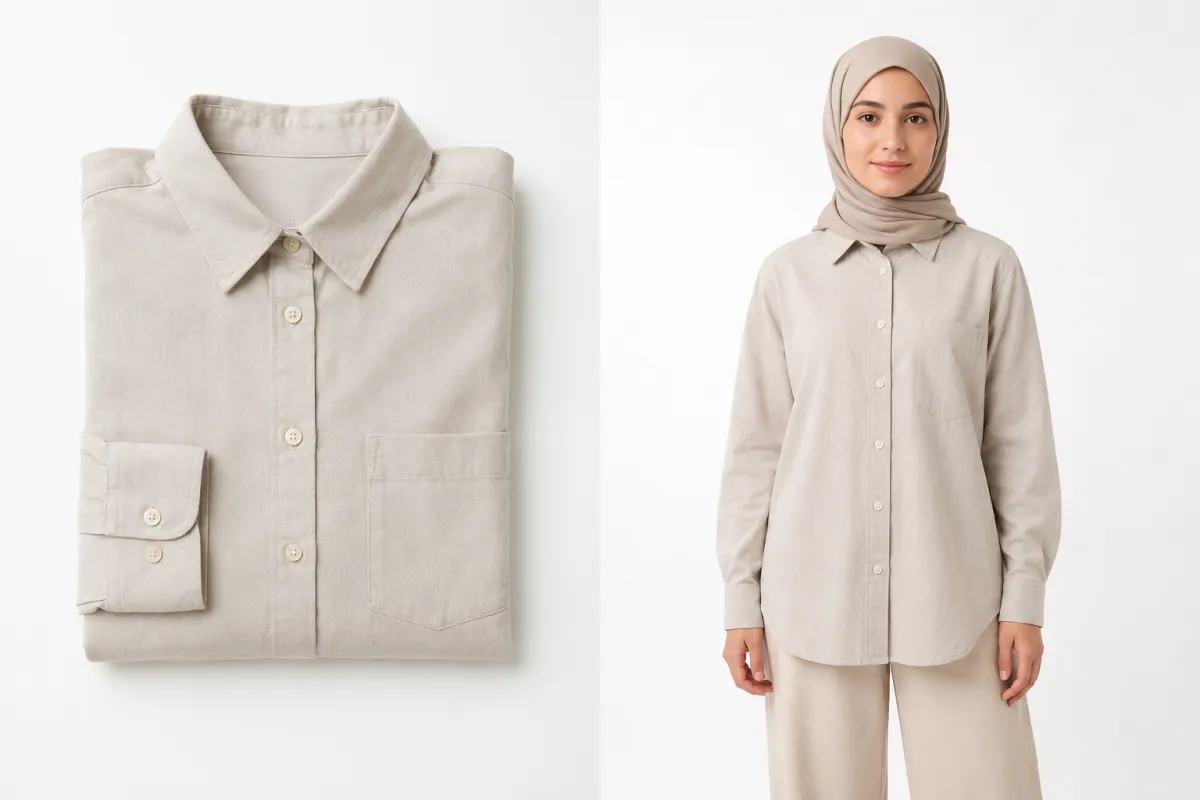
From flat product shot to on-model image: the same garment, now worn by a photorealistic, fully-clothed AI model — no studio booking required.
AI clothing models vs studio photography
AI doesn't replace a high-end editorial campaign, but for everyday catalog and listing photos the trade-off is stark. Here's the honest comparison:
| Factor | Traditional studio shoot | AI clothing models |
|---|---|---|
| Cost per shoot | Hundreds to thousands (model + photographer + studio + editing) | Cents to a few dollars per image on a credit plan |
| Turnaround | Days to weeks (book → shoot → retouch → deliver) | Minutes per image, same day |
| Model diversity | Limited by who you can book and afford | Many body types, ages, and skin tones on demand |
| Consistency | High within one shoot; hard to match months later | High and repeatable — same model and lighting any time |
| Best for | Hero/editorial campaigns, fit-critical hero shots | Catalog, listing, variant, and seasonal refresh photos at scale |
The honest split: use a real shoot for your flagship hero images and anything where exact drape and fit are the selling point. Use AI clothing models for the long tail — the dozens of SKUs, color variants, and seasonal refreshes where speed and cost decide whether the photo gets made at all.
For most small shops, that long tail is the majority of the catalog — which is where AI pays for itself fastest.
How AI clothing models work in 3 steps
The workflow is deliberately simple. With an AI clothes changer, turning a product image into an on-model photo is upload → choose → generate.
- Upload your product image. Start from a clean flat-lay, a ghost-mannequin shot, or an existing on-model photo. Even light, a plain background, and the full garment in frame give the best result — the clearer the input, the more faithful the output.
- Choose your model and pose. Pick the look you want — body type, pose, and framing — so the model matches your brand and audience. Generating the same outfit on several diverse models is a one-click way to broaden representation in your catalog.
- Generate, review, and download. The AI renders the garment worn on a photorealistic, fully-clothed model while keeping the product recognizable. Don't love the first pass? Regenerate with a different model or pose — it's non-destructive, so iterate until it's listing-ready, then download.
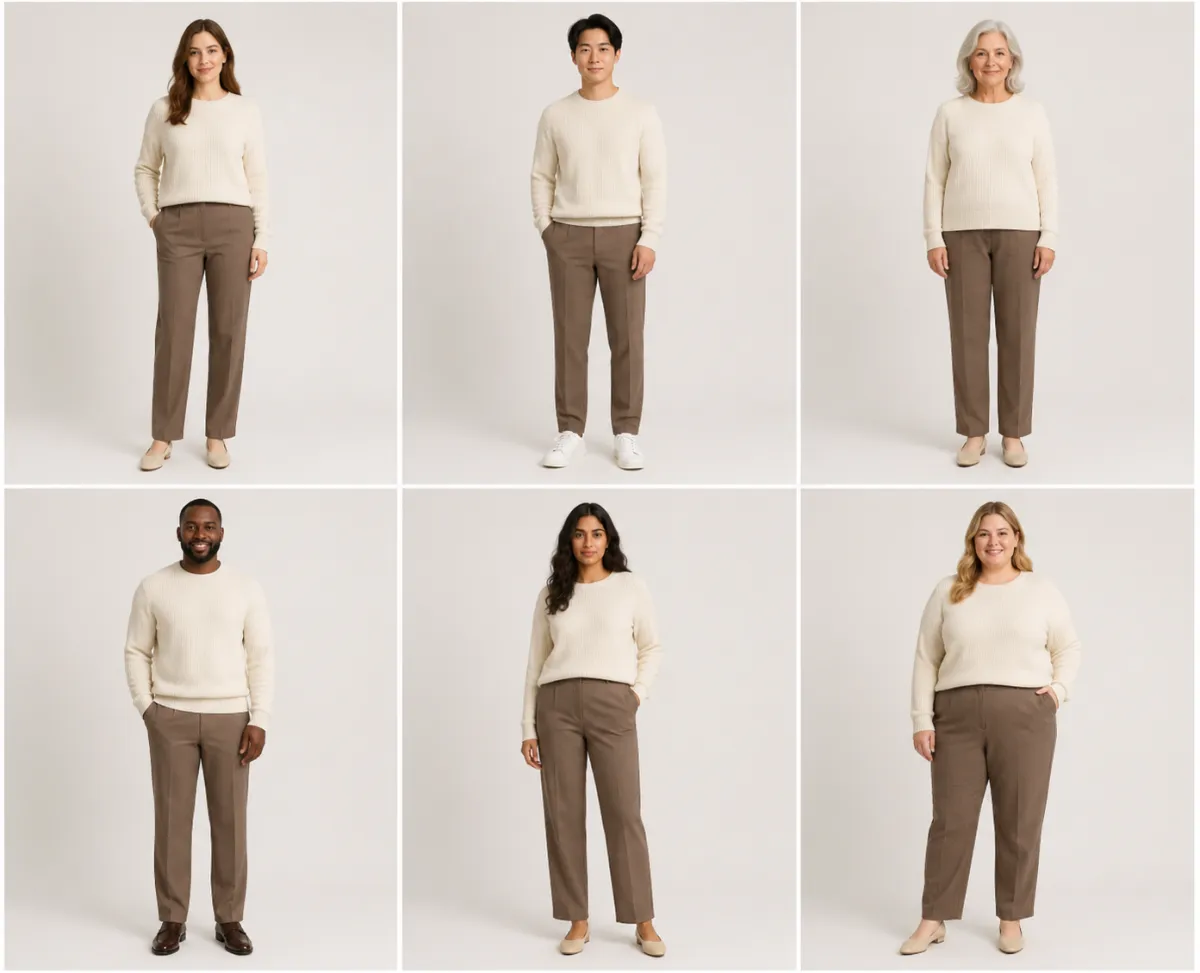
One garment, multiple models: generating the same outfit across diverse, fully-clothed AI models broadens catalog representation without re-shooting.
Best AI clothing model tools compared
Several tools target this market, with different strengths. Treat pricing as directional — these plans change often, so check current rates before committing.
| Tool | Best for | Strength | Trade-off |
|---|---|---|---|
| aiclothswap.com | Small sellers wanting fast on-model photos | Free to try in-browser, keeps the garment recognizable, modest by design | Busy or low-res inputs may need a regenerate |
| FASHN | Developers and stores needing API-grade try-on | Strong garment-to-model fidelity, scalable | More setup; oriented to technical integration |
| Botika | Fashion brands replacing model shoots | Catalog-focused, varied AI models | Subscription-priced toward higher volume |
| WeShop | Product-on-model for marketplaces | Good at turning flat shots into on-model images | Best output assumes product-style inputs |
There's no single winner — it depends on volume and how technical you want to get. A small shop testing the idea wants the lowest-friction, free-to-try option; a brand re-shooting a 500-SKU catalog every season cares more about batch throughput and API access.
Using aiclothswap for product photos
For a small seller, the fastest path is to start free in the browser. Upload a clear product image, pick a model and pose that fit your brand, generate, and download a listing-ready, fully-clothed on-model photo. Because it's credit-based and non-destructive, you can render the same garment on several models, or across color variants, without re-booking anything.
A practical workflow that works well for shops:
- Lead with one strong on-model image per product, then add a flat-lay and a detail shot for context.
- Reuse the same model and pose across a collection so your listings look like a coherent set, not a patchwork.
- Pair it with a virtual try-on so shoppers can preview the fit on themselves, reducing guesswork before they buy.
One caveat to set expectations: AI clothing models are excellent at showing a garment attractively, but they render an interpretation of fit, not a measured one. For fit-critical items, keep a real reference shot and clear sizing details on the listing.
If you're not sure which garment to feature first, our guide on how to find clothes from a photo and our best AI clothes changer roundup can help you plan the shoot list.
Frequently asked questions
What is an AI model for clothes?
An AI model for clothes is a photorealistic, computer-generated person used to display your product garments in ecommerce photos. You upload a product image — a flat-lay, ghost-mannequin, or existing photo — and the AI renders that exact garment worn on a fully-clothed model, giving you on-model imagery without booking a real model or studio.
Can AI replace a clothing photoshoot?
For everyday catalog, listing, and variant photos, yes — AI clothing models produce on-model images in minutes at a fraction of the cost. It does not replace a high-end editorial campaign or hero shots where exact garment drape and fit are the main selling point. Most small shops use AI for the long tail and reserve a real shoot for flagship images.
How much does AI product photography cost vs a studio?
A traditional shoot runs into the hundreds or thousands of dollars once you add a model, photographer, studio, and editing, and takes days to weeks. AI clothing models cost cents to a few dollars per image on a credit plan and deliver the same day. The savings are largest across high-SKU catalogs and frequent seasonal refreshes.
Are AI clothing models accurate enough to sell with?
For most clothing categories the on-model output is realistic and listing-ready, especially from a clean input image. The limitation is fit: AI renders an attractive interpretation of how a garment sits, not a measured fit. For fit-critical items, keep a real reference photo and accurate sizing details on the product page alongside the AI imagery.
Do AI model photos increase returns?
Used honestly, they should not. Returns rise when photos overstate or misrepresent a product, so accurate colors, clear detail shots, and truthful sizing matter more than who or what is wearing the garment. Combine on-model AI photos with a virtual try-on and precise measurements to set correct expectations and keep returns down.
Can I use AI models on my own product photos?
Yes. The whole point is to start from your real product image — a flat-lay, ghost-mannequin, or existing on-model shot — and re-render that garment on an AI model. Begin free in the browser, upload your photo, choose a model and pose, and generate. No studio, no install, and you can iterate until the result is listing-ready.
Related guides
Plan your product imagery before you start:
- Try the free AI clothes changer → — upload a product photo and put it on an AI model on the home page.
- AI virtual try-on: how it works and where it helps
- Best AI clothes changers in 2026 (we tested 9)
- How to find clothes from a photo
- Men's outfit generator for on-model looks
Cut your product-photo cost today
Skip the week-long shoot for your everyday listings. Upload a product photo and put it on an AI model free → and see a listing-ready result in minutes.