
How to Find Clothes From a Photo (AI Visual Search)
How to find clothes from a photo: use visual search (Google Lens, Pinterest, image search) to identify the garment, then try the look on yourself before you buy.
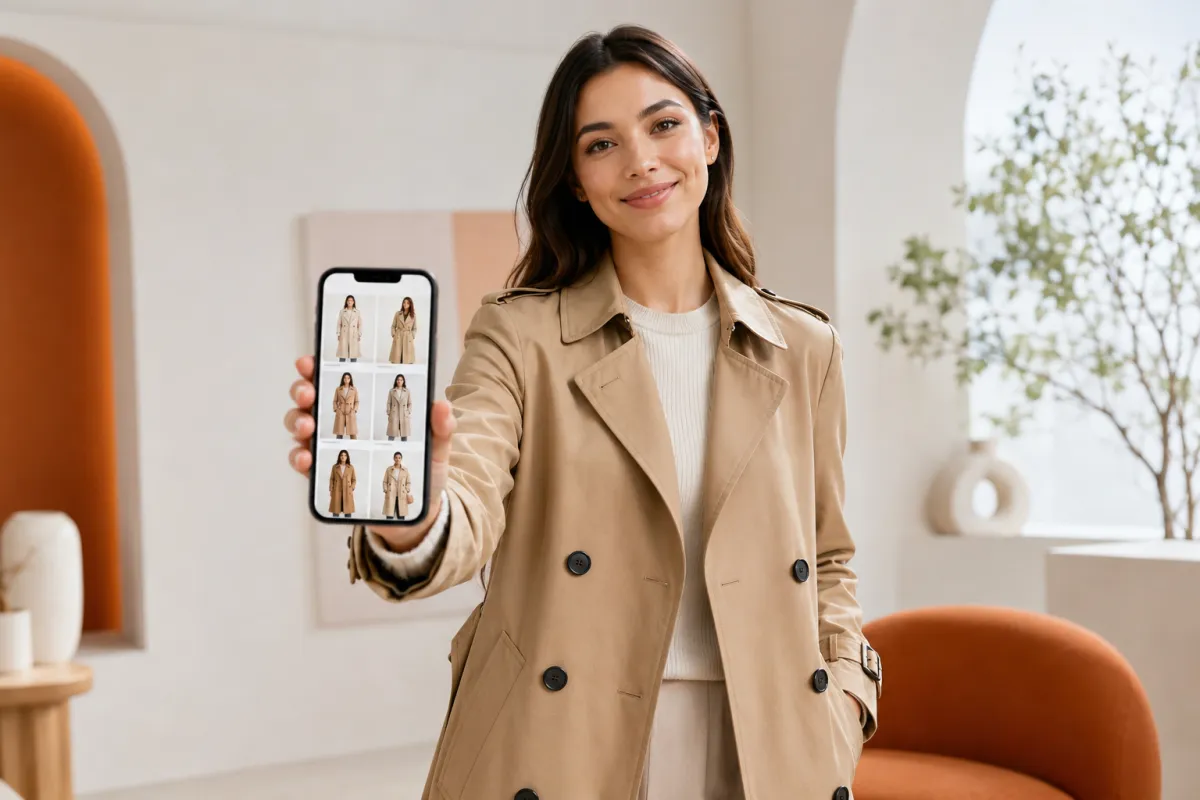
To find clothes from a photo, use a visual search tool — Google Lens, Pinterest Lens, or an image search — to identify the garment and surface similar items to buy. To then see that look on yourself before you commit, swap the outfit onto your own photo with an AI clothes changer. Two different jobs, two different tools.
That distinction matters, because most "find clothes from a photo" advice blurs them together. One job is identification — what is this jacket, and where can I get one like it? The other is visualization — will it actually suit me? This guide covers the honest way to do both: visual search to find the item, then virtual try-on to check the vibe before you buy.
Last updated: June 21, 2026 · ~6 min read
Find clothes from a photo in 3 steps
Reverse-searching a garment is a visual-search task. Whatever tool you pick, the flow is the same — point an image search at the photo and let it match the item.
- Start with the clearest version of the photo. A sharp, well-lit shot where the garment is fully visible gives the search engine the most to work with. Crop tight to the single item you care about (just the jacket, just the dress) so it isn't distracted by background or other clothing.
- Run it through a visual search. In the Google app or Chrome, tap the Lens icon and select the image; on Pinterest, use the Lens camera; on Amazon, use Amazon Lens in the app. Each returns visually similar products with shopping links.
- Compare matches and shortlist. Exact matches are rare unless it's a current mainstream product, so you'll usually get close items. Save two or three candidates that match the cut, color, and fabric you wanted.
Tip: Search clothes by image one garment at a time. A full outfit photo confuses visual search — it can't tell whether you want the coat, the bag, or the boots. Crop to a single item and run separate searches.
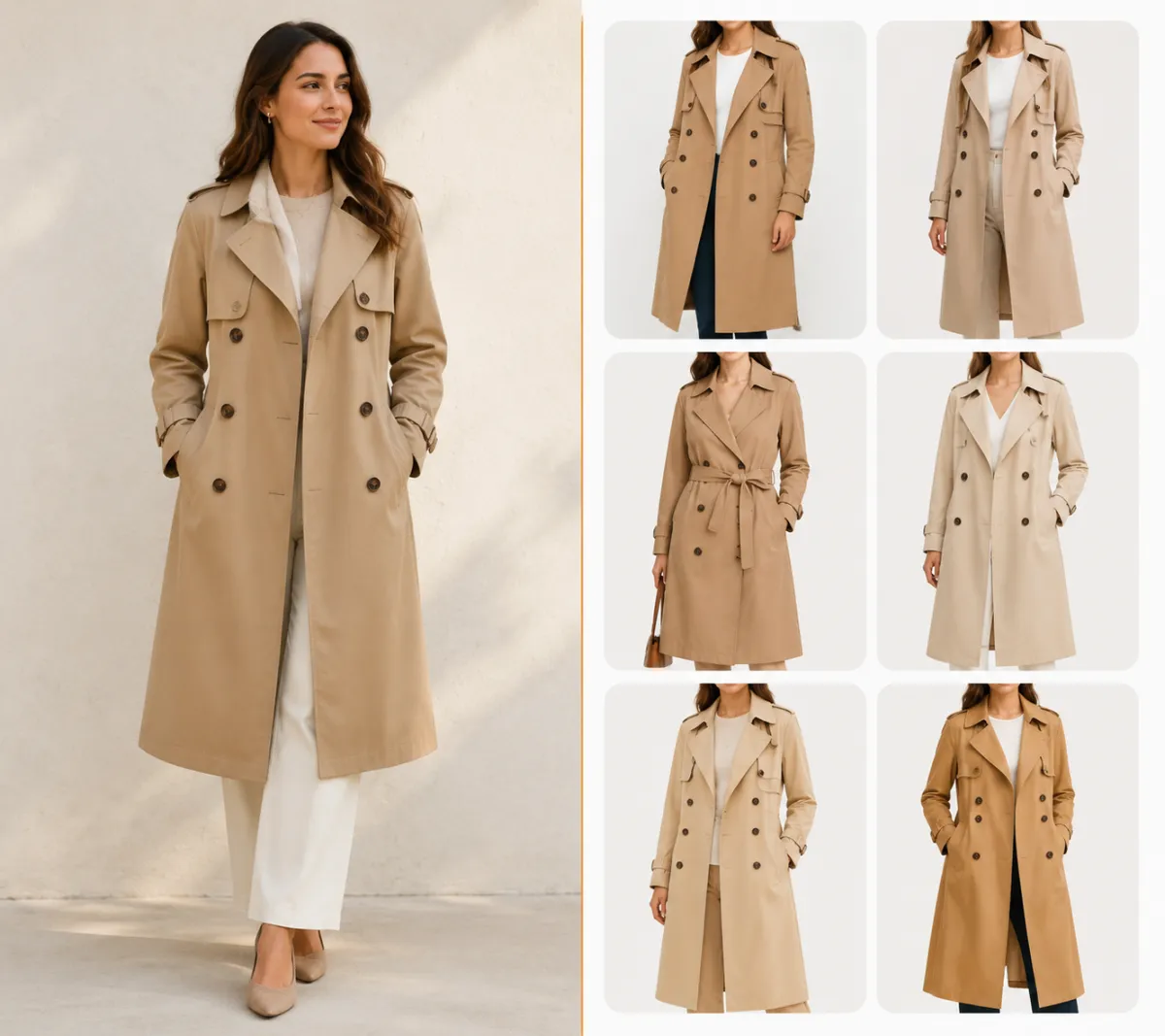
Find clothes from a photo: a single garment cropped from the source image, then matched to similar products with visual search.
Which visual search tool should you use?
To identify clothing in a photo, the four mainstream options all work a little differently. Here's the honest trade-off.
| Tool | Best for | Strength | Watch out for |
|---|---|---|---|
| Google Lens | General "find similar" + shopping | Huge product index, works in-browser | Surfaces look-alikes, not always the exact item |
| Pinterest Lens | Style and outfit inspiration | Great for vibe and "complete the look" | More inspiration than precise product match |
| Amazon Lens | Buying a close match fast | Direct add-to-cart on Amazon | Limited to Amazon's catalog |
| Specialist apps (ScreenShop, etc.) | Screenshots from social/celebs | Tuned for fashion, finds dupes | Coverage varies; some features are paid |
For most people, Google Lens is the fastest first try because it searches the open web. If you're chasing a specific look from Pinterest or Instagram, Pinterest Lens is built for that. When you want to find outfits with pictures and just buy something close today, Amazon Lens gets you there in two taps.
None of these tools, though, answers the question that actually decides the purchase: will it look good on me? That's the gap virtual try-on fills.
After you find it: see the look on yourself before you buy
You've found a few candidate garments. The honest next problem is that a product photo on a model tells you almost nothing about how the piece reads on your body, coloring, and style. Returns happen here.
This is the one part that isn't visual search — it's the opposite direction. Instead of starting with a garment and finding the person, you start with your photo and put the garment on it. An AI clothes changer does exactly that: upload a clear photo of yourself, describe or show the outfit you found, and it re-renders the look on you while keeping your face and pose.
- Upload a clear, front-facing photo of yourself. Good light, the body not cropped — the same rules that make any photo edit clean.
- Describe the item you found ("long tan double-breasted trench coat") or reference its color and cut.
- Generate and compare. You get a preview of that look on you, so you can judge fit and vibe before spending anything.
To be clear about what we do: AIClothSwap changes the outfit on a photo you provide — it does not reverse-search a garment to find where to buy it. Use visual search for the finding step; use the clothes changer for the trying-on step. They're complementary, not the same tool.
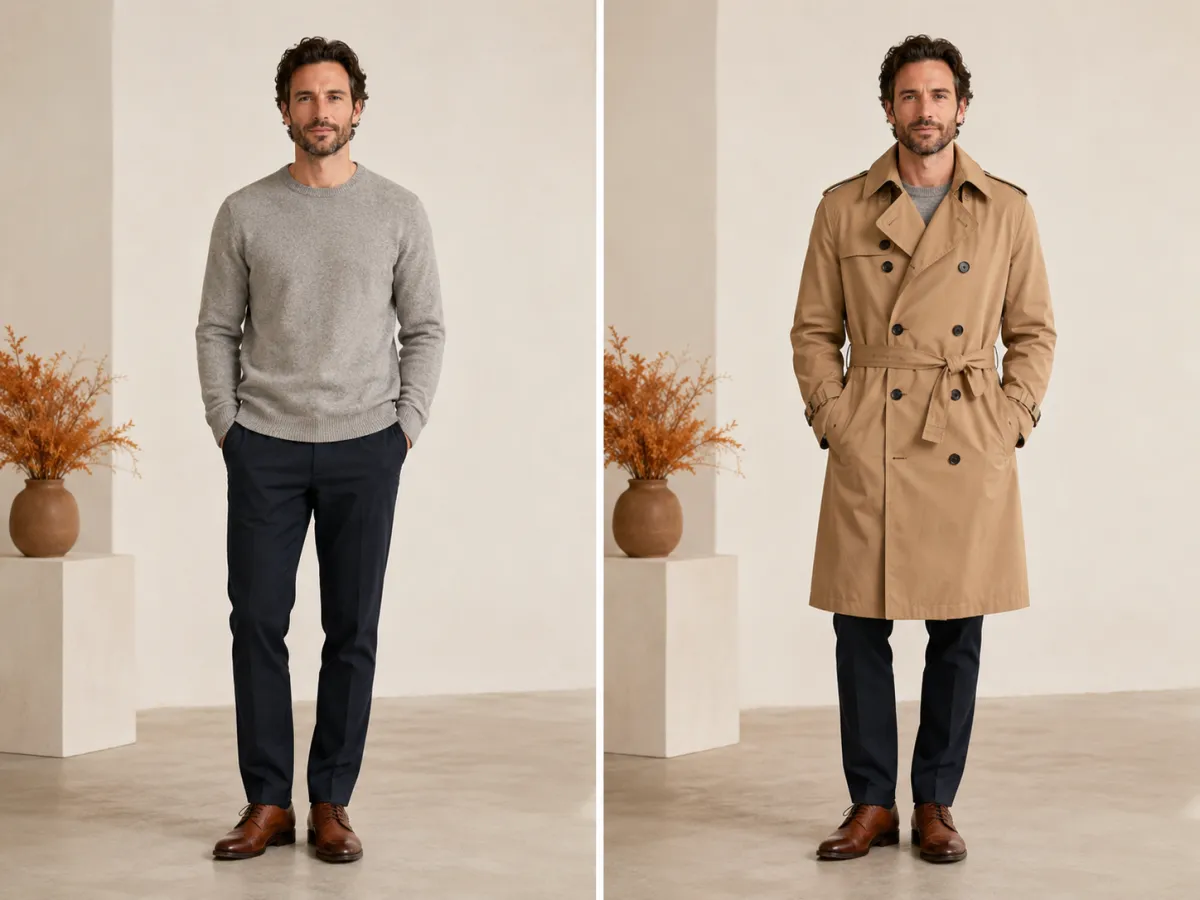
Found a coat online, then previewed it on your own photo — same face and pose, only the outfit changes, so you can judge the look before buying.
Visual search vs. virtual try-on: which does which
It's worth keeping the two jobs straight, because picking the wrong tool wastes time.
| Job | What you start with | Right tool | What you get |
|---|---|---|---|
| Identify / find the garment | A photo of the clothing | Visual search (Lens, image search) | Links to the same or similar items to buy |
| See the look on yourself | A photo of you | AI clothes changer | A preview of that outfit on your own body |
A simple rule: if your question starts with "where can I buy this?" you want visual search. If it starts with "would this suit me?" you want a virtual try-on. Most shopping decisions need both, in that order.
When visual search struggles (and how to get a better match)
If image search keeps returning the wrong items, a few fixes solve most cases:
- Crop tighter. Isolate one garment. Backgrounds, faces, and second items pull the match in the wrong direction.
- Use the cleanest copy of the image. A blurry screenshot of a screenshot loses the detail the search relies on. Find the highest-resolution version you can.
- Search by detail, not just the whole piece. Distinct buttons, a collar shape, a print, or a texture often match better than the full silhouette.
- Try a second tool. If Google Lens whiffs, Pinterest or a specialist fashion app may have the dupe. Coverage differs by catalog.
If you only ever get similar items rather than the exact one, that's normal — and it's fine. A close match you can preview on yourself often beats the exact item you never see on your own body.
Frequently asked questions
Can I use an app to identify clothing from a photo I took?
Yes. Visual search tools like Google Lens, Pinterest Lens, and Amazon Lens use image recognition to identify clothing in a photo and surface the same or similar products to buy. Crop the photo to a single garment first for the most accurate match.
How can I find clothes that match a specific picture or outfit?
Run the picture through any visual search engine — open Lens in the Google app, the camera on Pinterest, or your shopping app's built-in search, then select the image. It returns visually similar items. Then, to see whether a match suits you, swap it onto your own photo with an AI clothes changer before buying.
What are the best apps to find clothes from photos?
For general web matches, Google Lens is the fastest starting point. Pinterest Lens is best for style inspiration, Amazon Lens for buying a close match fast, and specialist fashion apps (such as ScreenShop) are tuned for screenshots from social media and celebrities.
Can I search clothes by image for free?
Yes. The mainstream image-search tools — Lens in the Google app, Pinterest's camera, and Amazon's in-app finder — are free to use. Some specialist fashion-finder apps add paid tiers, but the everyday "find this item" search costs nothing.
Does AIClothSwap find where to buy clothes from a photo?
No — and that's an honest line worth drawing. AIClothSwap changes the outfit on a photo you upload; it does not do reverse product search. Use visual search to find the garment, then use the AI clothes changer to try the look on yourself before you buy.
Can I see how a dress looks on me before buying it?
Yes. Once you've found a dress through visual search, upload a clear photo of yourself to a virtual try-on tool and apply the look. You get a preview on your own body, which helps you judge fit and style and cut down on returns. See our AI virtual try-on guide for the full walkthrough.
Why does image search only return similar items, not the exact one?
Exact matches are only common for current mainstream products. Most photos return close look-alikes because the original item may be old, custom, or out of stock. Cropping tighter, using a higher-resolution image, and trying a second search tool all improve the odds.
Related guides
Keep going before you start shopping:
- Try the free AI clothes changer → — found a look you like? Upload your photo and preview the outfit on yourself.
- AI virtual try-on: see clothes on you before you buy
- AI outfit generator: get outfit ideas from your photo
- How to change clothes in a photo with AI (no Photoshop)
- Clothes color changer: recolor an outfit in seconds
Try the look before you buy
Visual search finds the garment; we help you decide if it's actually you. Found something you like? Upload your photo and preview the outfit free → before you spend a cent.