
Vidnoz AI Clothes Changer: What to Check First
A practical Vidnoz AI Clothes Changer review: how to test a result, inspect garment edges, and decide when a preview is not enough.

Vidnoz AI Clothes Changer is worth using as a quick outfit-preview test only when you can inspect the result against the original photo. Start with a clear image, make one clothing change, and check the neckline, hands, seams, shadows, and background before you keep anything. If you want a controlled alternative for a style comparison, an AI clothes changer can play the same bounded role; neither tool proves real fit, fabric, stock, or permission.
Last updated: August 31, 2026 · about 7 min read
What Vidnoz says the clothes changer does
Vidnoz’s current AI Clothes Changer page presents an online workflow for uploading a person image and choosing or uploading clothing. Its public page lists JPG, PNG, and WEBP as upload formats. That is useful product information, but it is not a promise that every source photo, outfit reference, export, or account condition will behave the same way. Check the live page before you upload a sensitive image or make a purchase decision.
The sensible question is not “did the first render look impressive?” It is “did the render answer one small visual question without changing the rest of the photograph?” A navy blazer may be a useful test of contrast and silhouette. It is not evidence that a particular blazer is in stock, fits you, or will hang the same way in person.
| If you need to decide… | A preview can help with | You still need to verify |
|---|---|---|
| Whether a color suits your usual photo | Color direction and contrast | The retailer’s actual shade and dye lot |
| Whether a look feels too formal | Overall silhouette and styling | Venue expectations and your comfort |
| Whether a product shot is usable | A rough creative concept | Rights, inventory, product facts, and final photography |
| Whether a size will work | Very little | Measurements, size chart, reviews, and return terms |
Treat a generated image as a visual draft. Keep the claim smaller than the image, especially when the result could be mistaken for a real product photograph.
Test a clothes-change result in five steps
- Use a photo you have the right to edit. Choose a sharp source with the person’s shoulders, garment edges, and hands reasonably visible. Avoid a photo with someone else’s private location, documents, or children unless you have a clear reason and permission to use it.
- Ask one question at a time. Test one garment or one color direction. A narrow request such as “replace only the overshirt with a muted navy blazer; keep the face, hands, pose, lighting, and background” is easier to evaluate than a complete makeover.
- Keep the original beside the result. Do not judge from a phone-size thumbnail. Compare the source and render at full size, beginning with the collar, sleeve cuffs, and areas where hair or hands overlap the clothing.
- Reject identity or scene drift. A changed jawline, softened face, altered fingers, missing jewelry, or repainted wall means the edit has exceeded the clothing task. Start again with a clearer source or a simpler clothing request.
- Save the decision, not a fantasy claim. Keep the version that helps you choose a direction. For shopping, confirm the actual garment from the seller. For public content, label a significant synthetic wardrobe change instead of presenting it as an untouched photograph.
For a deeper input check, use our guide to choosing the best photo for an AI clothes changer. If you are only changing a garment color rather than replacing the outfit, a dedicated clothes color changer workflow is the narrower tool choice.
Watch the official workflow, then inspect it yourself
In this short walkthrough, Vidnoz shows how its clothes changer works; it is a vendor demonstration, not an independent quality benchmark.
The full-size review that prevents most bad saves
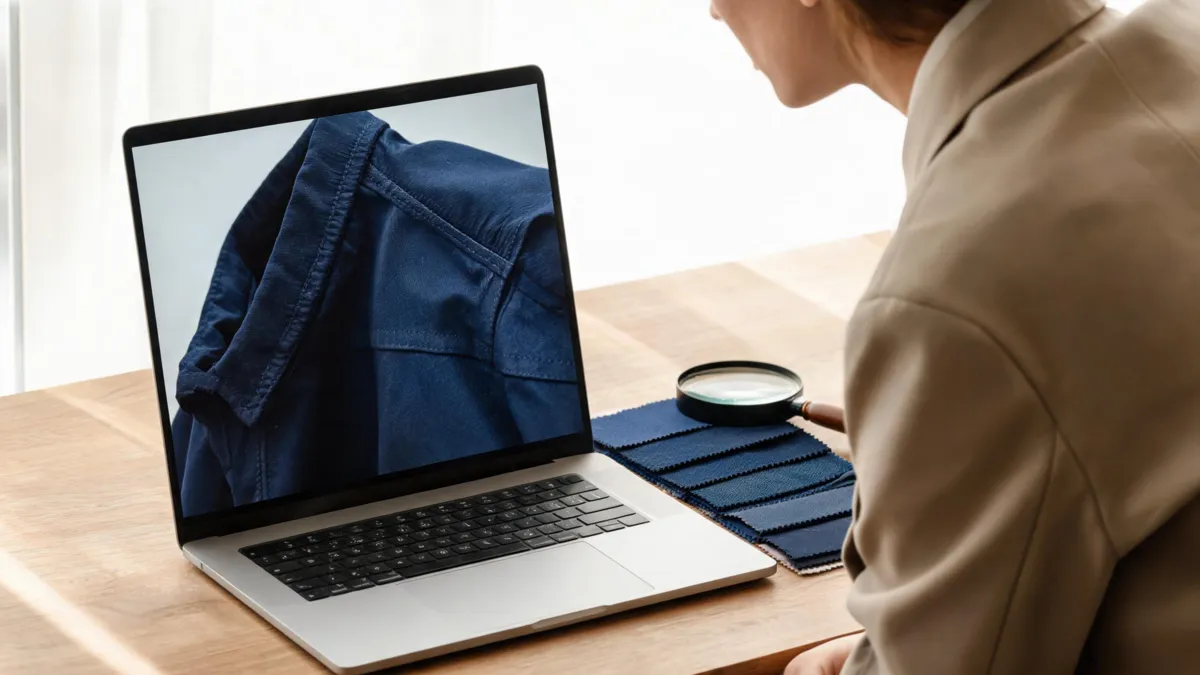
Inspect the image at full size: an appealing color is not enough if the garment boundary or light no longer makes sense.
Use this quick review before downloading or sharing a result:
- Neckline and hair: The garment should stop at the neck and hairline. Watch for tinted skin, floating collars, or hair that has become part of the jacket.
- Hands and sleeves: Fingers crossing a shirt, cuffs, and bag straps are difficult boundaries. If they look melted or disappear, reject the version rather than cropping away the evidence.
- Seams and texture: Buttons, folds, stitches, and highlights should agree with the light in the original. A flat, uniformly colored jacket often signals lost fabric information.
- Background and accessories: Check walls, glasses, jewelry, and furniture for accidental changes caused by a broad edit.
- Words, badges, and logos: Do not rely on a generative image to preserve a real product label or readable text. Use an original, licensed asset where exact details matter.
This is also where a purpose-built comparison can be more useful than chasing a perfect first render. Use virtual try-on when your goal is to compare a planned garment on a stable photo, then compare the result with the retailer’s real product page and size information.
When to stop using an outfit preview
Do not keep iterating just because a result is nearly right. A preview is the wrong tool when the image must carry a factual promise: a passport or other identity photo, a retailer listing, a legal or documentary record, or a sponsored post where the image could be read as a real outfit. In those cases, use an authorized original photograph or a documented editing process that preserves the required facts.
It is also worth stopping when the source is too ambiguous. Crossed arms, a bag over the torso, a low-resolution face, a crowded background, or a heavily patterned garment give the model too little stable information. A clearer photo is usually a better fix than a stronger prompt. For a personal choice, compare two restrained versions and move on to the real-world check. For a client or customer-facing image, ask a person with approval authority to review the source, output, and final caption together.
Limits, privacy, and fair presentation
This guide was reviewed on August 31, 2026 using Vidnoz’s public clothes-changer page and its official video. It does not independently test Vidnoz’s output quality, pricing, retention practices, or every account state. Those details can change. Read the service’s current terms and privacy information before submitting a personal photo, and do not upload an image you do not have permission to edit.
An outfit render is most honest when it stays a preview: a way to compare a styling idea, plan a shoot, or decide whether to investigate a real item. It should not stand in for measurements, accessibility needs, a store’s color, or an accurate ecommerce listing. If your use is commercial, add a human review and follow the marketplace, client, and jurisdiction-specific disclosure rules that apply to the finished image.
Frequently asked questions
Is Vidnoz AI Clothes Changer free to try?
Vidnoz’s public clothes-changer page presented an online free workflow when this guide was reviewed. Access rules, credits, exports, and account requirements can change, so confirm the current page before uploading a photo.
Can an AI clothes changer tell me whether a garment will fit?
No. A clothing preview can help you judge color, silhouette, and styling direction, but it does not measure your body, confirm a size, or reproduce the exact fabric and drape. Check the retailer’s size chart and product information separately.
What should I inspect after changing clothes in a photo?
Inspect the neckline, hairline, hands, sleeves, seams, shadows, background, and any logos or small text. Compare the result with the original at full size and reject a version that changes more than the garment.
Related guides
- Try the free AI clothes changer →
- AI virtual try-on versus clothes changer
- How accurate are AI clothes changers?
- How to change clothes in a photo with AI
Make the preview earn its place
Use any clothes-changing tool to test one visible decision, then check the result more carefully than the thumbnail invites you to. A smaller, inspectable claim produces a more useful preview.