
Is an AI Clothes Changer Safe? What Happens to Your Photos
Is an AI clothes changer safe? It depends on how long photos are kept, whether they train models, and if transfer is encrypted. Here's how to check before you upload.

Is an AI clothes changer safe? It depends on three things: how long the tool keeps your photos, whether it trains its models on your images, and whether your upload is encrypted in transit. A responsible AI clothes changer tells you all three plainly — and lets you delete your photos. Tools that hide these answers are the ones to avoid.
Last updated: June 20, 2026 · ~6 min read
Face and full-body photos are personal data, so the caution is fair. The good news is that "safe" isn't a vibe — it's a checklist. Below we explain the three things that actually decide whether an AI clothes changer is safe to use, state our own policy in plain language as a working example, compare the kinds of policies these tools publish, and give you a quick checklist to vet any tool before you upload.
The 3 things that decide whether an AI clothes changer is safe
Most "is it safe?" worries collapse into three concrete questions. Skip the marketing and read the privacy policy for these:
- How long are your photos kept? The safest answer is "deleted automatically after processing" or "you can delete them yourself anytime." Indefinite, undated retention is a red flag — your photo sitting on a server forever is the main thing that can go wrong later.
- Do they train AI models on your images? Some tools reserve the right to use your uploads to improve their models. That means your face could end up baked into a system you never see. A tool that says clearly "we do not train on your photos" removes that risk entirely.
- Is the transfer encrypted? Your upload should travel over HTTPS (TLS), so it can't be intercepted between your device and the server. This is standard now — if a site isn't on HTTPS, stop there.
The one-line test: a tool is as trustworthy as the answers it gives to those three questions in writing. If a privacy policy is vague or missing, treat the answer as "no."
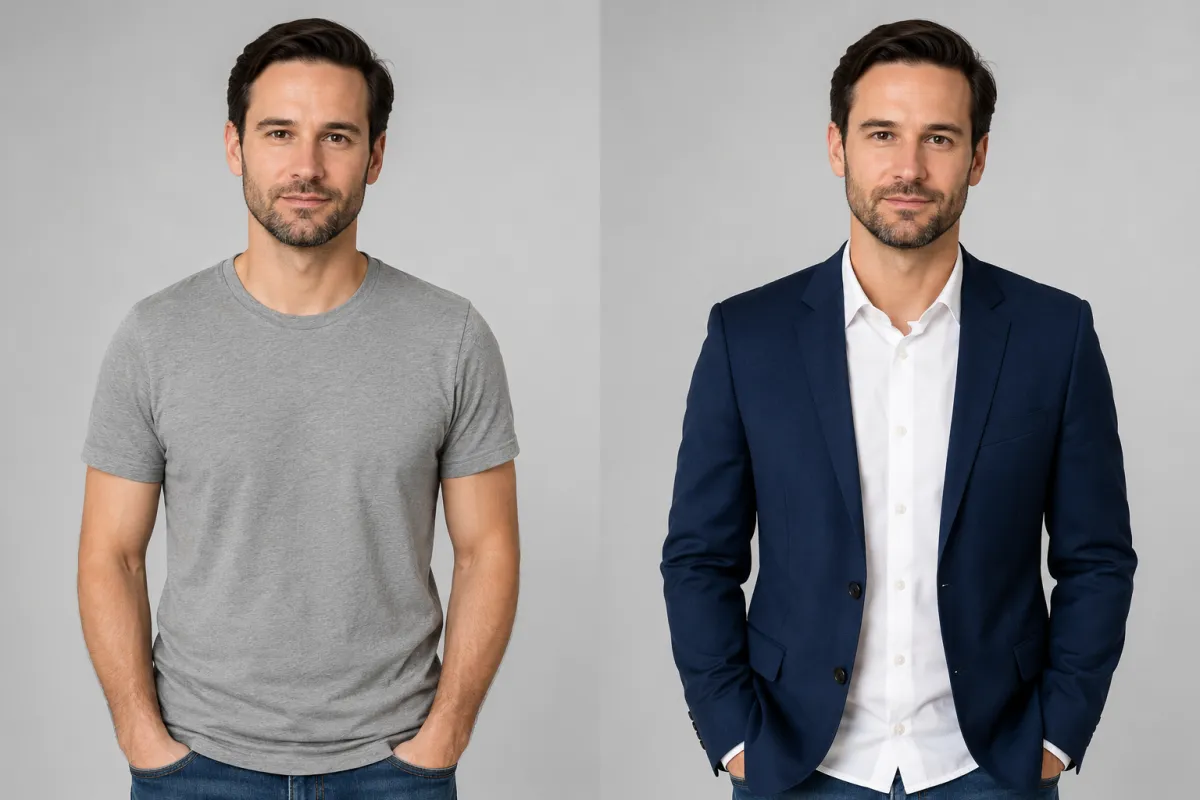
The edit only touches the outfit — a casual tee becomes a blazer. A safe tool changes the clothing, not what it does with your photo afterward.
How to check if an AI clothes changer is safe in 3 steps
You don't need a law degree. Before uploading to any tool, spend two minutes doing this:
- Open the privacy policy and search it. Use Ctrl/Cmd+F for the words retention, delete, train, and third parties. If those words aren't there, the policy is too thin to trust.
- Look for a delete control. A trustworthy tool gives you a way to remove your photos and your account — not just an email address you have to beg.
- Check the address bar and the account terms. Confirm
https://, and see whether you can use the tool without handing over more than you need. (A common real question is whether you can use an AI clothes changer online without a login — fewer required details is generally better for privacy.)
If a tool passes all three, the remaining risk is small and ordinary. If it fails any, move on — there are plenty that pass.
Our policy, stated plainly (the responsible-tool example)
We'll hold ourselves to the standard above. Here is what aiclothswap.com does, in plain language:
- What we keep: your uploaded photo and the generated result are stored only as long as needed to process and deliver your image, then removed on a short, automatic schedule.
- How to delete: you can delete your images and your account yourself — no email request required.
- Training: we do not train our AI models on your photos. Your image is used to generate your result and nothing else.
- In transit: uploads and downloads run over encrypted HTTPS connections.
This is the bar a safe AI clothes changer should clear. Our full, binding terms — including what is and isn't allowed, and the consent rules for the people in your photos — live on the Content Policy page. Treat any tool's published policy, not its homepage copy, as the real promise.
A privacy comparison: what kinds of tools publish what
Tools in this space tend to fall into a few patterns. This is an objective comparison of the kinds of policies these tools publish — not a claim about any specific competitor's exact clause. Read each tool's own policy for the truth.
| Privacy factor | Tools that put safety first | Tools to be cautious with |
|---|---|---|
| Photo retention | Auto-deleted after processing; user can delete anytime | Indefinite or unstated retention |
| Model training | States clearly it does not train on your photos | Reserves the right to use uploads for training |
| Deletion control | Self-serve delete for images and account | Email-only requests, or no delete option |
| Encryption | HTTPS/TLS for all transfers | No HTTPS, or unclear |
| Account data | Asks for the minimum; clear about third parties | Requires extra data; vague on sharing |
| Acceptable use | Public content policy + consent rules | No policy, or no consent guidance |
The pattern is simple: safety-first tools answer the three core questions out loud, and shaky tools leave them blank. A blank is a "no."

A simple color change on the same shirt. A safe edit preserves the person; a safe tool preserves your privacy.
Safe-use checklist
A quick run-through you can apply to any AI clothes changer before you upload:
- Read the retention line. Auto-delete or self-delete? Good. Indefinite? Skip it.
- Find the "no training" statement. Confirm your photo won't be used to train models.
- Confirm HTTPS. Look for the lock and
https://in the address bar. - Only upload photos you have the right to use. Use your own photos, or have the consent of the person pictured. Never upload someone else's image to alter without permission.
- Keep it modest and lawful. A responsible tool's content policy sets clear boundaries; staying within them keeps you (and the people in your photos) safe.
- Use a real outfit task. Whether you're previewing a graduation outfit, trying a swimwear look, or doing a quick virtual try-on, the privacy rules are the same — check before you upload.
Frequently asked questions
Are there any privacy concerns when using face and clothes changing features?
Yes, and they're worth checking. Because these features process your face and body, the real concerns are how long the tool stores your photo, whether it trains models on it, and whether the upload is encrypted. A tool that auto-deletes images, states it does not train on your photos, and uses HTTPS addresses all three. Read the privacy policy for those points before uploading.
Is an AI clothes changer safe to use?
It is safe when the tool is transparent about three things: short or self-controlled photo retention, no model training on your images, and encrypted (HTTPS) transfer. aiclothswap.com meets that bar and publishes its rules on the Content Policy page. The tools to avoid are the ones whose policies are vague or missing — treat silence as a "no."
What happens to my photos after I upload them?
With a responsible tool, your photo is used only to generate your result, kept briefly on an automatic schedule, then deleted — and you can delete it yourself sooner. It is not used to train AI models. Always confirm this in the tool's privacy policy, since practices vary widely between services.
Can I use an AI clothes changer online without a login?
Often, yes — and asking for less personal data is generally better for your privacy. You can start editing in the browser with no install; see our walkthrough of how to change clothes in a photo. Whatever the login situation, still check retention, training, and encryption before you upload.
Do AI clothes changers train their models on my pictures?
Some do, some don't — this is exactly why you read the policy. A trustworthy tool states clearly that it does not train on your uploads. aiclothswap.com does not train its models on your photos; your image is used only to produce your result. If a policy is silent on training, assume the answer is unfavorable.
How do I delete my photos and account?
A safe AI clothes changer gives you self-serve deletion for both your images and your account, without an email request. Before you commit, confirm the tool offers a delete control rather than only an inbox to write to. If you can't find one, that's a reason to choose a different tool.
Is it safe to upload my own photo to change the outfit?
Yes, if the tool passes the three checks (retention, no training, encryption) and you only upload photos you have the right to use. Use your own image or one you have consent to edit, keep the result modest and within the content policy, and you're on solid ground.
Related guides
Vet the tool, then explore what it can do:
- Try the free AI clothes changer → — upload a photo and swap any outfit on the home page.
- How to change clothes in a photo with AI (no Photoshop)
- How to change the color of clothes in a photo
- AI virtual try-on: see an outfit on you before you buy
- Put a suit on your photo: AI headshot outfit change
- Our Content Policy: what's allowed and the consent rules
Check the policy, then try it safely
Safety comes down to three written answers and a delete button. We publish ours — read the Content Policy, then upload a photo and change the outfit free → with a tool that tells you exactly what happens to your image.