
Put a Suit on Your Photo: AI Headshot Outfit Change
How to put a suit on my photo for a professional headshot — turn a casual selfie into a LinkedIn-ready outfit in three steps with an AI clothes changer.
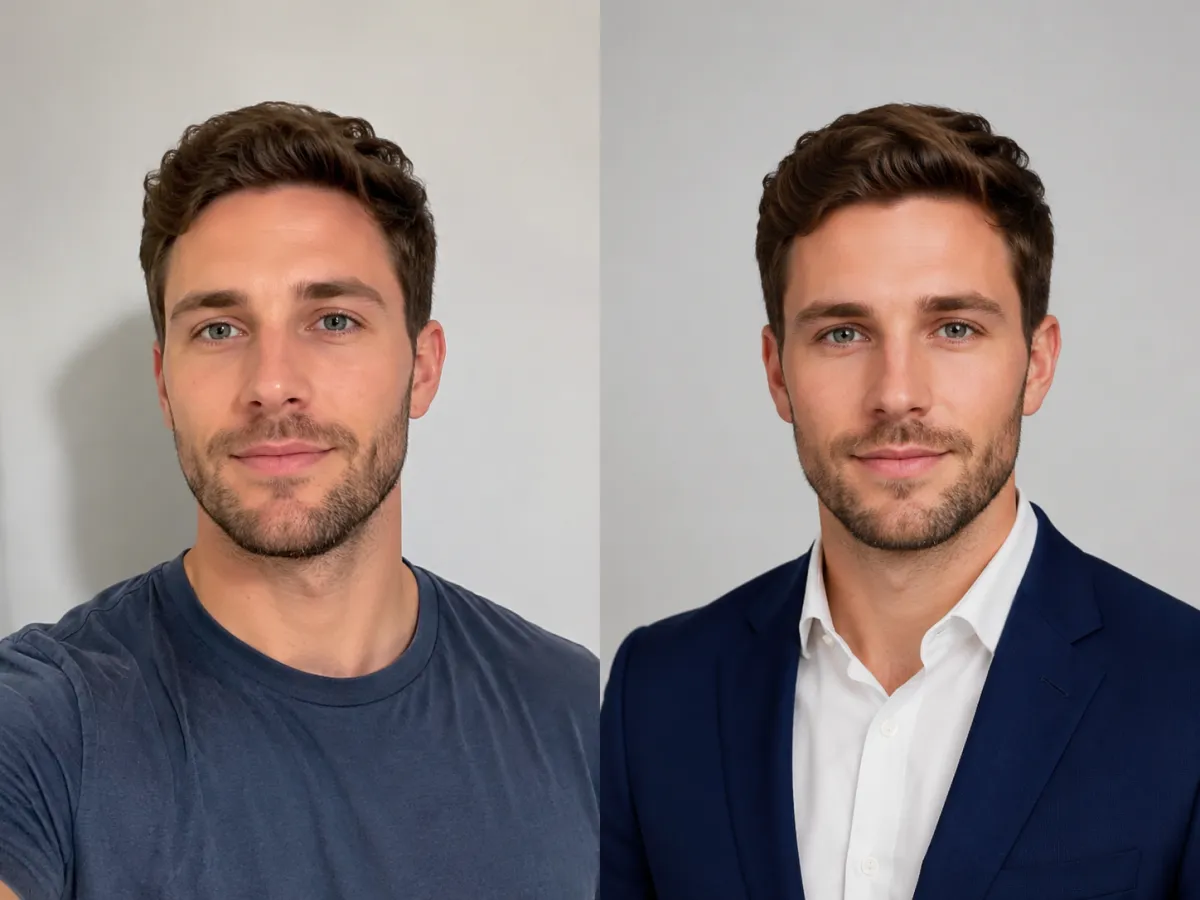
You can put a suit on your photo in about a minute with an AI clothes changer — upload a clear head-and-shoulders shot, choose a suit style, and download a polished result. The tool keeps your real face and pose, swapping only the outfit, so a casual selfie becomes a professional headshot without a studio booking.
If you searched how to put a suit on my photo, you probably need a sharp professional headshot for a profile, a CV, or a team page — and you don't have time for a photographer or a Photoshop course. This guide walks the AI route step by step, helps you pick a suit color, and shows when a real studio is still worth it.
Last updated: June 17, 2026 · ~6 min read
Put a suit on your photo in 3 steps
An AI clothes changer handles the selection and re-rendering, so the whole job is upload → choose → download.
- Upload a clean head-and-shoulders photo. Front-facing, in even light, with your shoulders visible and nothing covering your neckline works best. A plain wall behind you helps the edit look natural.
- Choose or describe the suit. Pick a preset like "navy suit with a white collared shirt" or "charcoal blazer, no tie," or type your own. Keeping a collared shirt under the jacket reads as the most formal and reliable.
- Generate and download. The AI preserves your face, hair, and pose, and renders the suit on top. Don't like the lapel or color? Re-run with a tweaked description — it's non-destructive, so you can compare looks side by side.
Tip: Generate two or three color variations (navy, charcoal, light grey) before you commit. The "best" color depends on your background and skin tone, and seeing them next to each other beats guessing.
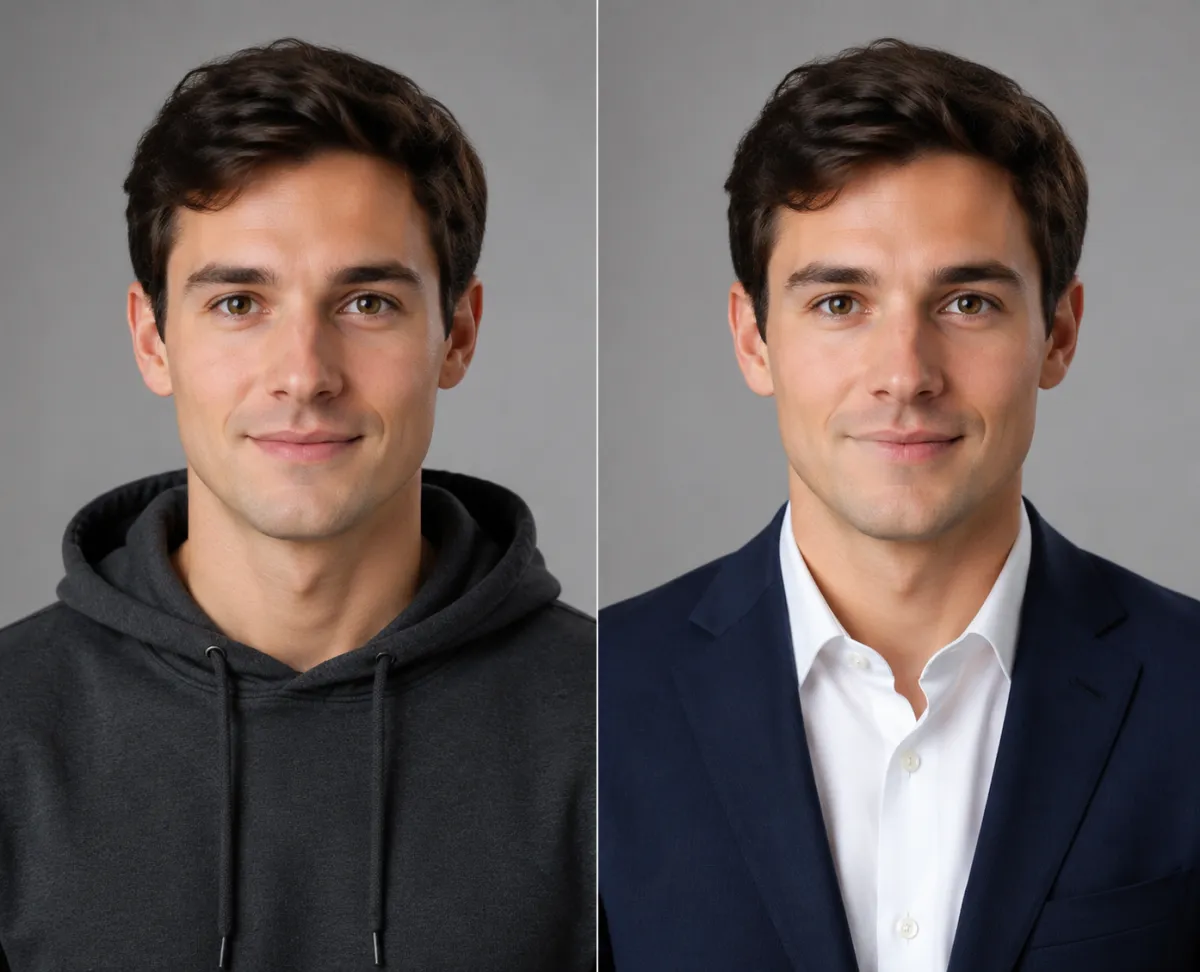
Same face, same pose — a casual t-shirt becomes an interview-ready navy suit for a LinkedIn headshot.
Which suit style works for a headshot?
For a professional headshot, simpler reads as more credible. A solid jacket over a collared shirt photographs cleanly at thumbnail size, which is how most people first see your profile picture. Here's a quick guide to the most reliable combinations.
| Suit style | Shirt | Tie | Reads as | Best for |
|---|---|---|---|---|
| Navy suit | White or light blue collared | Optional | Trustworthy, classic | LinkedIn, CV, sales, finance |
| Charcoal grey | White collared | Optional | Formal, neutral | Law, consulting, executive roles |
| Light/mid grey | White or pastel collared | Usually none | Approachable, modern | Tech, startups, creative teams |
| Black blazer | Open collar, no tie | None | Sharp, minimal | Team pages, speaker bios |
A tie pushes the look more formal; leaving it off and keeping an open collar reads more relaxed without looking unprofessional. When in doubt, navy with a white shirt is the safest default for almost any industry.
The professional-headshot checklist
The outfit is only half the result — the source photo decides the rest. Run through this before you generate:
- Background: plain and uncluttered. A blank wall, a softly blurred room, or a neutral backdrop keeps the focus on you and makes the suit edit blend in.
- Framing: head and shoulders, centered, with a little space above your head. Avoid full-body shots; a headshot crop is what profiles and CVs use.
- Lighting: soft, even light from the front — near a window in daytime is ideal. Skip harsh overhead light and heavy shadows across your face.
- Expression and angle: face the camera, chin level, relaxed shoulders. A natural, slight smile beats a stiff one.
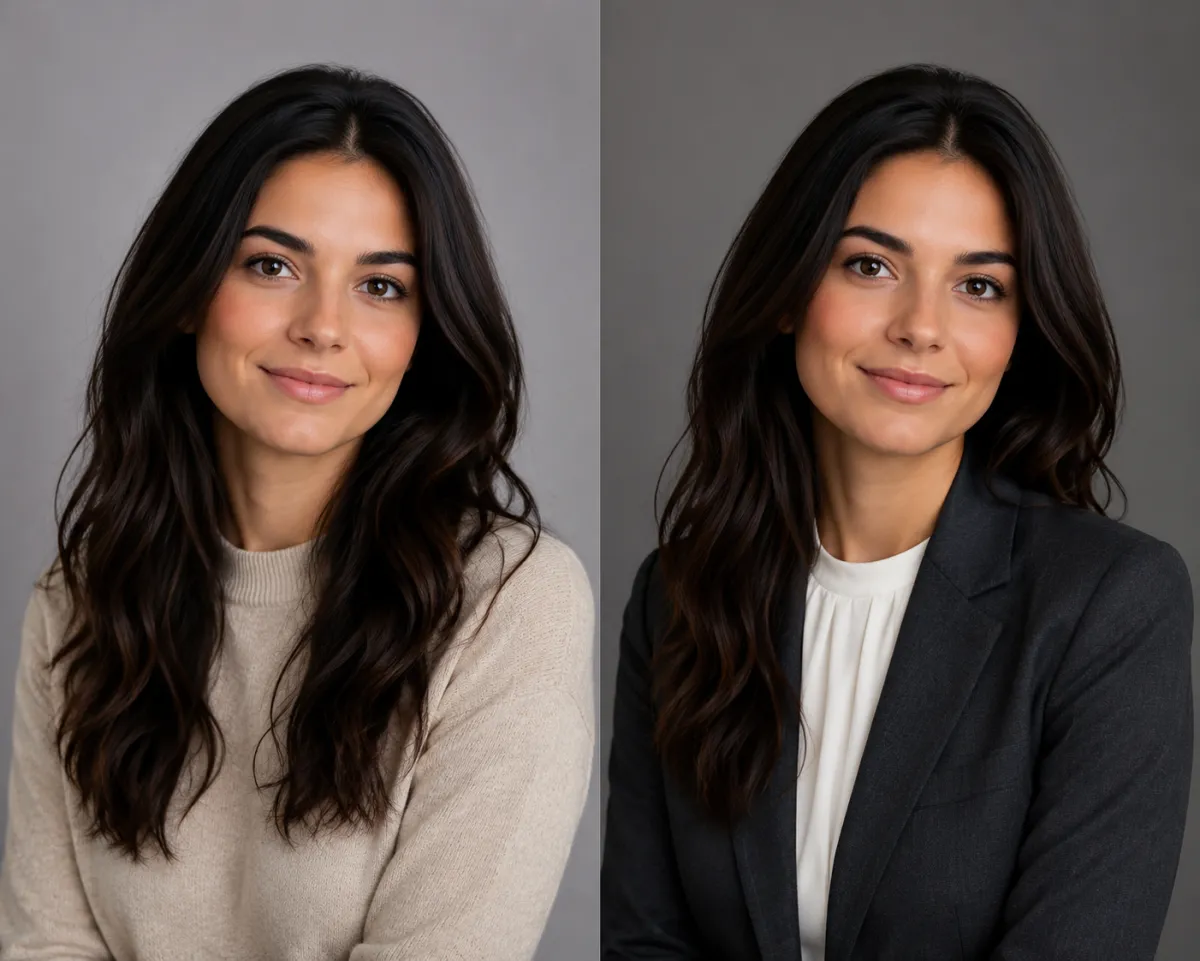
From casual to professional — the same photo restyled into a tailored blazer for a team-page headshot.
AI suit edit vs. a photo studio
A studio shoot still produces the highest-end result, but for a profile picture the trade-off rarely favors it. Here's the honest comparison.
| Option | Time | Typical cost | Best for |
|---|---|---|---|
| AI clothes changer | ~1 minute | Free to a few dollars | Fast LinkedIn, CV, and team-page headshots |
| Photo studio | 1–2 weeks (book, shoot, edit) | $150–$500+ | Executive portraits, print, marketing assets |
| DIY in Photoshop | 30–60 minutes | Software subscription | One-off composites if you know the tool |
For most people who just need a clean, suited headshot today, the AI route gets you 90% of the way in a fraction of the time and cost. Save the studio for a flagship executive portrait where the original photography matters as much as the wardrobe.
Frequently asked questions
How do I put a suit on my photo?
Upload a clear head-and-shoulders photo to an AI clothes changer, choose or describe a suit such as "navy suit with a white collared shirt," and generate. The tool keeps your face and pose and renders the suit on top in about a minute, so there's no Photoshop or studio needed.
Can I turn a selfie into a professional headshot?
Yes. Start from a sharp, front-facing selfie in even light with a plain background, then swap the casual top for a suit or blazer. Crop it to head and shoulders and you have a profile-ready headshot — the cleaner the original selfie, the more natural the result.
How do I make a LinkedIn headshot without a photographer?
Take a well-lit, front-facing photo against a plain wall, upload it to an AI clothes changer, add a professional outfit, and download. It replaces booking a photographer for the common case of just needing a polished profile picture, and you can try several suit colors before choosing.
What suit color looks best for a headshot?
Navy is the safest, most trustworthy default and suits almost any industry. Charcoal grey reads more formal for law or consulting, while lighter grey feels modern for tech and creative roles. Pair any of them with a white collared shirt for the cleanest look at small sizes.
Is it free to put a suit on a photo?
You can put a suit on a photo free online with no download — start from the home page, upload an image, and generate your first looks in the browser. Some tools add paid options for higher resolution or more variations, but a basic suited headshot is typically free to try.
Will the AI keep my real face?
Yes. A good AI clothes changer is built to lock your face, hair, and pose while re-rendering only the clothing. For the most faithful result, start with a crisp, well-lit photo; low resolution or blur forces the tool to guess and can soften your features.
Related guides
Keep exploring before you start editing:
- Try the free AI clothes changer → — upload a photo and put a suit on it on the home page.
- How to change clothes in a photo with AI (no Photoshop)
- AI outfit generator: get outfit ideas from your photo
- AI virtual try-on: see clothes on you before you buy
Try it on your own photo
Skip the studio booking and the Photoshop detour. Upload a photo and put a suit on it free → and download a professional headshot in about a minute.