
BeautyPlus AI Clothes Changer: What to Check First
Before you upload a photo to BeautyPlus AI Clothes Changer, check the workflow, output quality, privacy terms, and export conditions with one controlled test.
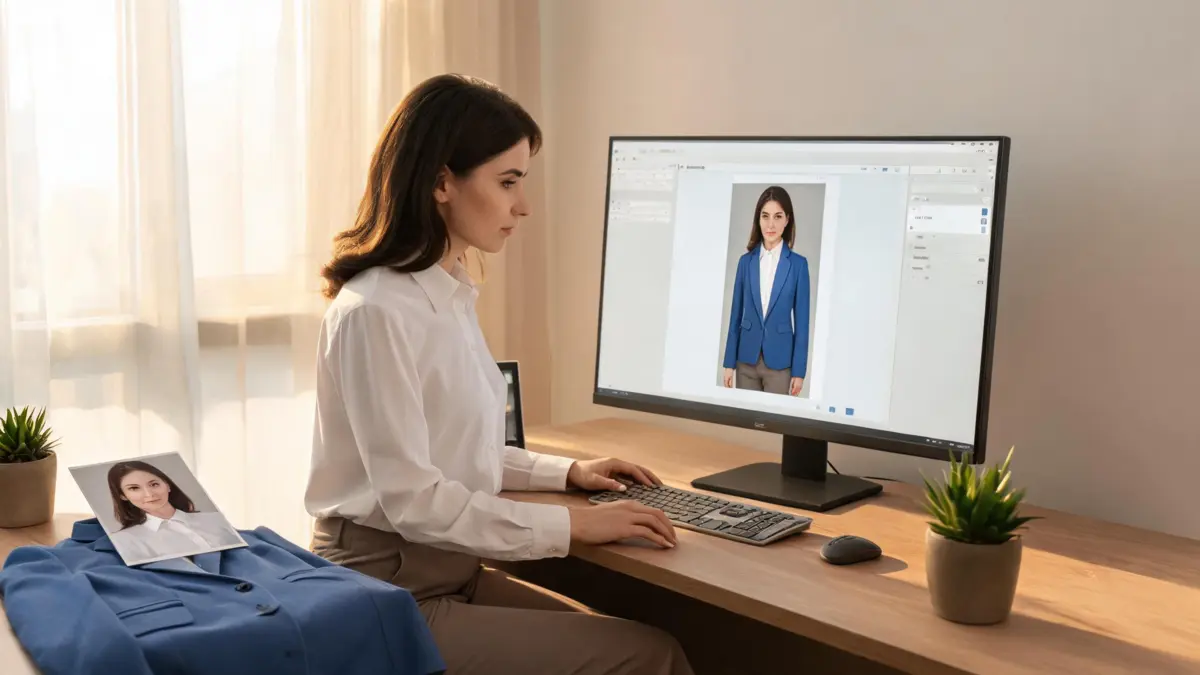
BeautyPlus offers an AI Clothes Changer page for swapping outfits in photos, but the sensible first move is a controlled test—not an important client or personal image. Check the live BeautyPlus AI Clothes Changer workflow, upload one ordinary photo, and assess the result’s identity, garment edges, lighting, export conditions, and current privacy terms before you rely on it.
Last updated: September 18, 2026 · ~7 min read
What this query is really asking
People searching “BeautyPlus AI clothes changer” usually want to know whether the tool can make a useful outfit preview, what they must upload, and whether the result is safe enough to keep or share. Those are different questions from “is it the best tool?” A fair answer comes from one repeatable test and a close read of the provider’s current pages.
As checked on September 18, 2026, BeautyPlus’s own tool page describes an AI Clothes Changer that can swap clothes in photos and offers built-in or customized styles. Its privacy policy says it was last modified May 6, 2026, and its service agreement displays a July 18, 2025 modification date. Those pages are the primary sources for current access and handling terms; revisit them immediately before a sensitive upload because online services can change.
Run one controlled test before you trust the workflow
Use a low-stakes photo you have permission to edit. Do not make the first attempt a confidential client image, a child’s photo, or the only copy of an important portrait.
- Choose an easy source image. Use an adult wearing ordinary, fully visible clothing in even light. Avoid motion blur, crossed arms over the torso, cropped limbs, and busy patterns.
- Make one bounded outfit change. Pick a simple jacket, shirt, dress, or full look. Avoid asking for a new pose, background, hairstyle, and accessories at the same time.
- Review the output before exporting or sharing. Compare it against the input for face stability, hands, garment boundaries, fabric detail, and believable light direction.
| Check | Pass looks like | Warning sign |
|---|---|---|
| Face and identity | The person remains recognizable | Facial features or skin texture shift with the clothing |
| Garment edges | Neckline, sleeves, hems, and layers connect naturally | Floating cuffs, melted buttons, or a collar that stops abruptly |
| Pattern and light | Folds and shadows continue in the scene | Repeated print breaks or a garment lit from a different direction |
| Product workflow | You can see the current upload, export, and account conditions | A key condition is unclear or only appears after the upload |
| Privacy review | You have read the current policy and terms | You are guessing how a sensitive photo will be handled |
A convincing image is not proof that a garment will fit. AI can help you compare silhouette and styling direction; it cannot measure fabric stretch, tailoring, or the real item’s color.

Illustrative review: use a clean source image and one outfit reference so errors in the result are easy to trace.
What to inspect in an AI outfit result
Start with the parts viewers notice first. Zoom in on the face, then on hands near sleeves or pockets. Check that the garment’s neckline follows the body, that buttons and seams make sense, and that a patterned fabric does not change scale from one fold to the next. Finally, compare the new garment’s shadows with the walls, hair, and objects already in the image.
If a result fails one of those checks, change one variable before you run it again. A sharper source photo may solve a boundary issue. A simpler garment reference may make the intended silhouette clearer. A shorter instruction can reveal whether the tool understood the outfit request. Changing everything together makes the next result hard to interpret.
For a comparison that focuses on your own reference garments, you can also run the same controlled test in the AIClothSwap clothes changer. AIClothSwap separates a simple Essential Try-On from Studio Quality, which supports up to six garment images and more detailed editing. That distinction is useful when your test moves from “Does this one blazer work?” to “Can I combine several pieces while preserving fine detail?”
Check access and privacy before a meaningful upload
Do not infer a service’s rules from a blog review or an old social post. Open the live tool page, then read the provider’s current privacy policy and service agreement. Look for the terms that matter to your situation: who may upload the image, how account data and content are addressed, whether an export contains a visible mark, and what deletion or support options are available.
For commercial work, keep your authorization and source files outside the editing service as well. Get permission from the person in the image, retain the original, and label an AI-generated mockup as a preview if a client could mistake it for a product photograph. These are workflow safeguards, not claims about any one provider’s policies.
A short official walkthrough, with a limit
In BeautyPlus Academy's official 36-second walkthrough, “How to Change Clothes in Photos Online (FREE Tutorial),” you can see the basic web workflow, though it does not replace the quality and privacy checks above.
When a different workflow is a better fit
If you only need to test a shade while keeping the garment itself, use a clothes color changer. If the decision is about an event rather than a specific tool, the AI outfit generator and virtual try-on workflows are better ways to compare a small set of outfit directions. Whichever tool you use, save the outcome as a visual reference—not as a purchase or fit guarantee.
Frequently asked questions
Does BeautyPlus have an AI clothes changer?
BeautyPlus has a web page for an AI Clothes Changer that describes swapping clothes in photos and trying built-in or custom styles. Check the live page before relying on a particular option, because product access and limits can change.
What photo works best for an AI clothes changer test?
Use a sharp, well-lit photo with the clothing area visible and few obstructions. Keep the first test to one outfit change so face preservation, garment edges, and lighting are easier to judge.
Can an AI clothes changer tell me whether clothes will fit?
No. It can help compare a visual style or silhouette, but it cannot confirm a garment’s measurements, fabric feel, stretch, or retail color. Check the seller’s size chart and return policy separately.
What privacy information should I check before I upload?
Read the provider’s current privacy policy and service agreement, including its rules for uploaded content, retention, and account data. Save a copy of the relevant terms if the image is sensitive or part of client work.
Related guides
- Try the free AI clothes changer →
- AI clothes changer safety and photo privacy
- How accurate are AI clothes changers?
- How to change clothes in a photo with AI
Make the first test useful
Use one authorized photo, one clear outfit change, and a close visual review. If you want to test a reference-garment workflow separately, start with AIClothSwap and compare like with like.