
How Accurate Are AI Clothes Changers? What They Can and Cannot Show
AI clothes changers can preview color, silhouette, and outfit direction, but they cannot guarantee exact size, comfort, or fabric feel. Here is what to trust.
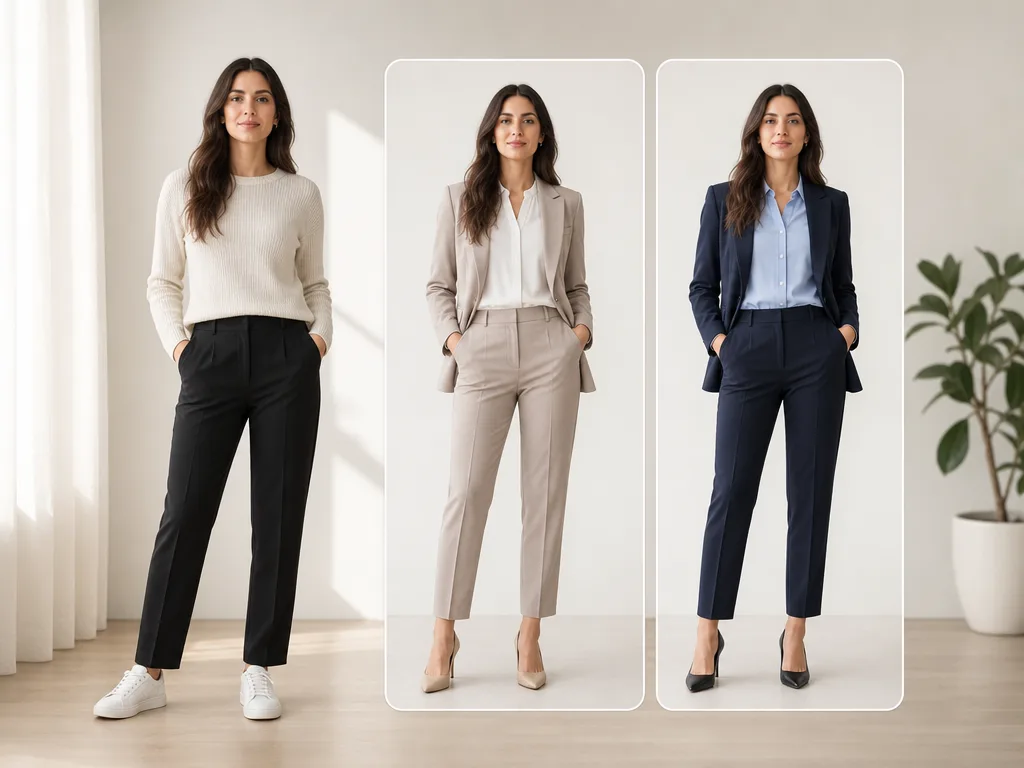
An AI clothes changer can be accurate enough to judge the look of an outfit on your own photo: color, neckline, sleeve shape, dress length, jacket structure, and overall styling direction. It is not accurate enough to guarantee exact garment size, comfort, fabric weight, or how a real item will move when you sit, walk, or stretch.
Last updated: July 7, 2026 - about 9 min read
That difference matters. A realistic clothes swap is useful when you want to compare ideas before shopping, pick an outfit for a photo, plan a product visual, or decide whether a color family suits you. It becomes risky when you treat the image like a fitting-room measurement.
This guide gives you a practical way to judge AI clothes changer accuracy without either over-trusting the result or dismissing it too quickly.
Quick answer
AI clothes changers are most accurate for visual decisions:
- Does this color suit me?
- Does a blazer look better than a hoodie in this photo?
- Does a dress shape feel too formal or just right?
- Would a darker outfit improve a profile picture?
- Is this outfit direction worth testing further?
They are less accurate for physical decisions:
- Will this exact size fit?
- Will the fabric stretch or pull?
- Is the waist comfortable?
- Will the sleeve length work in real life?
- Will this dress hang the same way while walking?
Use the image as a preview, not a promise.
What an AI clothes changer can show well
Start with the decisions that are naturally visual. These are the areas where an AI clothes changer can save time without pretending to be a tailor.
Color and contrast
Color is where an AI clothes changer is often most useful. If you want to know whether navy, black, cream, red, sage, or burgundy works against your skin tone and background, a visual preview beats guessing from a product swatch.
This is also why color-specific tools such as a clothes color changer are helpful. The garment shape stays mostly the same, so the AI has fewer things to invent.
Good use cases:
- Testing a shirt color before a headshot.
- Recoloring a dress idea for an event.
- Comparing product color variants before a reshoot.
- Checking whether an outfit matches the background.
Outfit direction
An AI clothes changer can answer broad styling questions fast. A prompt like "navy blazer over a white shirt" or "simple black midi dress" gives you a useful sense of direction.
It helps you compare:
- Formal vs casual.
- Light vs dark.
- Fitted vs relaxed.
- Minimal vs layered.
- One-piece dress vs separates.
For a wider styling workflow, use AI dress up when the goal is trying several outfit directions on the same photo.
Photo-readiness
Some outfits look good in a mirror but not in a photo. AI previews are useful for photo-readiness because they show the outfit in the same crop, light, and background as the image you care about.
That makes the tool useful for:
- LinkedIn and profile photos.
- Dating profile outfit checks.
- Event photos.
- Creator thumbnails.
- Ecommerce concept shots.
The preview will not prove exact fit, but it can tell you whether the visual balance works.
Simple silhouette changes
Silhouette means the broad shape of the outfit: blazer, hoodie, fitted shirt, long dress, wide-leg pants, cropped jacket, and so on.
AI clothes changers do better when the new outfit is close to the source photo's body position. For example:
| Source photo | More reliable edit | Riskier edit |
|---|---|---|
| Front-facing shirt photo | Shirt to sweater | Shirt to ball gown |
| Headshot hoodie photo | Hoodie to blazer | Hoodie to full suit with pants |
| Full-body dress photo | Dress color or sleeve change | Dress to complex layered costume |
| Casual standing photo | Jeans and jacket | Flowing fabric in a seated pose |
If the edit asks the model to preserve the same person and change only the clothes, the result is easier to trust.
What it cannot prove
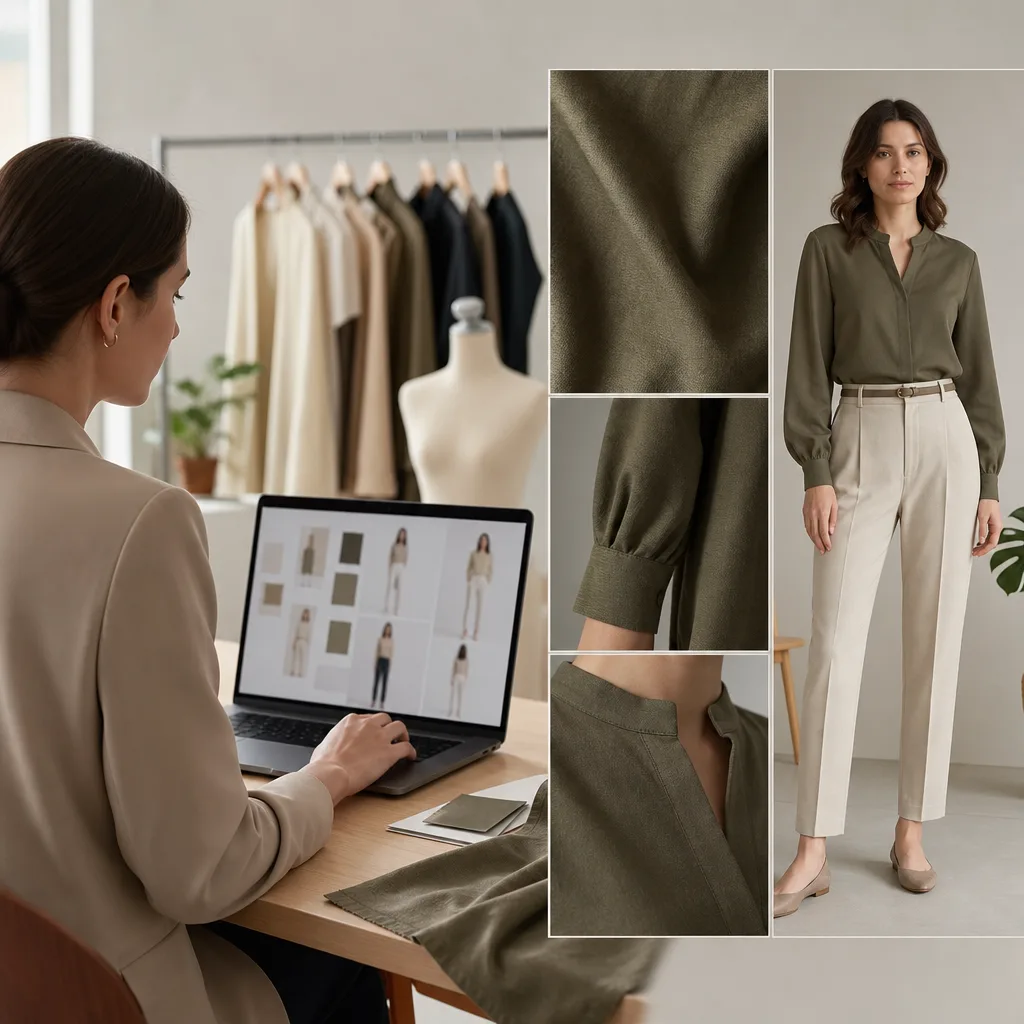
Use visual cues like collar shape, sleeve edges, fabric texture, hands, and body outline to decide whether a preview is reliable.
Exact size
An AI clothes changer does not know your measurements. It can infer body shape from the photo, but it cannot test the real garment's size chart, stretch, or tailoring.
Do not use an AI preview as proof that a size will fit. Use it to decide whether the style is worth trying, then check the brand's measurements, reviews, return policy, and real garment photos.
Comfort
Comfort is physical. A preview cannot tell you whether a waistband digs in, whether the shoulders restrict movement, or whether a fabric feels itchy.
This matters most for:
- Suits and blazers.
- Tight dresses.
- Leather or faux leather.
- Heavy coats.
- Structured collars.
If the outfit needs to be comfortable for hours, treat the preview as only the first filter.
Fabric weight and movement
AI can imitate texture, but it cannot fully test how a real fabric behaves. A silk dress, cotton shirt, denim jacket, knit sweater, and wool coat all move differently.
A static AI clothes changer preview may make a fabric look believable in one frame. It cannot guarantee how it will wrinkle, stretch, or drape in motion.
Tiny labels, logos, and text
Most image models struggle with readable text and tiny brand details. If a real product label must stay exact, do not rely on an AI clothes swap to recreate it perfectly.
For ecommerce, use AI previews for concepting and variant planning, then keep final product listings honest. If the listing promises a real product, the final image should be checked against the actual garment.
Hidden body areas
If the source photo hides the torso, crosses arms, crops the legs, or covers the outfit with a bag, the AI has to guess.
That guess may look polished, but it is less reliable. The guide on the best photo for an AI clothes changer explains why open poses and visible garment edges matter so much.
Accuracy scorecard
Use this scorecard after the preview generates.
| Check | Strong preview | Weak preview |
|---|---|---|
| Face | Same identity, no smoothing shock | Face shape, age, or expression changed |
| Body | Same proportions and pose | Waist, shoulders, hips, or legs reshaped |
| Hands | Natural fingers and contact points | Extra fingers, melted hands, hidden wrists |
| Collar | Neckline fits the body | Collar floats or cuts into skin |
| Sleeves | Edges follow arms | Sleeve edge bends or disappears |
| Fabric | Texture matches outfit type | Plastic, blurry, or over-smoothed fabric |
| Lighting | Matches the original photo | Outfit looks pasted on |
| Background | Unchanged unless requested | Background warps around clothing |
If the preview passes most checks, it is useful for visual decision-making. If it fails identity, body shape, hands, or lighting, regenerate with a simpler prompt or a better source photo.
How to make results more accurate
Accuracy improves when the source photo, prompt, and review process all ask for a smaller, clearer edit.
Start with a better photo
The input photo matters more than most people expect. Use:
- A sharp image.
- One person.
- Visible clothing area.
- Arms away from the torso.
- Soft, even light.
- A simple background.
- Enough space around the body.
If the source photo is weak, even a good AI clothes changer will invent too much.
Keep the prompt focused
Do not ask for a new outfit, new pose, new background, new hairstyle, new lighting, and new expression in one request. That makes the model rebuild the person instead of changing clothes.
A safer prompt:
Keep the same person, face, hair, pose, body shape, lighting, and background. Change only the clothing to a navy blazer over a white shirt. Natural fit, realistic fabric, no logo, no change to hands or face.
The phrase "change only the clothing" matters. So does naming what must stay unchanged.
Choose similar garment structure first
If you want a realistic result, start with a garment that fits the source pose.
Easier:
- T-shirt to sweater.
- Hoodie to jacket.
- Shirt color change.
- Dress color change.
- Casual top to business top.
Harder:
- Cropped headshot to full-body dress.
- Seated photo to flowing gown.
- Crossed arms to open blazer.
- Busy group photo to clean ecommerce look.
Once the simple version works, make bigger changes.
Compare two or three outputs
One render can mislead you. Generate a small set and compare the stable parts:
- Does the face stay the same across versions?
- Does the body stay the same?
- Does the outfit follow the same neckline and shoulder logic?
- Does one color work better in the same light?
- Does one result have fewer hand or edge issues?
The best result is not always the most dramatic one. It is the one that keeps the person believable.
When an AI preview is enough
An AI clothes changer preview is usually enough when the decision is visual and reversible:
- Choosing a profile-photo outfit direction.
- Testing a color before a shoot.
- Comparing outfit ideas before shopping.
- Planning a creator look.
- Making an internal ecommerce concept.
- Seeing whether a formal outfit suits the photo.
It is especially helpful before spending time on a reshoot or buying several pieces just to compare them.
When you still need the real garment
You still need the real garment when the decision depends on physical proof:
- Buying a high-cost item.
- Checking exact size.
- Tailoring a suit.
- Choosing wedding or prom clothing.
- Selling a product as the exact item shown.
- Confirming fabric quality.
For those cases, use the AI preview as a shortlist tool. Then confirm with the real garment, measurements, and a real try-on.
Related guides
Use these before you trust a clothes swap for a bigger decision:
- Is an AI clothes changer safe?
- Best photo for an AI clothes changer
- Why AI clothes swaps look fake
- AI virtual try-on guide
- AI dress up vs AI clothes changer
- AI clothes changer prompt examples
FAQ
These quick answers summarize the accuracy limits most people ask about before uploading a photo.
Are AI clothes changers accurate?
AI clothes changers can be accurate for visual outfit previews, especially color, silhouette, and photo styling. They are not accurate enough to guarantee size, comfort, fabric feel, or real-world fit.
Can an AI clothes changer show my real body shape?
A good AI clothes changer should preserve your body shape, pose, face, and background. Still, you should check the result carefully. If the waist, shoulders, hips, or legs change, regenerate with a stricter prompt or a clearer source photo.
Can I use an AI clothes changer before buying clothes?
Yes, as a first-pass visual check. Use it to decide whether a style, color, or outfit direction is worth trying. Do not use it as proof that the exact size will fit.
Why do some AI clothes swaps look fake?
They usually look fake because the source photo hides clothing edges, the prompt asks for too much, the lighting does not match, or the model changes the body instead of only changing clothes. The troubleshooting guide on why AI clothes swaps look fake covers fixes.
Is AI virtual try-on the same as a fitting room?
No. AI virtual try-on is a visual preview. A real fitting room tests size, comfort, fabric movement, and physical fit. Use both for important purchases.
Bottom line
AI clothes changer accuracy is best understood as visual confidence, not physical proof. Trust it for color, styling direction, photo-readiness, and first-pass outfit decisions. Be more cautious with size, comfort, fabric behavior, and real product claims.
Start with a clean source photo, use a focused prompt, check the result like an editor, and let the preview help you decide what is worth trying next.