AI Clothes Changer Prompt Examples for Better Outfit Results
Use these AI clothes changer prompt examples to swap outfits, recolor garments, preserve faces, and get more realistic clothing edits from one photo.
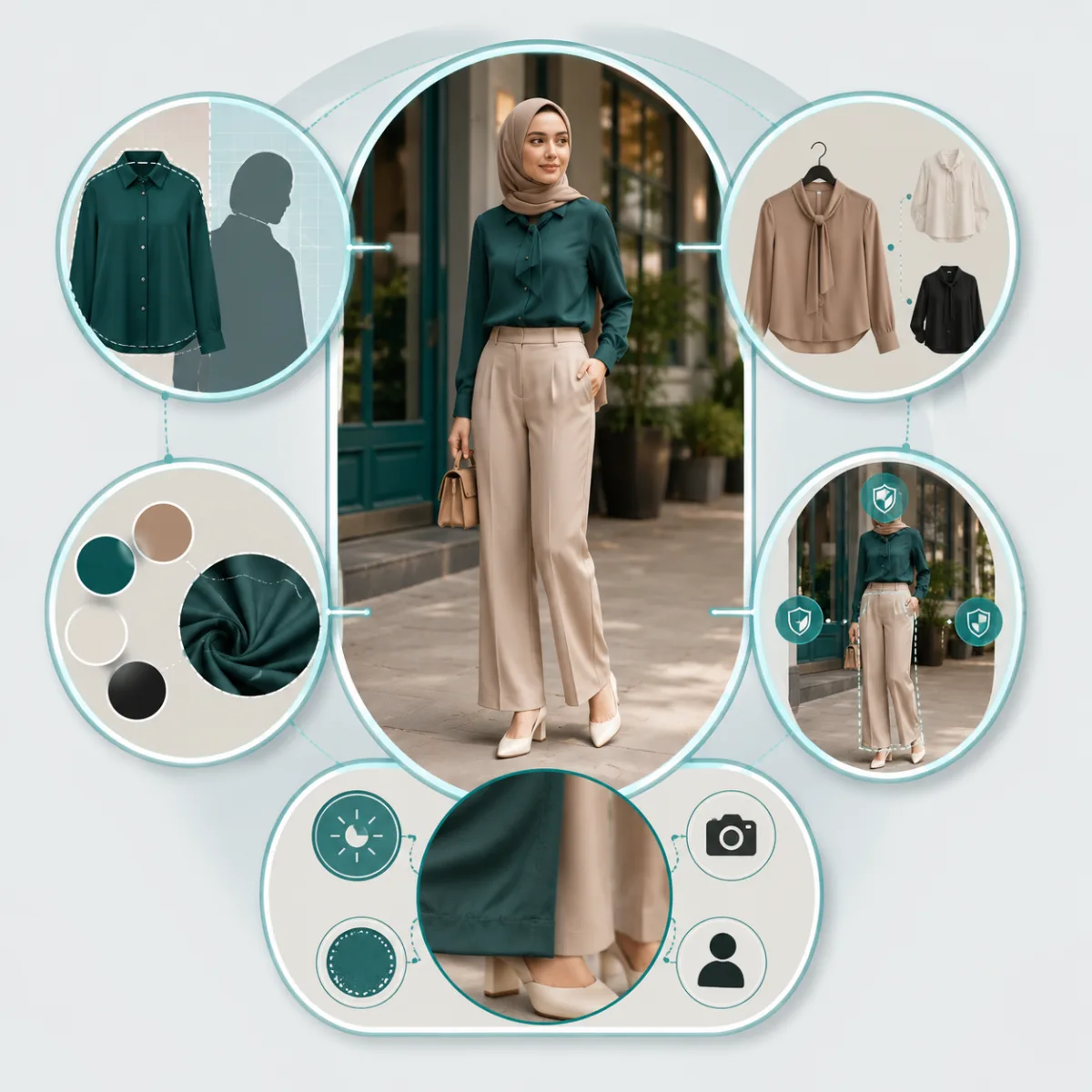
A good AI clothes changer prompt names the garment, the new look, and what must stay unchanged. Start with one clear edit: "replace the hoodie with a navy blazer, keep the same face, pose, hands, and background." The more specific the clothing request, the more realistic the result.
Last updated: June 30, 2026 - about 8 min read
Most bad clothing edits start with vague prompts. "Make it better" gives the AI too much freedom. "Change my outfit" might work, but it often changes the body, face, lighting, or background along the way. A stronger prompt tells the tool exactly what to edit and what to protect.
Use this guide as a prompt library for the AI clothes changer. Copy a prompt, swap in your garment and color, then change only one variable at a time.
The simple prompt formula
Use this structure:
Change [current garment] into [new garment] with [color/material/style]. Keep [face/body/pose/background/lighting] unchanged. Make it realistic.
That formula works because it separates the edit from the lock list.
| Prompt part | What it does | Example |
|---|---|---|
| Current garment | Helps the AI find the clothing | "the red hoodie" |
| New garment | Defines the replacement | "a navy blazer" |
| Color/material/style | Controls realism | "matte wool, business casual" |
| Keep list | Protects identity and scene | "same face, hands, pose, background" |
| Realism note | Reduces costume-like results | "natural folds and shadows" |
Do not ask for five different edits in one pass. Clothing, background, hair, pose, and lighting are separate jobs. Start with the outfit.
Prompt examples for changing one garment
These are the safest prompts because they change one visible item and keep everything else steady.
Casual to business
Replace the gray hoodie with a fitted navy blazer over a white shirt. Keep the same face, body shape, hands, pose, lighting, and background. Make the blazer realistic with natural folds.
T-shirt to dress shirt
Change the black T-shirt into a crisp white button-down shirt. Keep the same person, face, arms, background, and camera angle. The shirt should look natural, not pasted on.
Jacket swap
Replace the denim jacket with a black leather jacket. Keep the same hair, face, jeans, hands, and street background. Preserve the original lighting and shadows.
Dress replacement
Change the floral dress into a simple emerald green midi dress. Keep the same person, pose, skin tone, hair, and background. Make the fabric drape naturally.
If you are trying a full look rather than editing one item, use AI dress up. It is better suited for complete outfit previews.
Prompt examples for recoloring clothes
For color edits, use a clothes color changer workflow. The key is to tell the AI to preserve fabric texture, not just paint a flat color.
Shirt color
Change only the shirt color from white to olive green. Keep the fabric texture, folds, buttons, face, hands, pants, and background unchanged.
Dress color
Recolor the red dress to deep navy blue. Preserve the dress shape, shadows, drape, skin tone, hair, and background. Do not change the pose.
Product variant
Make the T-shirt charcoal black while preserving the original fit, neckline, sleeves, fabric wrinkles, model, and studio background.
Avoid this
Make my clothes blue.
That is too broad. It may tint multiple garments, skin, or the background. Name the exact item and the exact shade.
Prompt examples for virtual try-on
When you want to test a realistic outfit on your own photo, make the outfit specific but keep the identity protected.
Wedding guest outfit
Dress the person in a soft blue wedding guest dress with short sleeves and a modest neckline. Keep the same face, body, pose, skin tone, and background. Make it look like a real photo.
Interview outfit
Try a professional interview outfit: navy blazer, light blue shirt, dark trousers. Keep the same person, expression, hands, and background. Natural fit and realistic fabric.
Date night outfit
Show a smart casual date night outfit: black fitted jacket, cream top, dark jeans. Keep the same face, hair, body shape, pose, and lighting.
Creator thumbnail outfit
Replace the casual shirt with a clean bright red jacket for a social media thumbnail. Keep the face, expression, hands, and background unchanged. Make the jacket sharp but realistic.
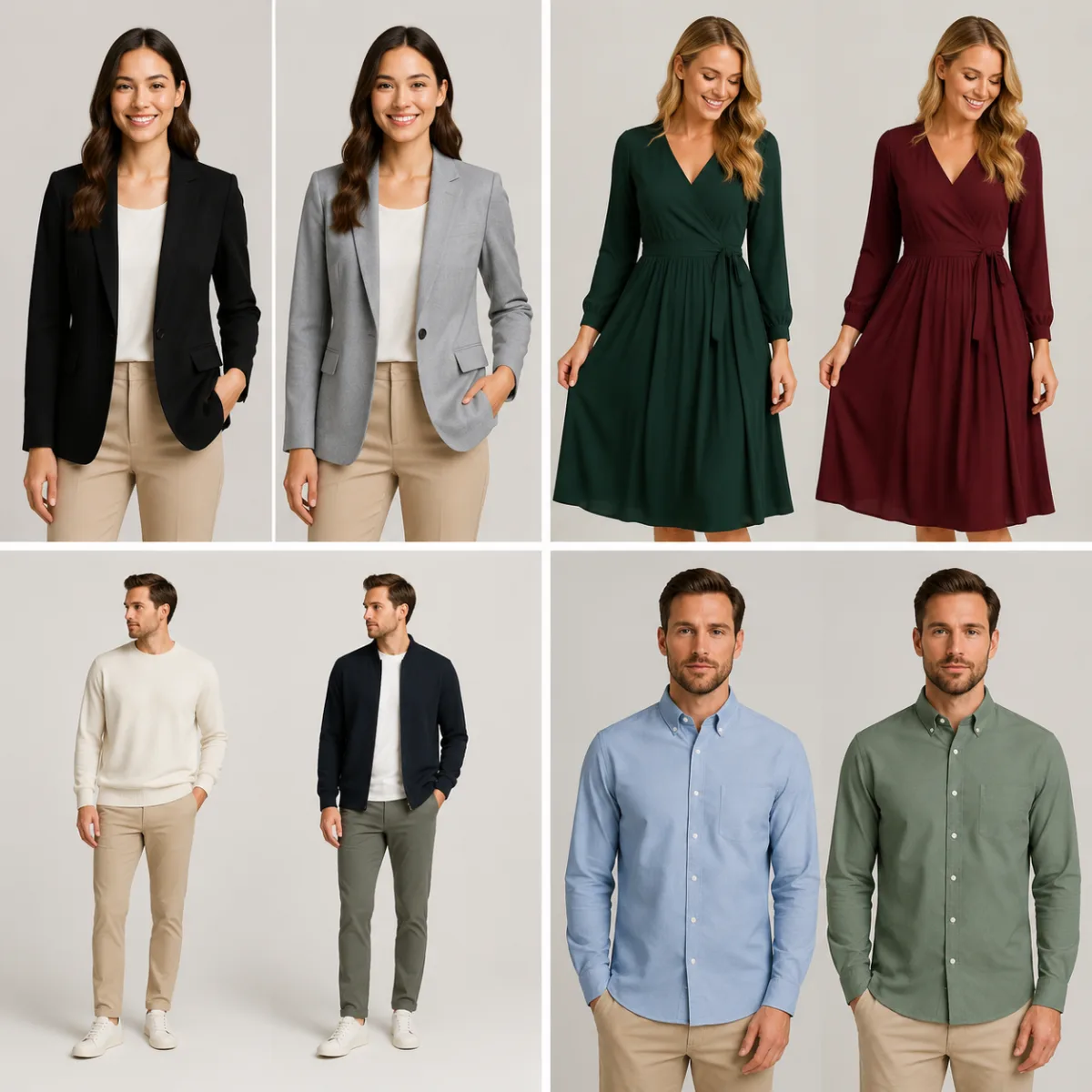 a 2x2 prompt result grid using real product-safe output examples.
Prompts that protect the face and background
Identity drift is the biggest complaint with clothing edits. Add a keep list whenever the face matters.
Use phrases like:
- Keep the same face and expression.
- Keep the same body shape and pose.
- Keep the hands and fingers unchanged.
- Keep the background unchanged.
- Preserve the original lighting and camera angle.
- Change only the clothing.
For old photos, professional headshots, or ecommerce images, this matters more than style words. A beautiful outfit is not useful if the person no longer looks like themselves.
Troubleshooting bad results
| Problem | Likely cause | Fix |
|---|---|---|
| Face changed | Prompt did not protect identity | Add "keep the same face and expression" |
| Background changed | Prompt was too broad | Add "background unchanged" |
| Clothing looks painted | Color prompt ignored texture | Add "preserve fabric folds and shadows" |
| Hands look wrong | Garment crosses hands or sleeves | Use a cleaner photo or ask to keep hands unchanged |
| Outfit looks like a costume | Style request was too dramatic | Use real garment terms and fewer adjectives |
When a result fails, do not rewrite the whole prompt. Change one sentence and run it again.
Frequently asked questions
What is the best prompt for an AI clothes changer?
The best prompt names the exact garment, the replacement, and what should stay unchanged. Example: "Replace the hoodie with a navy blazer. Keep the same face, pose, hands, lighting, and background. Make the blazer realistic."
How do I stop the AI from changing my face?
Add a keep list: "keep the same face, expression, skin tone, hair, body shape, and pose." Also use a clear photo where the clothing does not cover the face or hands.
Can I use one prompt to change a whole outfit?
Yes, but keep it simple. For full outfits, use AI dress up and describe the look by category, color, and formality. If you need precision, change one garment at a time.
How do I prompt a clothes color change?
Name the item and shade: "change the white shirt to olive green." Then add "preserve fabric texture, folds, shadows, face, and background." That keeps the edit from becoming a flat color overlay.
Related guides
Start with one clear edit
Open the AI clothes changer, upload your photo, and start with a one-garment prompt. Once the face, pose, and background stay stable, you can test colors, materials, and full outfit ideas with much better control.