
Appointo AI Clothes Changer: What to Check Before You Upload
Searching for Appointo AI clothes changer? Verify the product, permissions, upload policy, and result quality before sharing a photo.
If you searched for an Appointo AI clothes changer, pause before uploading. On September 23, 2026, we could not establish a current official Appointo clothes-changing product page or its upload rules. Do not let a keyword, an ad, or a look-alike page stand in for a verified service. Instead, confirm the exact product, its privacy terms, and your permission to use the photo; then run one small, authorized AI clothes changer test.
Last updated: September 23, 2026 · about 7 min read
This is an evidence-first guide, not a product review. Cached search-demand data records the exact phrase “appointo ai clothes changer,” but an exact-query search and current product-page check did not identify an official Appointo workflow for changing clothing in a photo. That absence does not prove that no product exists. It does mean there is no sound basis to describe its features, prices, retention period, or commercial rights.
The safest answer is simple: do not upload an identifiable image until the provider itself tells you what the tool is, what it accepts, what happens to the file, and how you can remove it. The same standard helps with any unfamiliar AI clothes changer.
Start by verifying the product, not the search result
Branded tool queries can point to an old page, a reseller, an unrelated product, or a copied landing page. A polished screenshot is not a privacy policy, and a search snippet is not proof of a working clothes-changing feature.
Use this short verification sequence before you sign in, pay, or upload:
- Find the product's own domain. Look for a page that identifies the operator and clearly names the clothes-changing or virtual-try-on feature. Do not rely on a marketplace listing alone.
- Open the terms and privacy notice. Check who receives uploads, how long files and outputs are kept, whether deletion is automatic or manual, and how to contact the operator. NIST's Privacy Framework is a useful general reference: evaluate a service by its stated data practices, not its visual design.
- Match the domain across the flow. The product page, checkout, sign-in, support address, and policy links should point to the same identifiable service. A sudden domain change is a reason to stop.
- Read the allowed-use rules. Confirm that adult, consented image editing is permitted and that the intended personal, client, or commercial use is covered.
- Use a disposable first test. Start with a non-sensitive image you own. Do not begin with a client's portrait, an ID image, a family photo, or a photograph containing private surroundings.
A legitimate tool can still be a poor fit for a particular photo or project. Verification tells you whether to test; it does not make a generated image trustworthy by itself.
What an unfamiliar AI clothes changer should disclose
A useful product page normally explains the minimum input and output workflow. When those facts are missing, vague, or inconsistent, the right decision is to withhold the upload.
| Check | A usable answer looks like | Stop or investigate when |
|---|---|---|
| Tool identity | The operator, product name, and purpose are plainly stated | The brand name changes across the page, account flow, or policy links |
| Inputs | It says whether it uses a person photo, a garment image, or a written outfit brief | It asks for files without explaining how they are processed |
| Data handling | A current policy states retention, deletion, and third-party processing | The page makes broad privacy claims with no linked policy |
| Rights | Terms address ownership, sharing, and commercial use | You cannot tell whether a client or store use is allowed |
| Support | A real support or contact path is available | There is no way to ask for deletion or report a problem |
This is not a demand for perfection. Interfaces change and a small tool may have a short policy. The key is that the provider's written information should let you make an informed choice. If the service cannot answer the basic questions, choose a service that can.
Prepare one controlled upload
Once you have verified a provider, use the smallest test that answers your question. A single adult portrait and one clothing direction are easier to review than a prompt that also changes the face, pose, lighting, background, and garment.
Choose a source photo with these qualities:
- You own it or have clear permission from every adult shown.
- The face, shoulders, and clothing area are visible and evenly lit.
- Hands, hair, bags, and furniture do not hide most of the garment.
- The image is sharp enough to inspect at full size after generation.
- The background does not expose a location, document, child, or other detail you would not want to share.
If you have a particular garment, use a clear reference that shows its outline, sleeves, collar, hem, and major pattern. If the decision is only about color, a full garment replacement adds unnecessary variables; try a clothes color changer instead. If the decision is broad styling rather than one item, an AI outfit generator can help create a direction before you compare an actual garment.
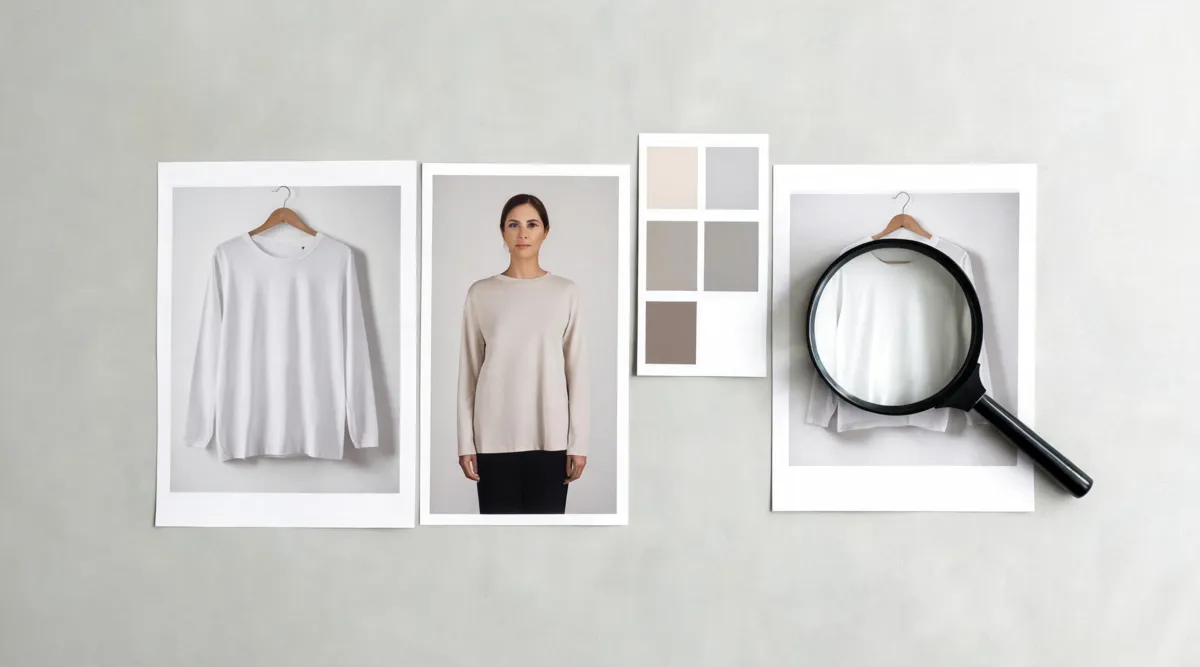
Editorial planning visual, not a claimed Appointo output: use clear, authorized inputs and inspect one decision at a time.
Review the result before you keep it
An attractive thumbnail is not enough. Put the generated image beside the original and inspect the areas where the model had to infer information.
Identity, pose, and boundaries
The person should still look like the source. Check the face, hairline, hands, body proportions, and the edges where clothing meets skin or background. If the tool has rewritten these elements, the image is not a clean outfit comparison.
Garment construction and light
Look at the neckline, shoulders, sleeve openings, waist, and hem. Inspect repeated prints, logos, fine text, buttons, and seams closely; generative output can invent or soften them. Then check that folds and shadows follow the original scene. A plausible jacket with a floating collar or a new light source should be rejected.
Claims outside the image
Keep the result in its lane. It can suggest that a silhouette or color direction may work. It cannot prove that a retailer item fits, that a fabric feels a certain way, that an item is in stock, or that a person actually wore it. For client, store, or advertising work, label or disclose generated imagery where the audience could otherwise be misled.
For a more detailed failure diagnosis, use our guide to why AI clothes swaps look fake. It separates face drift, garment boundaries, hands, and lighting so the next attempt changes one thing instead of everything.
When to use a known workflow instead
The phrase “Appointo AI clothes changer” may lead you to a page that does not give you enough information to proceed. That is not a reason to keep searching for a way around the missing terms. Use a known workflow whose product page, consent rules, and support path you can review.
AIClothSwap is designed for an authorized person photo plus garment references. For a simple preview, start with the virtual try-on workflow, keep the photo and clothing reference fixed, and judge face, garment, and light separately. Read our Content Policy before any sensitive, client, or commercial project.
Frequently asked questions
Is there an official Appointo AI clothes changer?
As of September 23, 2026, our exact-query and product-page checks did not establish a current official Appointo clothes-changing workflow. Treat the phrase as unverified until you can reach an official product page, terms, and privacy notice that describe the exact tool you intend to use.
What should I check before uploading a photo to an AI clothes changer?
Confirm that you have permission to edit every person shown, read the provider's current upload-retention and deletion terms, use a clear adult photo, and make a small controlled test before sharing or using a result commercially.
Can an AI clothes-changing image prove fit or a product claim?
No. A generated preview can help compare a broad outfit direction, but it cannot prove size, fit, fabric, color accuracy, stock, or that a real person wore a particular item. Verify those facts separately.
Related guides
- Try the free AI clothes changer →
- Preview a garment with virtual try-on
- Create an outfit direction from your photo
- Best photo for an AI clothes changer
- Is an AI clothes changer safe?
Verify first, then make one decision
Do not hand an unknown service a meaningful photo just because a branded query surfaced it. Verify the provider, test one authorized image, and use the output only as a visual preview. When you are ready for a controlled comparison, try the AI clothes changer.