
Can an AI Clothes Changer Edit Video? What to Use Instead
Can an AI clothes changer edit video? Learn the difference between video outfit editing and a still-image outfit preview, plus a practical workflow for each.

Yes—some video-focused AI tools can change clothes in a short clip, but AIClothSwap is for still-image outfit previews, not video editing. Use a photo-based AI clothes changer to compare a wardrobe direction before production; use a video-specific editor only when you need movement, and review every frame before you publish.
Last updated: September 28, 2026 · about 7 min read
“AI clothes changer video” describes two related but different jobs. In a photo, an editor has to make one convincing frame. In a video, it has to maintain the same garment, person, light, and scene over many frames. That difference matters if you are deciding whether you need a quick outfit test, a social clip, or a production asset.
What an AI clothes changer can do in video
A video clothes changer takes footage and generates a new version in which the person appears to wear different clothing. Current products in the search results describe workflows built around a short source clip and a garment reference or instruction. For example, Vidguru's video clothes changer describes using a video and a garment image, while Google's Doppl announcement describes an experimental route from an outfit image to an animated try-on.
Those examples show that the category exists; they do not prove that every service can preserve every garment or that a generated clip shows real fit. Google explicitly describes Doppl as experimental and cautions that fit, appearance, and clothing details may not be accurate. Treat any AI video outfit change as a creative visual, not product evidence.
| If you need to… | Start with | What the result can help with | What it cannot establish |
|---|---|---|---|
| Compare colors or outfit direction | A still photo preview | Whether a broad look suits the person and setting | Motion, fit, fabric feel, or a specific SKU |
| Make a short fashion transition | A video-specific AI editor | A creative before-and-after concept | Frame-perfect realism or an approved commercial claim |
| Choose an outfit before filming | A controlled photo preview | A repeatable wardrobe decision before the shoot | A finished moving clip |
| Sell a physical garment | Real product photography and approved product data | Accurate product communication | That an invented video garment is the item being sold |
AIClothSwap fits the first and third rows: it is useful when the question is “does this jacket direction work on this photo?” A virtual try-on or AI outfit generator can help you make that decision without claiming to create motion.
Use a still preview before you commit to a video workflow
The cleanest workflow is to decide the clothing direction before you create or edit the clip. That keeps a style decision separate from a temporal editing task.
- Make one authorized still preview. Use a clear adult photo with the torso, sleeves, and garment edges visible. Ask for one change only, such as a charcoal overshirt instead of a cream jacket. Keep the face, pose, background, and light unchanged.
- Write down the decision. Name the silhouette, color family, visible layers, and accessories you want to carry into filming. If the preview changes an important detail, do not treat it as a design specification.
- Choose the moving-image route. Film the approved wardrobe, or use a video tool for a clearly disclosed creative edit. In either case, inspect the finished clip rather than assuming the first good-looking frame represents the whole sequence.
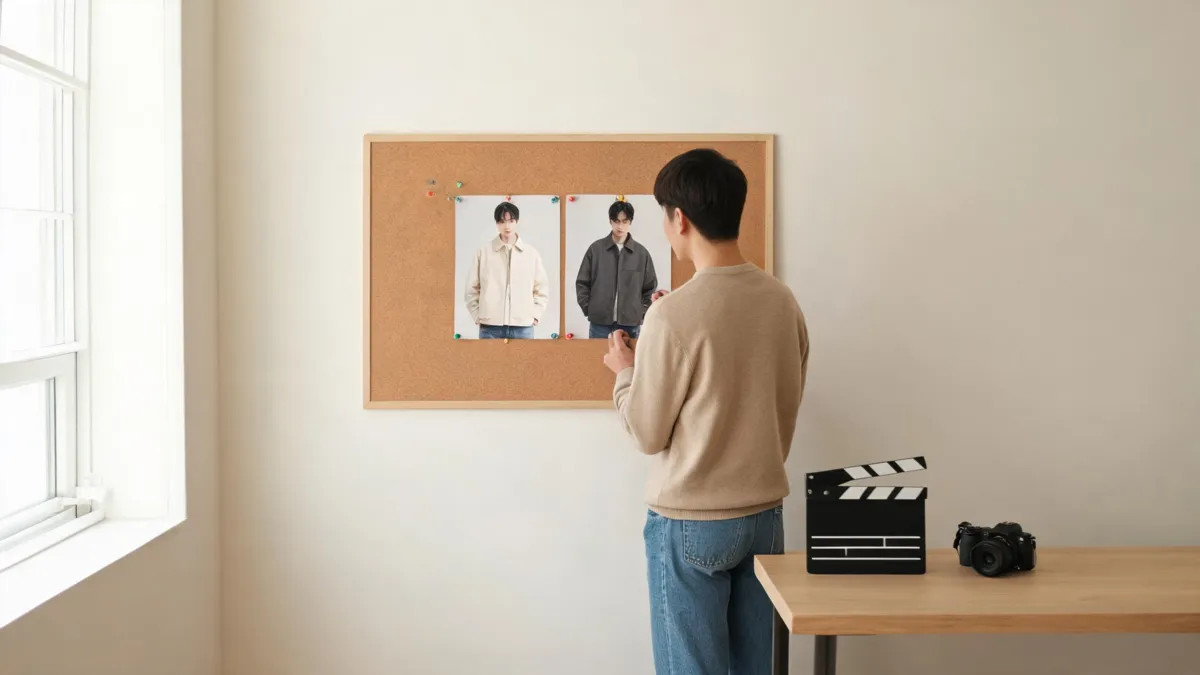
A still preview can settle a wardrobe direction before motion, editing, and continuity become separate production problems.
A convincing thumbnail is not a convincing video. Pause at the beginning, middle, and end of a generated clip, then scrub through the transitions where hands, hair, seams, and patterned fabric are most likely to change.
The frame-to-frame checklist
Video asks the model to make the same decision repeatedly. Review these points in motion, not only from a cover frame:
- Identity: face, hairline, body proportions, and skin tone should remain consistent.
- Garment structure: collar, cuffs, buttons, pockets, hem, and layers should not appear or disappear between frames.
- Pattern continuity: stripes, checks, logos, and prints should retain their scale and direction as the person turns.
- Contact points: fingers near sleeves, hair crossing a collar, straps, bags, and jewelry should not merge into the fabric.
- Scene stability: shadows, camera direction, and background objects should not drift with the outfit edit.
If the clip is for a client, a store, or an ad, compare it against the approved brief and the real item. A generated outfit video may be an effective concept test, but it cannot verify fit, inventory, textile composition, or color accuracy in daylight.
A verified video example for this query
DataForSEO verified the following third-party video as embeddable and directly relevant to “ai clothes changer video” on September 28, 2026. It had 7,757 views at verification and presents an open-source outfit-change-in-motion workflow. It is a category example, not an endorsement, quality benchmark, or evidence that AIClothSwap offers video editing.
When a video tool is the wrong next step
Do not escalate to video just because the photo result is uncertain. A still preview needs a better source photo when the clothing boundary is hidden, the light is split across the body, the fabric is too dark to read, or the result changes the person's identity. The best photo for an AI clothes changer guide can help you fix the input first.
Also keep consent and context in view. Upload only footage you have the right to edit, and do not use an outfit-change video to misrepresent a person, conceal a sponsored edit, or imply a real product attribute that was never verified. For sensitive input choices, read is an AI clothes changer safe? before you upload.
Frequently asked questions
Can AI change clothes in a video?
Some video-focused AI products can generate an outfit change across a short clip. They must keep clothing, identity, lighting, and motion coherent from frame to frame, so a video result needs more review than a single image. Check the current workflow, terms, and output before relying on it.
Does AIClothSwap edit videos?
AIClothSwap is a still-image outfit-preview workflow. It can help you compare a clothing direction on an authorized photo, but it does not turn a clip into a video outfit edit or prove how a real garment will move.
What should I check in an AI outfit-change video?
Check the face, hair, hands, neckline, cuffs, hems, repeated patterns, shadows, and every transition through the clip. Reject a result if the person, background, garment construction, or movement changes in a misleading way.
Related guides
- Try the free AI clothes changer →
- Virtual try-on for a controlled garment comparison
- AI outfit generator for wardrobe direction
- Best photo for an AI clothes changer
- Why AI clothes swaps look fake
Decide the look before you animate it
Choose the clothing direction with one controlled photo, then treat the moving version as its own review task. Try the AI clothes changer on an authorized still image →.