
AI Clothes Changer: Outfit Reference Board
Build a focused outfit board for an AI clothes changer: choose one occasion, silhouette, and color direction before you preview.
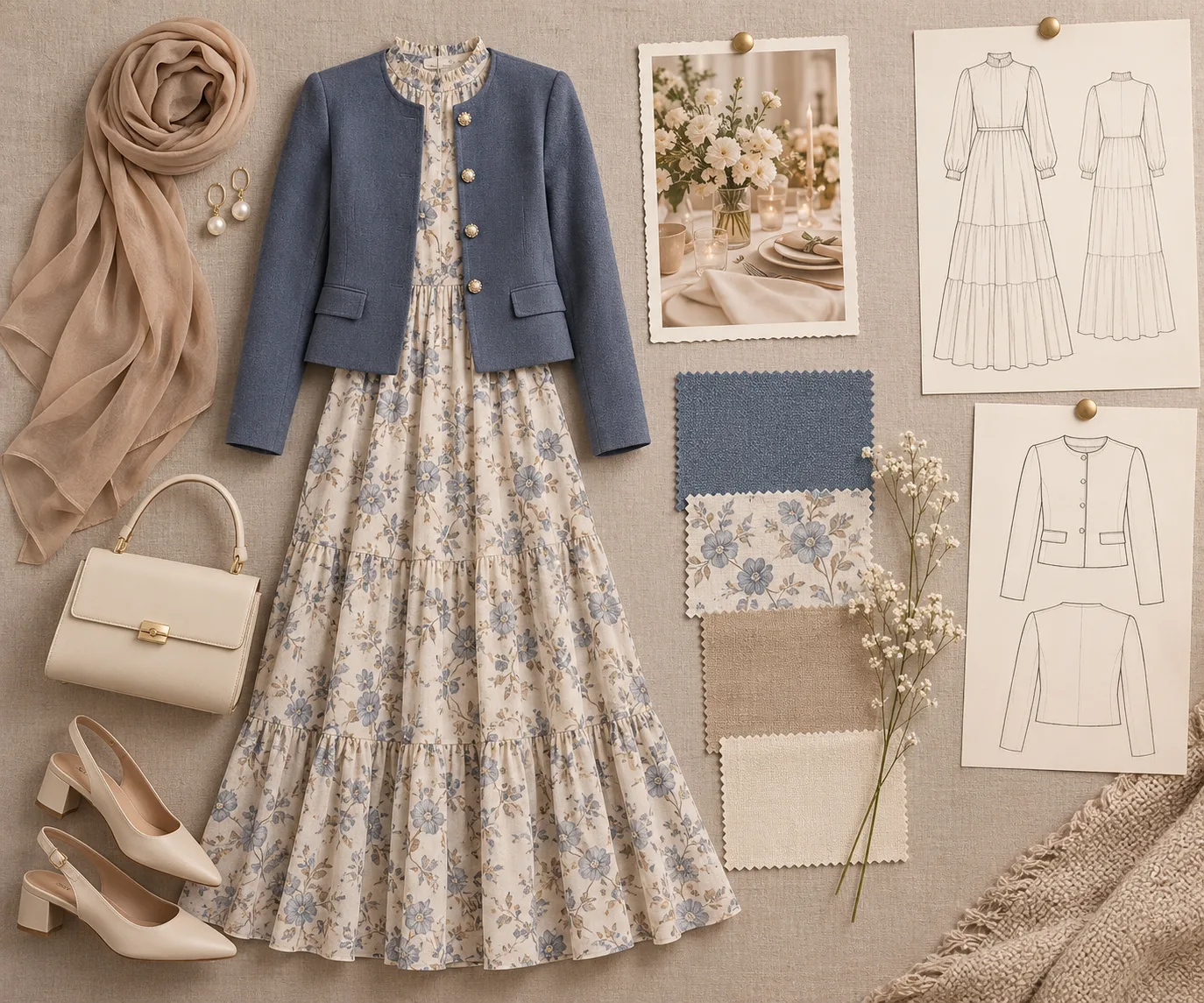
Before you use an AI clothes changer, build a small outfit reference board around one occasion and one decision. A focused board prevents a casual jacket, a formal shoe, and three unrelated colors from competing in the same preview.
Last updated: July 23, 2026 · about 5 min read
Reference images are useful only when they point in the same direction. A board is not a mood dump. It is a short brief that helps you decide what to ask for and what to ignore when a result looks flashy but solves the wrong problem.
Start with one sentence
Write a plain sentence before you collect images: “I need a relaxed dinner outfit with a dark top and a light outer layer,” or “I need an interview-ready look that still feels like my normal wardrobe.” That sentence is the filter for every reference you save.
| Keep | Leave out |
|---|---|
| One occasion and dress level | A wedding guest look mixed with gym clothes |
| One silhouette direction | Oversized and sharply tailored pieces in the same request |
| Two or three compatible colors | Every color that looked good in a feed |
| One detail worth testing | Unrelated poses, backgrounds, or body edits |
If color is your real decision, start with an outfit color matcher. If you want to compare a complete look on your own photo, an AI dress-up preview gives the board a practical next step.
Pick a lead reference and two supporting references
The lead reference answers the biggest question: the cut of a blazer, the shape of a dress, or the balance between a loose shirt and fitted pants. The supporting references should clarify rather than compete. One may show the color, and one may show the accessory or layering detail.
Do not use a reference photo to ask for someone else's body, face, or identity. Describe the clothing relationship instead: “cropped jacket over a simple crew-neck top,” “wide-leg trousers with a fitted knit,” or “one-color outfit with a contrasting bag.”
A reference board is a planning tool. It should make the next choice narrower, not make the request more complicated.
Remove conflicts before you generate
Take one minute to look for contradictions. If the references disagree, choose the decision that matters most and delete the rest.
| Conflict | Better choice |
|---|---|
| Formal blazer and beach cover-up | Decide the occasion first |
| Warm tan, icy blue, and bright red | Keep one main palette and one accent |
| Floor-length silhouette and cropped streetwear | Choose the proportion you want to test |
| Studio fashion pose and an everyday mirror photo | Keep your own photo as the setting anchor |
This is where a clothes color changer can help: test the color direction while leaving the garment shape alone. Then make the larger outfit change only after the palette is settled.
Turn the board into a narrow request
Use the board to make one request with clear limits. For example:
Keep the same person, face, pose, lighting, and background. Change only the outfit to a soft charcoal blazer over an off-white knit top, with straight dark trousers. Keep the silhouette clean and appropriate for a daytime meeting.
That is more useful than “make me fashionable.” It tells you what must remain stable and what the outfit is meant to accomplish. If the first result changes the face, body, or setting, simplify the clothing request instead of piling on more style words. The AI clothes changer prompt examples guide has more request patterns.
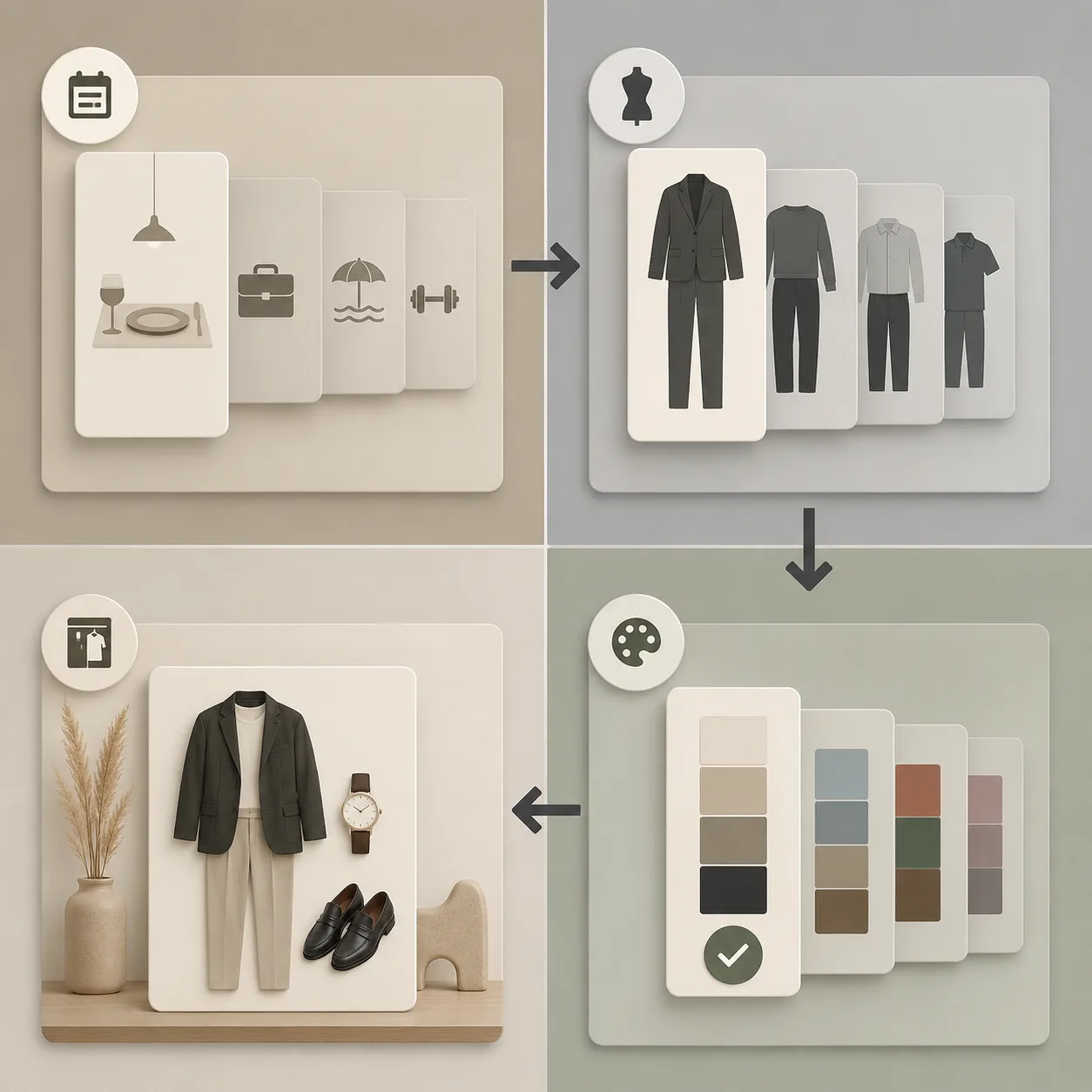
The second visual explains the workflow, not the final outfit. Its job is to remove conflicts before an image is generated.
Frequently asked questions
How many images should be on an outfit reference board?
Three is usually enough: one lead silhouette, one color reference, and one detail or layering reference. Add more only when they all support the same decision.
Can I use a fashion photo as a reference for an AI clothes changer?
Yes, if you use it to describe clothing, color, and proportion. Do not use it to request another person's identity or body. Keep your own photo as the person and setting reference.
Why did my outfit preview look confused?
The references may have asked for conflicting occasions, silhouettes, or palettes. Remove anything that does not support the one decision you want to make, then make a narrower request.
Related guides
- Change an outfit with AI →
- AI dress-up preview
- Outfit color matcher
- AI clothes changer prompt examples
- Best photo for an AI clothes changer
Give the preview one job
Build a small board, choose the one detail that matters, then use the AI clothes changer to compare a focused direction. A good preview should make the next real-world decision easier.