
Outfit Color Matcher: Build a Clothing Color Palette From One Photo
Use an outfit color matcher workflow to build a clothing color palette from one photo, test shirt and pants colors, and preview outfits before buying.
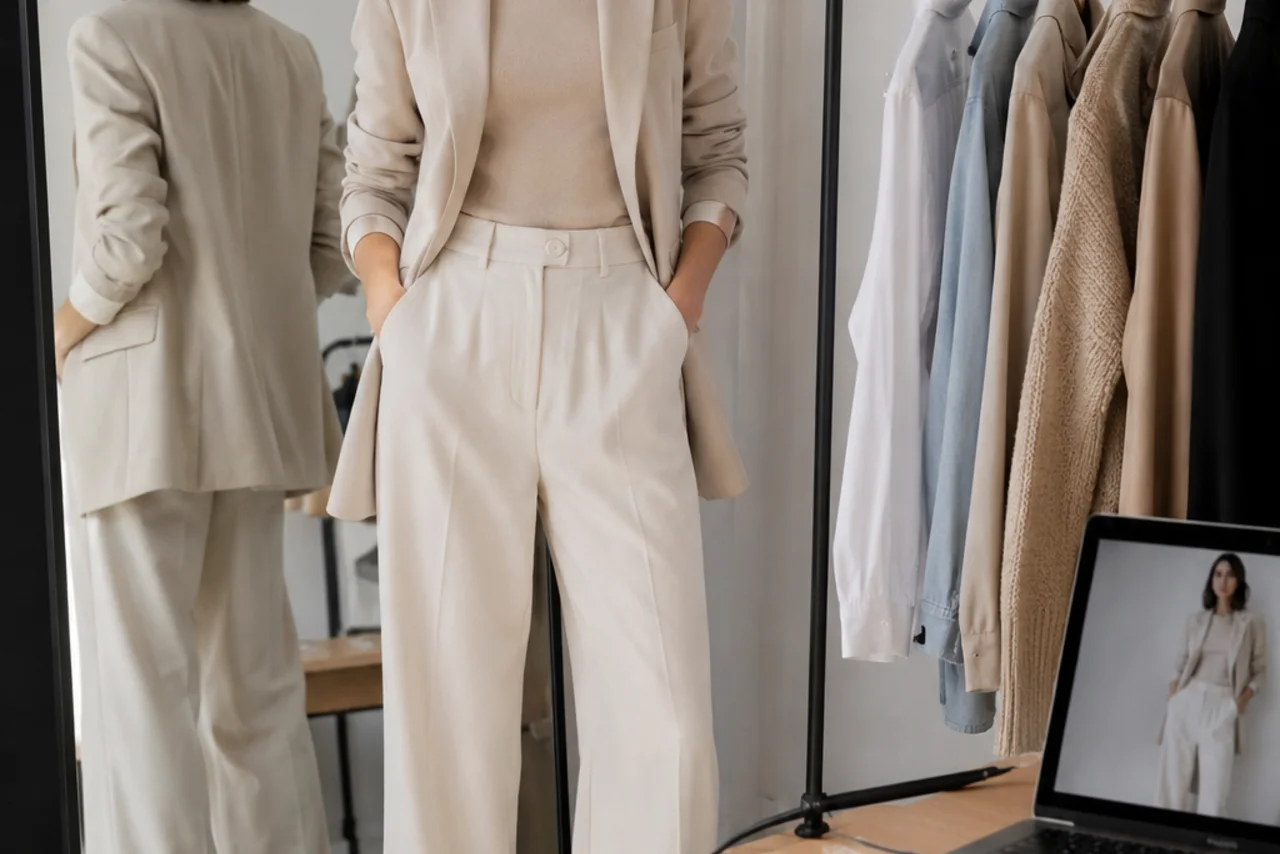
An outfit color matcher helps you answer a very practical question: do these clothing colors work together on me? Start with one photo, identify the base color, choose one neutral and one accent, then preview the palette with an AI clothes color changer before you buy or wear the outfit.
Last updated: July 5, 2026 - about 7 min read
Most color advice stops at a chart. Charts are useful, but they do not know your skin tone, lighting, hair color, or the exact shade of the pants you already own. A clothing color palette gets much better when you test it on your own photo, because the clothing color palette has to work in real light, not only on a swatch.
This guide gives you a simple outfit color matcher workflow: read the photo, build the clothing color palette, test one color change at a time, and keep the result realistic.
What an outfit color matcher should actually do
An outfit color matcher should not just list colors that look nice together. For real clothes, it needs to do four jobs:
| Job | Why it matters |
|---|---|
| Find the base color | Most outfits work because one color leads and the rest support it. |
| Separate neutrals from accents | Navy, black, gray, white, denim, beige, and olive behave differently from bright colors. |
| Check contrast near the face | The same shirt color can flatter one person and wash out another. |
| Preview the palette on a real photo | A color combination only matters if it works on your body, lighting, and clothes. |
That last step is where AI helps. Instead of guessing from a flat clothing color palette, you can recolor the shirt, jacket, dress, or pants and compare the result on the same photo.
Build a clothing color palette in 3 passes
Use this three-pass method before you open any tool.
- Pick the anchor color. This is usually the largest item: pants, dress, suit, coat, or skirt. If the anchor is navy, black, beige, olive, denim, or gray, you already have a flexible base.
- Choose a safe neutral. White, cream, gray, black, navy, tan, and denim are the safest supporting colors. A neutral keeps the outfit from feeling busy.
- Add one accent. The accent can be a shirt, bag, scarf, tie, shoe, or jacket detail. One accent is enough. Two accents can work, but only if one is quiet.
The mistake most people make is starting with the accent. A red shirt, green jacket, or yellow bag looks exciting in isolation, then fights the rest of the outfit. Build from the anchor instead.
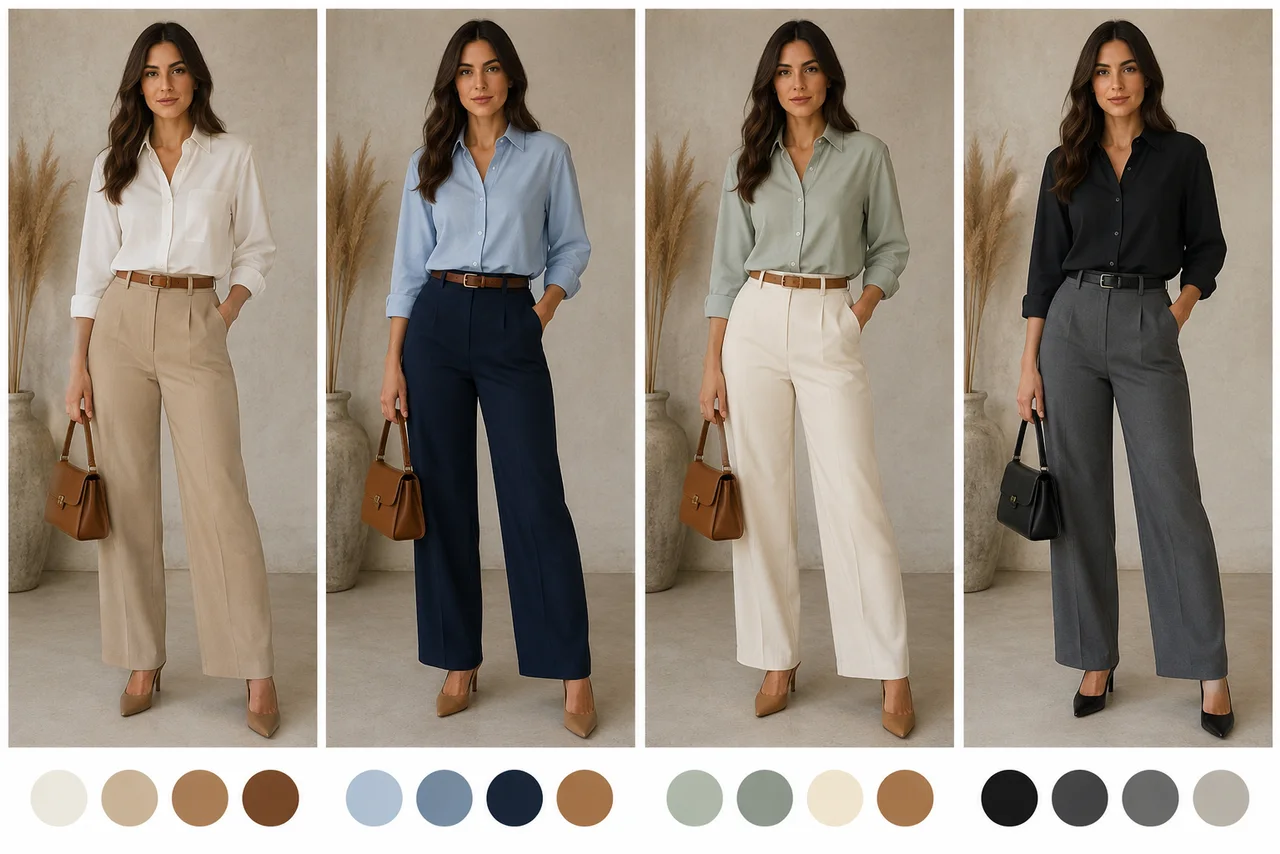
Testing color palettes on the same photo makes the best combination easier to see.
Fast outfit color formulas
Use these as starting points when you need a quick answer.
| Anchor color | Safe palette | Stronger palette |
|---|---|---|
| Navy | White, light blue, gray, tan | Burgundy, mustard, forest green |
| Black | White, gray, denim | Red, emerald, cobalt |
| Beige | White, brown, navy | Olive, rust, soft blue |
| Olive | Cream, black, denim | Burnt orange, burgundy, tan |
| Gray | White, black, navy | Pink, blue, wine |
| Denim | White, gray, black, beige | Red, green, camel |
These combinations work because they create a hierarchy. One color leads, one supports, and one adds interest. If all three colors are equally loud, the outfit color matcher should tell you to simplify.
How to preview the palette with AI
Once you have two or three palettes, test the clothing color palette on a real photo.
- Upload a clear photo where the clothing item is visible.
- Choose one garment to recolor first.
- Prompt the exact color family, not a vague mood. Try "change the shirt to soft cream" or "make the pants deep navy."
- Keep the fabric, shadows, folds, and body shape unchanged.
- Compare two or three versions side by side.
This is different from asking an AI outfit generator to invent a new look. An outfit generator is useful when you want ideas from scratch. An outfit color matcher is better when you already have clothes and want the colors to work together.
For a quick yes-or-no check on a finished outfit, use our related guide: Does this outfit match?. For color edits specifically, start with the clothes color changer.
What to check before choosing the winner
Do not judge only the shirt or pants. Step back and check the whole frame.
- Face contrast: Does the top make your face look clear, or does it drain the color out?
- Color balance: Is there one anchor, one support, and one accent?
- Fabric realism: Did the recolor keep shadows, seams, buttons, and texture?
- Occasion fit: Does the palette match the setting: work, date, wedding guest, school, travel, or casual weekend?
- Photo lighting: A color that works under warm indoor light may look different in daylight.
If two palettes both work, choose the simpler one. Simple outfits usually photograph better and are easier to repeat.
Common color matching mistakes
| Mistake | Why it fails | Better move |
|---|---|---|
| Three loud colors | No visual rest | Keep one loud accent and make the rest neutral |
| Warm and cool clash near the face | Skin can look tired | Put the more flattering tone on top |
| Matching everything exactly | Looks forced | Use related shades instead of identical shades |
| Ignoring shoes and bags | Accessories become accidental accents | Treat them as part of the palette |
| Trusting a product photo only | Product lighting changes the shade | Preview the color on your own photo |
The goal is not to follow a rule perfectly. The goal is to remove the guessing before money, time, or confidence is on the line.
Frequently asked questions
What is an outfit color matcher?
An outfit color matcher is a workflow or tool that helps you choose clothing colors that work together. The useful version starts with your real photo, identifies the anchor color, tests neutral and accent colors, and previews the result before you buy or wear the outfit.
How do I make a clothing color palette from one photo?
Start with the largest clothing item as the anchor color. Add one safe neutral and one accent color. Then preview the palette by recoloring one garment at a time so you can compare the combinations on the same photo.
What colors match most outfits?
Black, white, gray, navy, beige, cream, denim, and tan match most outfits because they behave like neutrals. They are the safest base colors when you want one stronger accent.
Is an outfit color matcher the same as an AI outfit generator?
No. An AI outfit generator creates complete outfit ideas. An outfit color matcher checks whether specific colors work together, especially when you already own the clothes or are choosing between shirt, pants, jacket, or dress colors.
Can I test outfit colors on my own photo?
Yes. Upload a clear photo to an AI clothes color changer, recolor one garment, and compare the versions. This is more useful than a chart because it shows the colors against your body, lighting, and skin tone.