
Does This Outfit Match? Test Color & Style Combos with AI
Wondering if your outfit matches? Learn simple color rules (neutrals, 60-30-10) and test any combo on your own photo with a free AI clothes changer.
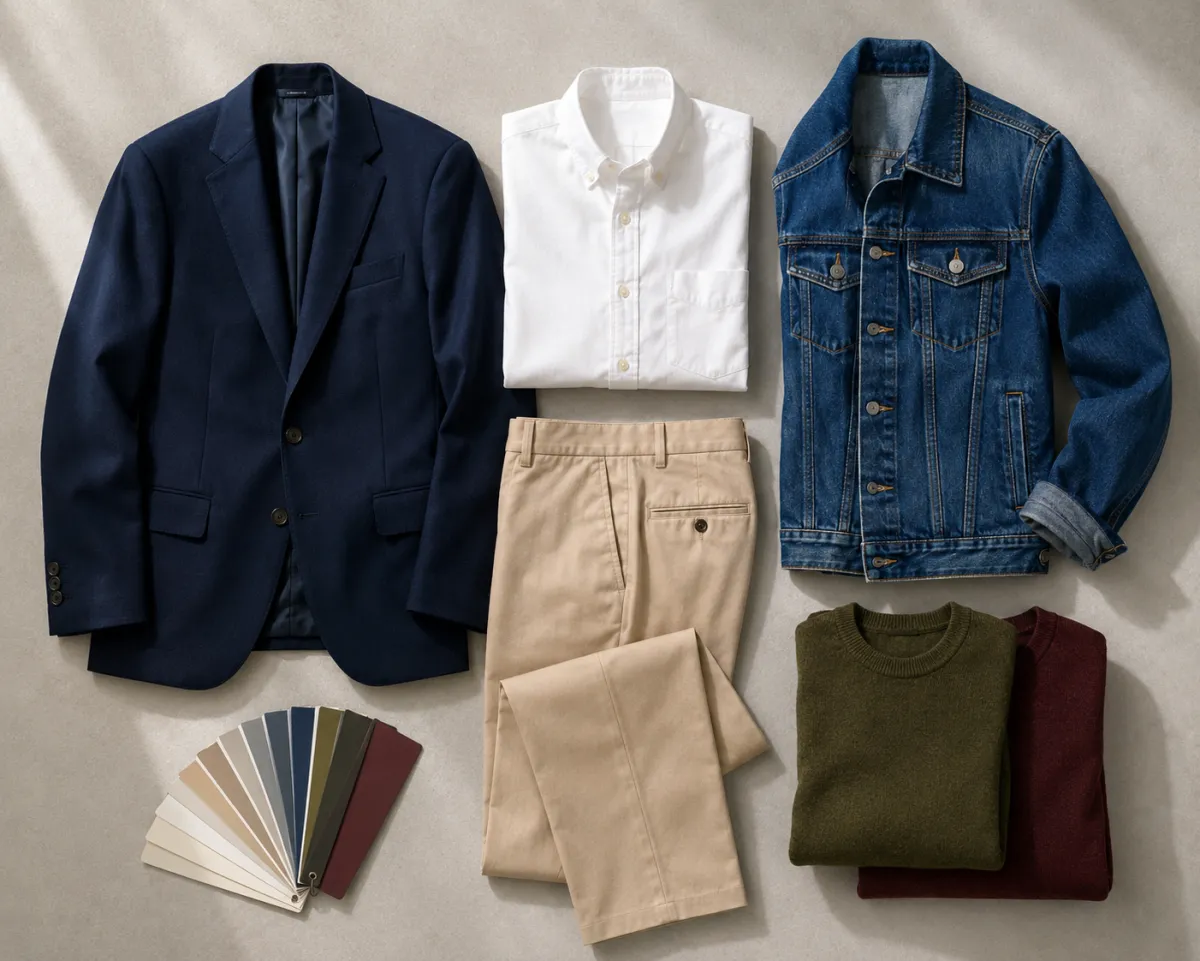
Does your outfit match? The fastest way to know is to stop guessing in the mirror and see the combo on your own photo before you commit. A few simple rules cover most cases: lean on neutrals, pair complementary colors, or go monochrome. To preview a pairing on yourself, try the AI clothes changer and judge it in seconds.
Last updated: June 23, 2026 · ~6 min read
Matching an outfit is really two questions stacked on top of each other: do the colors work together, and does the overall style read as intentional? Most "off" outfits aren't ugly piece by piece — the items just fight each other. Below you'll find memorable rules for both, plus a way to test a specific combo on your own photo instead of trusting a tiny thumbnail or a fitting-room mirror.
What are the simplest color-matching rules that actually work?
You don't need a color wheel tattooed on your arm. Four rules handle almost every situation:
- Stick to neutrals. Black, white, gray, navy, beige, and denim go with nearly everything. Build around a neutral base and you can't really lose.
- Pair complementary colors. Colors opposite each other on the wheel (blue and orange, purple and yellow) create high contrast that stands out — great for one statement pairing, not a whole outfit.
- Go monochrome. Different shades of one color (a light blue shirt, navy pants) always look pulled-together.
- Use the 60-30-10 rule. 60% a dominant color, 30% a secondary, 10% an accent. This is the single most useful trick for answering "why does this feel balanced?"
Quick gut check: if an outfit has more than three colors fighting for attention, it usually reads as busy. Pull one color back to an accent (the 10%) and it calms right down.
The 60-30-10 rule comes from interior design, and it explains why a navy suit (60%) with a white shirt (30%) and a burgundy tie (10%) looks effortless. The proportions do the work.
How do you actually test if an outfit matches before wearing it?
Rules narrow your choices, but they don't tell you how a combo looks on your body, your skin tone, in your lighting. That's where testing the combo on your real photo beats imagining it.
- Upload a clear, front-facing photo of yourself where your current clothing is fully visible.
- Swap in the outfit or recolor the pieces you're unsure about — change the shirt color, try the jacket, see the full combo together.
- Judge it as a whole, not piece by piece — step back, check the 60-30-10 balance, and decide keep or swap.
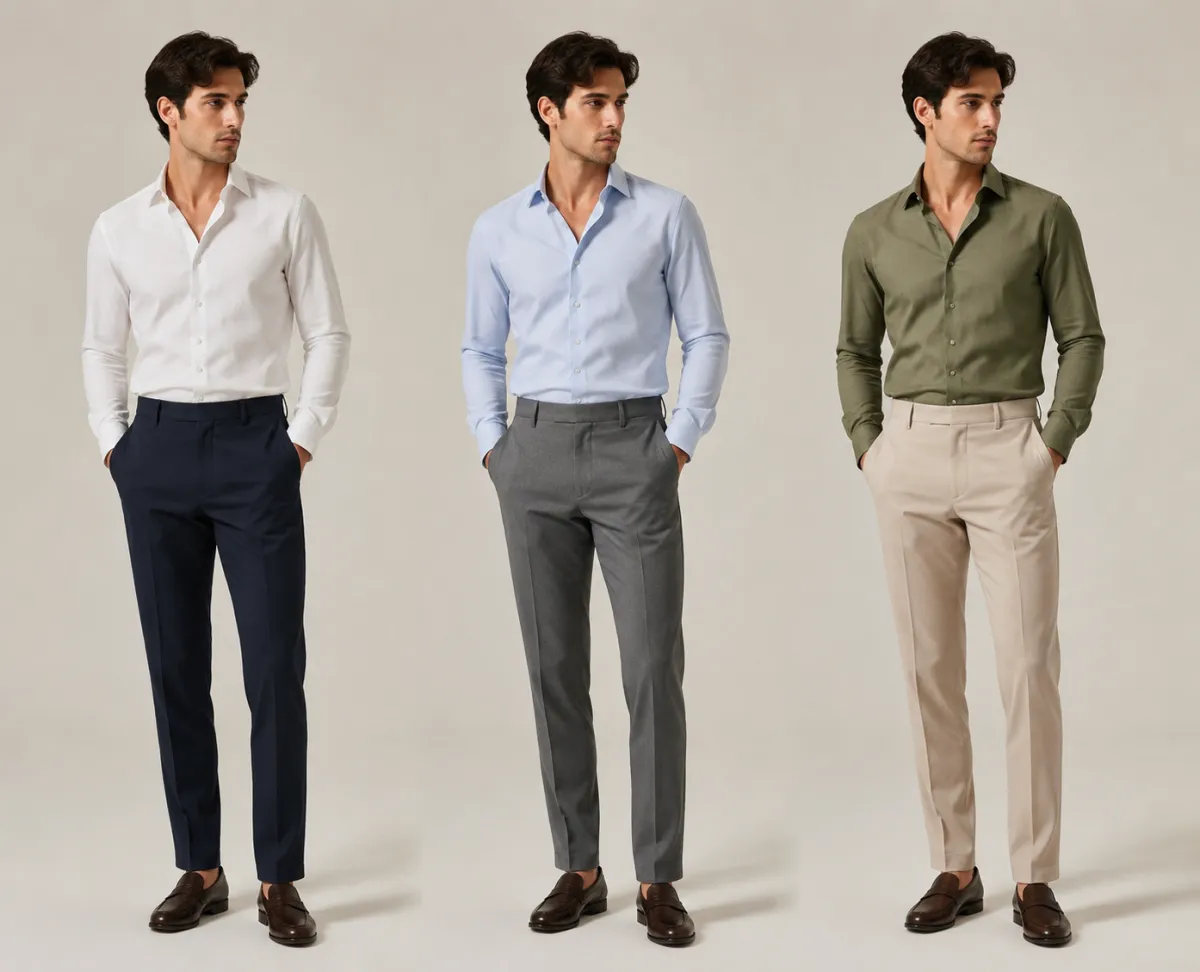 Testing three color pairings on the same photo makes the winner obvious in seconds.
This is the practical difference between an outfit matcher and an outfit generator. If you want the AI to invent whole looks from scratch, that's the job of an AI outfit generator. But when you already have specific pieces and you're asking "do these two go together," you want to recolor and swap on your own photo — exactly what an AI clothes changer and a tool to change clothes color in a photo are built for.
What are the most common outfit mismatches people make?
These are the pairings that quietly sabotage an otherwise good outfit:
| Common mismatch | Why it looks off | Easy fix |
|---|---|---|
| Two competing patterns | Both demand attention, neither wins | Keep one pattern, make the other piece solid |
| Warm + cool clashing colors | Undertones fight (orange-red next to cool pink) | Match undertones, or separate with a neutral |
| Too many bold colors | No clear hierarchy, looks chaotic | Apply 60-30-10; demote one color to accent |
| Wrong color near the face | Washes out skin tone | Test it on your photo before buying |
| Mismatched formality | Sporty + dressy reads as "unfinished" | Keep all pieces at the same dress level |
The face-color one is the sneakiest. A shade that looks great folded on a shelf can drain your complexion when it sits right under your chin — and you genuinely can't predict it without seeing it on yourself.
Quick-reference table: safe color pairings
When you're short on time, copy from this. Every row is a low-risk, hard-to-mess-up combination:
| Base color | Safe partner | Accent option |
|---|---|---|
| Navy | White, gray, tan | Burgundy, mustard |
| Black | White, gray, denim | Red, emerald |
| Beige / camel | White, brown, navy | Olive, rust |
| Olive green | Cream, brown, navy | Burnt orange |
| Light blue | White, gray, navy | Coral, soft pink |
| Burgundy | Gray, navy, cream | Forest green |
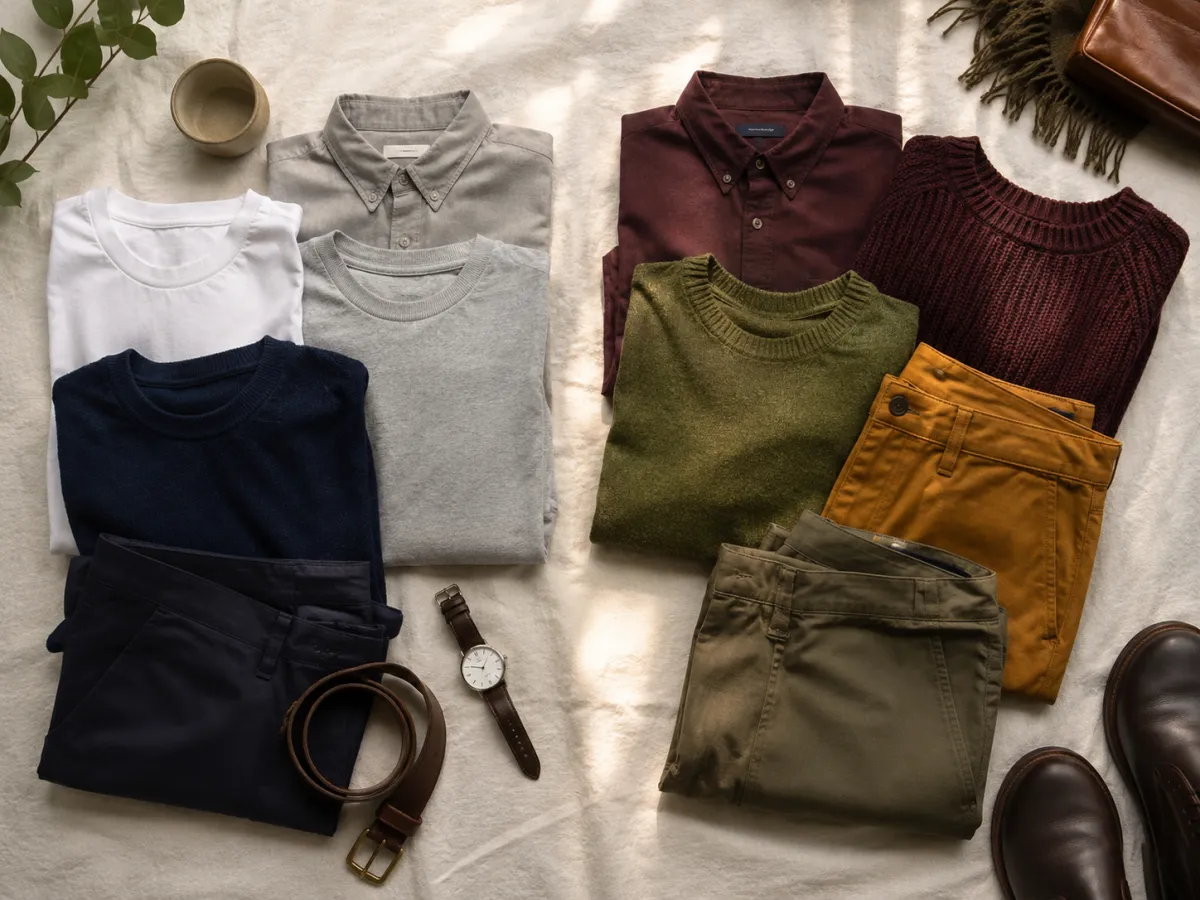 A neutral base plus one accent is the lowest-effort way to look coordinated.
Pro tip: when in doubt, pick a neutral base and add exactly one color. It's almost impossible to make that combination look wrong, and it photographs cleanly too.
How is this different from generating a whole new look?
The two get confused, so it's worth pinning down. An outfit generator starts from nothing and proposes complete looks for you to react to — handy when you have no idea where to begin. An outfit matcher starts with pieces you already own or are considering, and answers a yes-or-no compatibility question. This guide is about the second one: judging real combos, fast, on your real photo. To try on garments at scale or see how something fits before checkout, an AI virtual try-on covers that angle.
Frequently asked questions
How do I know if two colors match?
Check whether they're neutrals (which match almost everything), complementary (opposite on the color wheel for high contrast), or shades of the same color (monochrome). If they're none of those and the undertones clash, separate them with a neutral piece or demote one to a small accent.
What is the 60-30-10 rule for outfits?
It's a balance formula: 60% of your outfit is a dominant color, 30% is a secondary color, and 10% is an accent. Following it keeps an outfit from looking either flat or chaotic, and it's the quickest way to make a multi-color look feel intentional.
Can I test an outfit on my own photo before buying it?
Yes. Upload a clear, front-facing photo, then use an AI clothes changer to swap or recolor the pieces you're unsure about. You see the full combo on your own body and lighting, which is far more reliable than a product thumbnail or a quick mirror check.
What colors go with everything?
Neutrals: black, white, gray, navy, beige, and denim. Build your outfit around one of these and you can pair it with almost any accent color without the combination looking off.
Is this the same as an AI outfit generator?
No. An AI outfit generator invents complete looks from scratch when you don't know where to start. This is about matching — judging whether specific pieces you already have go together — which is best done by recoloring and swapping them on your own photo.
Related guides
- Test an outfit on your photo free →
- Change clothes color in a photo — recolor any garment to test a pairing instantly
- AI outfit generator — when you want the AI to build whole looks for you
- AI virtual try-on — see how a garment fits before you check out
Stop guessing — see the combo on yourself
Rules get you close, but your own photo settles it. Upload a picture and let the AI clothes changer show you exactly how an outfit matches before you buy it or wear it out.