
MyIMG AI Clothes Changer: What to Check Before You Upload
Before using MyIMG AI Clothes Changer, confirm adult status, explicit consent, the live workflow, and whether an authorized photo is suitable to upload.

Before you use MyIMG AI Clothes Changer, confirm that every person pictured is an adult and that you have their explicit consent to upload and edit the photo. MyIMG's live clothes-changer page is adult-gated and asks users to agree to those conditions. If either condition is unclear, do not upload. For a controlled, modest outfit-preview test using an authorized photo, you can also use the AI clothes changer.
Last updated: September 15, 2026 · about 7 min read
This guide answers a narrow question: what should you check before you put a photo into MyIMG's current clothes-changing page? It is not an endorsement of every workflow available there, and it does not test adult-oriented features. The practical goal is simpler: decide whether an authorized, ordinary photo is suitable for a limited outfit-preview experiment.
We checked MyIMG's public AI Clothes Changer page on September 15, 2026. It displays an 18+ gate, asks for explicit consent before using another person's photo, and says it does not tolerate explicit content involving minors. The page and its rules can change, so recheck the live notice before a consequential upload.
Start with the permission check, not the upload button
An outfit preview is still an image edit. That means the first decision is about people, not pixels. Do not treat a photo that is public, sent to you, or stored on a shared device as permission to upload it elsewhere.
| Question | Proceed only when the answer is yes | Stop or choose another photo when the answer is no or unclear |
|---|---|---|
| Is every person in the image an adult? | You can confirm it directly. | Do not upload any image of a minor. |
| Do you have explicit permission? | The subject agreed to this upload and clothing edit. | Ask first; do not infer consent from a previous photo share. |
| Is the intended edit modest and appropriate? | The test is an ordinary outfit or color comparison. | Do not continue with a request that conflicts with consent or the provider's rules. |
| Do you know what you will do with the result? | It is a private style check or an approved draft. | Pause before creating a result you could not responsibly save or share. |
A convincing generated image does not make an unauthorized edit acceptable. Consent, adulthood, and the intended context are prerequisites, not afterthoughts.
Use one restrained first test
If the permission check passes, keep the first run small enough to review. A full wardrobe transformation, new pose, and new location all at once makes it hard to tell what caused a bad result.
- Choose an ordinary adult portrait. Use a clear, well-lit photo with one person, visible shoulders and torso, and hands away from the clothing area. Save an untouched copy locally.
- Ask one visual question. For example: “Would a navy blazer make this headshot look more formal?” Avoid changing clothing, identity, body shape, background, and lighting in the same request.
- Inspect the output beside the original. Check the face, hair, hands, neckline, sleeve edges, shadows, and background. Reject the result if it changes more than the clothing direction you intended.
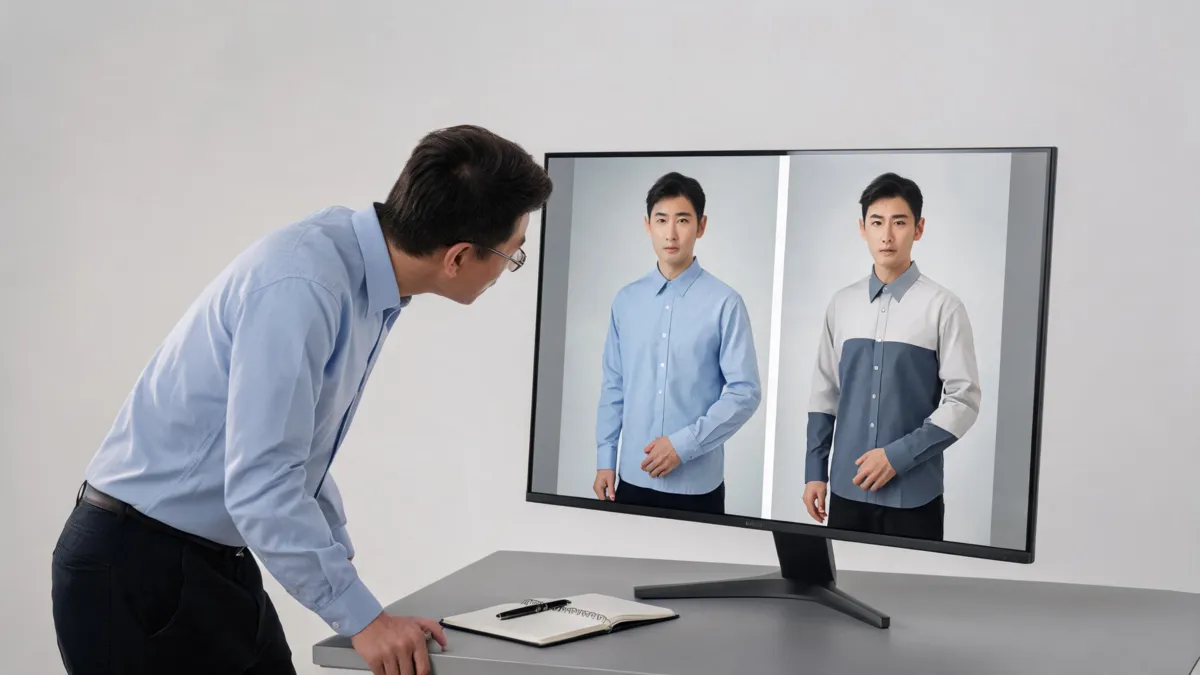
Editorial illustration of a quality-review step, not a claimed MyIMG output.
For a garment-led comparison, a virtual try-on workflow gives you a more focused way to compare one authorized person photo against one garment reference. If color is the only question, use a clothes color changer approach instead of replacing the whole look.
Review the result for more than the outfit
The first screen-sized preview can hide the parts that matter. Zoom in before saving anything. The checks below are useful regardless of the editor you use.
Identity and body continuity
The person should still be recognizably the same person. Check facial features, hairline, expression, skin tone, and broad proportions. An image that changes identity is not a successful clothing preview, even when the garment looks polished.
Garment boundaries and overlaps
Look at collar points, shoulders, cuffs, hands, bag straps, jewelry, and hair near the neckline. These intersections expose whether a generator has invented edges or absorbed details into the outfit. A simple source photo is often a better fix than a more elaborate prompt.
Light, fabric, and background
Compare the direction of shadows around the chin, arms, and hem. Fine prints, buttons, labels, and fabric texture are especially easy to distort. Treat the image as a styling reference, not proof of exact material, construction, color, availability, or fit.
| If you see this | Best next action |
|---|---|
| A changed face, expression, or body shape | Reject the output; use a clearer photo and narrow the edit. |
| Melted fingers or cuffs | Choose a source with open arms and less overlap. |
| Clothing that looks pasted on | Use a less dramatic garment change and check the original light direction. |
| A result you would not want circulated | Do not save or share it; delete it where the service allows and revisit the input decision. |
What an outfit preview cannot tell you
An AI image can help you decide whether a style direction is worth exploring. It cannot take a body measurement, predict movement, verify a retailer's product photo, or guarantee that a real garment will fit. For an actual purchase, check the seller's size chart, product details, current photos, and return policy.
That limitation matters even with a good-looking image. A preview can make a color palette or silhouette easier to discuss; it should not become evidence for a product claim, a client promise, or an unapproved marketing image. If you need a repeatable review sequence, see why AI clothes swaps look fake.
A safer alternative for a modest outfit comparison
AIClothSwap is designed for a controlled clothes-swap or garment-reference workflow. Start with an authorized adult photo and one garment direction, then keep the review criteria fixed: same face, same pose, same scene, and believable garment edges. This does not make a generated image a fitting tool, but it makes the visual question easier to isolate.
Use the AI outfit generator when you are exploring broad outfit ideas, and the AI clothes changer when the decision is one person and one clothing change. In either case, retain the original image, keep a human approval step, and avoid treating the output as a real-world claim.
Frequently asked questions
What should I check before uploading to MyIMG AI Clothes Changer?
First confirm that every person pictured is an adult and that you have their explicit permission to edit and upload the image. Then review MyIMG's current age gate and terms, use only a modest authorized test photo, and inspect the output before you save or share it.
Can an AI clothes changer prove how a real garment will fit?
No. An AI-generated clothing preview can help compare a broad styling direction, but it cannot verify sizing, fabric, color accuracy, stock, comfort, or a real product's construction. Use the seller's measurements and return policy for a purchase decision.
What makes a safe first test photo for an AI clothes changer?
Use a sharp, well-lit photo of a consenting adult in ordinary clothing, with the face and clothing boundaries visible and no hands or objects crossing the torso. Keep the original separate and do not upload minors' images or images you do not have permission to edit.
Related guides
- Try the free AI clothes changer →
- Compare a garment with virtual try-on
- Change a garment color while preserving texture
- Best photo for an AI clothes changer
- Why AI clothes swaps look fake
Make a limited, informed test
Start with permission and a modest single-question test. When the input is authorized and the output preserves the person and scene, you have a useful style reference—not a promise about a real garment. Try the AI clothes changer with that boundary in place.