
MockoFun AI Clothes Changer: What to Check Before You Upload
MockoFun AI clothes changer can make a prompted or reference-based outfit edit; use this checklist to prepare inputs and inspect the result honestly.
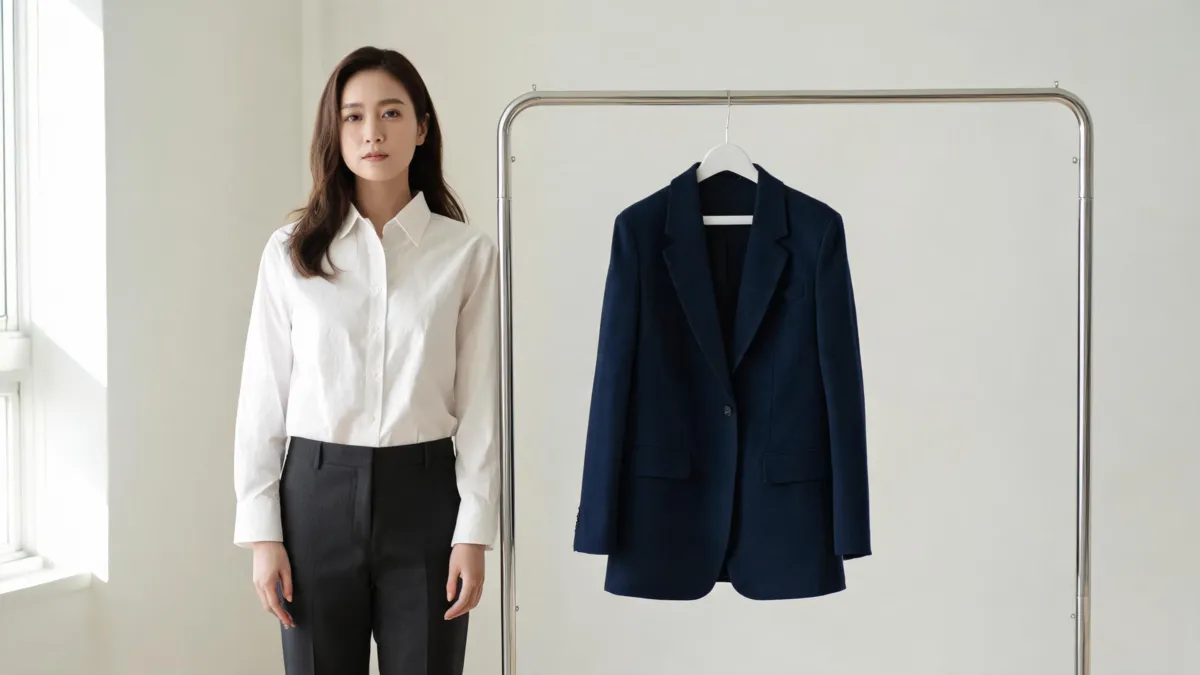
MockoFun's AI clothes changer is a browser-based image-editing workflow: its current guide describes uploading a person photo, selecting the clothes area, writing a replacement-outfit prompt, then generating a result. It also documents an option to upload an outfit reference. Start with a clear, authorized photo and judge the output as a visual draft—not as proof of fit or product facts. A focused AI clothes changer is useful for running the same controlled comparison on your own photo.
Last updated: September 14, 2026 · about 7 min read
This is an editorial workflow check, not a sponsored review or a rendering benchmark. We checked MockoFun's public AI Clothes Changer guide on September 14, 2026. That page presents both a text-prompt clothes edit and a clothes-swap path using an outfit photo. Its interface, models, credits, and terms can change; confirm the live controls before uploading important work.
What can the MockoFun AI clothes changer do?
MockoFun places the clothes changer inside its wider graphic-design and AI-image workflow. Its published walkthrough says to upload or take a photo, select the clothing area, describe the desired replacement, generate, and download. In a separate virtual-try-on section, it says a user can upload a person image and an outfit photo, then choose the clothes changer.
That gives you two practical ways to start:
- Prompt-led edit: useful when you are testing a broad direction such as a navy blazer, linen overshirt, or formal dress.
- Reference-led try-on: useful when the garment's visible shape, color, or layering matters enough that you want to supply an image of it.
Neither route turns the result into a catalog fact. A clothing render can suggest whether an outfit reads casual or formal on a given scene. It cannot measure a body, confirm a size chart, reproduce a retailer's dye lot, or guarantee that a small pattern, label, or seam is accurate.
| Decision you need to make | What a generated preview can help with | What it cannot settle |
|---|---|---|
| Does this jacket change the portrait's mood? | Broad silhouette, palette, and styling direction | Physical fit and comfort |
| Does this reference work in this photo? | Whether the concept reads plausibly in the source scene | Exact construction, logo, or fabric behavior |
| Is an ecommerce image ready to publish? | An early visual direction | SKU facts, rights, approvals, and final retouching |
Treat the first output as a diagnostic. If the face, hands, pose, or background change with the garment, the test did not isolate the clothing decision.
Prepare a source photo that you can actually evaluate
The strongest prompt cannot repair missing visual information. Start with one adult subject whose photo you are allowed to edit. Use even light and a pose where the shoulders, torso, sleeves, and target garment are readable. MockoFun's guide itself recommends a full- or half-body photo; in practice, a closer crop can work when it still shows the clothing boundaries you need to inspect.
Avoid crossed arms, a bag across the torso, heavy hair coverage, motion blur, and a garment cut off at the exact place you need to change. Those are not moral rules; they are ambiguous edges. The model has to invent what it cannot see.
For a garment reference, choose a clean, rights-cleared image that shows the neckline, sleeves, closures, hem, and repeat pattern. A tiny product thumbnail may create a nice-looking result while losing the construction that made the garment distinctive. If the task is only a color decision, use a dedicated clothes color changer instead of asking a full outfit edit to do less predictable work.
Use a controlled MockoFun test in four steps
- Save the original and choose one goal. Decide whether this is a prompt-led concept or a reference-led preview. Keep the same source image for every candidate.
- Select only the clothing region. Follow MockoFun's published path: choose the clothes area, rather than treating the whole image as disposable. Leave the face, hair, hands, and background outside the requested change when possible.
- Write a literal brief. Name the garment and protected elements: “Replace the overshirt with a matte navy blazer; keep face, hair, hands, pose, lighting, and background unchanged.” Add styling language only after the baseline works.
- Inspect full size before saving. Compare every result next to the original. A favorable thumbnail is not enough for a client image, a listing, or a personal purchase decision.
If you are weighing complete outfit directions instead of a specified garment, the AI outfit generator is the better earlier step. It answers “what could I wear?” while a clothes-change test answers “does this change hold together on this image?”
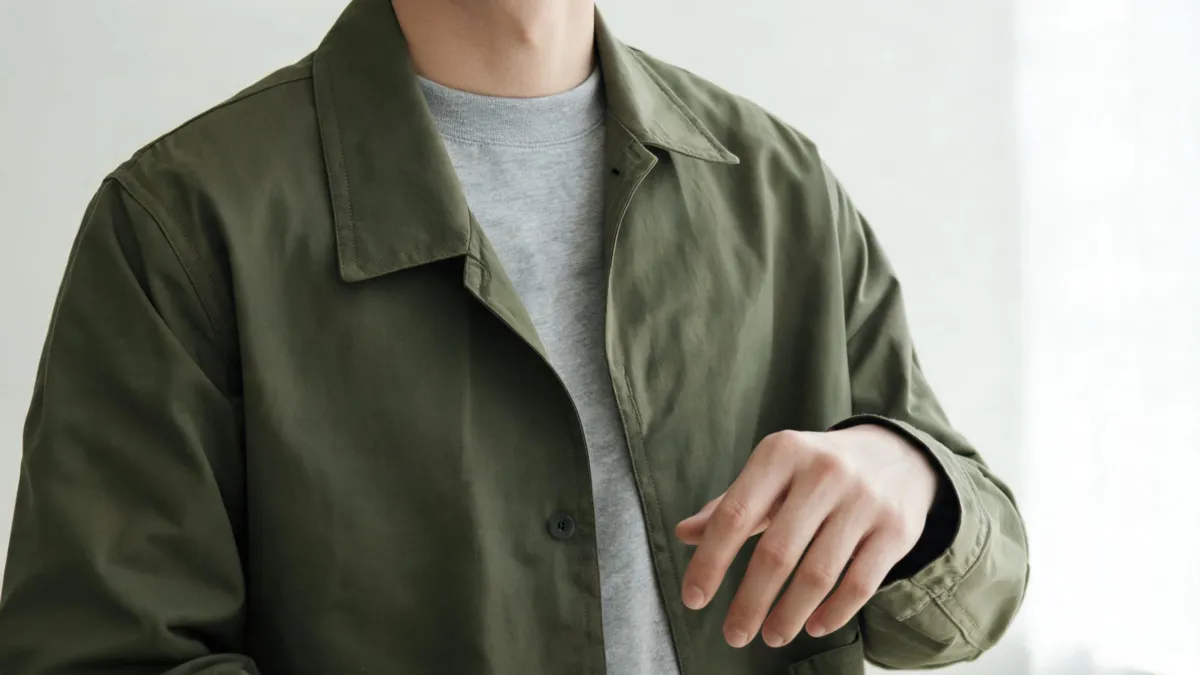
Check the collar, cuff, hand boundary, seams, and light at full size; this is an editorial quality-check visual, not a claimed MockoFun result.
The six checks that catch a weak clothes edit
Work from identity outward. First, make sure the face, hairline, expression, and body proportions still belong to the original subject. Then check where the garment meets the person and scene:
- Neckline and shoulders: The collar should sit beneath the chin and follow the original shoulder line.
- Hands and cuffs: Fingers over a sleeve expose merged edges and missing fabric quickly.
- Seams and closures: Inspect buttons, plackets, lapels, waistbands, and hems before believing a garment is usable.
- Pattern and small text: Plaid, stripes, labels, and repeated motifs are fragile. Do not use a render to make an exact branding claim.
- Light and shadow: Folds should still agree with the source light; look under the chin, arms, and layers.
- Background stability: Check that garment color has not bled into hair, skin, furniture, or the backdrop.
Our AI clothes swap realism checklist goes deeper on diagnosing an otherwise attractive image that fails one of these tests. If your output changes the person more than the clothing, retry with a simpler pose or a clearer input before piling on prompt detail.
Watch the published MockoFun walkthrough
This MockoFun video demonstrates the vendor's clothes-changing workflow; it is not independent proof of quality, fit, or current plan terms.
Privacy, consent, and commercial checks
Only upload a photo you have permission to edit, and use adult subjects for wardrobe previews. Before client, store, or paid-social use, check MockoFun's current privacy and terms pages for retention, deletion, output rights, and plan restrictions. Keep the original source, disclose an image edit when context requires it, and do not represent a generated garment as a verified retail item.
AIClothSwap's Content Policy follows the same baseline. A good workflow makes a narrow visual decision easier; it does not create permission or product facts that were not present before.
Frequently asked questions
How does the MockoFun AI clothes changer work?
MockoFun's current guide describes uploading a person photo, selecting the clothing area, describing the replacement outfit, generating, and downloading. Its virtual-try-on section also describes uploading a clothing reference. Controls and credit rules can change, so check the live page before starting a paid or important job.
What photo should I upload to MockoFun?
Start with an authorized adult photo in which the torso and target clothing are clear, well lit, and not covered by hands, hair, bags, or furniture. A full- or half-body image is a practical starting point, but a generated result remains a visual preview rather than proof of fit.
Can an AI clothes changer verify a garment's fit or product details?
No. A generated image can help compare styling direction, color, and broad silhouette. It cannot verify size, fabric composition, stock, retail color, construction, licensing, or how a real garment will move.
Related guides
- Try the free AI clothes changer →
- Preview a garment with virtual try-on
- Change clothing color without replacing the garment
- How to photograph clothes for AI outfit edits
- Why AI clothes swaps can look fake
Test one variable, then keep only the useful result
For a quick comparison, try the AI clothes changer with the same authorized source image and garment direction. Keep the option that preserves the person and scene while giving you a decision you can verify elsewhere.