
Wedding Dress Changer: A Gown Detail Review Checklist
Use this wedding dress changer checklist to review lace, neckline, seams, sleeves, closures, and train details before asking a salon about a gown.
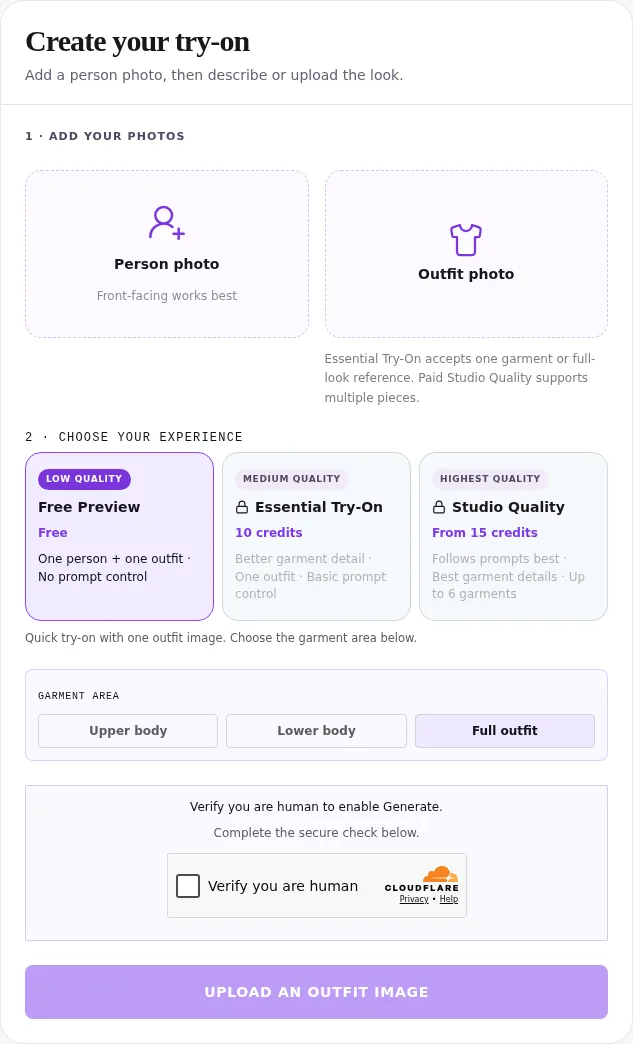
Use a wedding dress changer preview to shortlist a look, then compare its lace, neckline, sleeves, seams, closures, trim, and train against the real gown reference. The AI clothes changer can help you visualize a dress; its generated details are not proof of the garment’s construction, size, or fit. Mark discrepancies before shopping.
Last updated: October 15, 2026 · ~8 min read
What can a wedding dress preview tell you?
A preview may help you decide whether a broad silhouette or neckline direction deserves a salon appointment. The harder question comes afterward: does the picture still show the dress you are considering, or a plausible gown with different details?
This checklist answers that second question. It does not rank gowns or show how to generate several silhouettes. For the initial photo-and-reference workflow, use our AI wedding dress try-on guide. Keep the real product page open during this review so an appealing generated result does not replace your reference.
Treat each detail as one of three things: visible and broadly consistent, visibly changed, or impossible to check from the photographs you have. “Impossible to check” is a useful conclusion. It tells you to request another view rather than inventing an answer from a convincing image.
Review the gown in three steps
- Collect the real reference. Save the gown’s style name or number, retailer link, front and back photographs, available close-ups, and stated color. Keep these separate from the generated preview so you can identify the source of every detail.
- Compare the same garment areas. Start at normal viewing size, then inspect the neckline, bodice, sleeves, waist, skirt, and train. Match front to front and back to back. Do not infer a back closure from a front-only preview.
- Record differences and retailer questions. Use the worksheet below. Keep a gown on the shortlist when the broad style interests you, but delay any decision that depends on a missing or changed detail until the seller or salon confirms it.
The wedding dress try-on interface offers the visual workspace. Essential uses one outfit reference with basic prompt control; Studio Quality offers broader controls under its paid-access conditions. Neither replaces the actual garment photographs or a fitting. Instructions to retain lace or seams express your preference; they are not a certification that every feature was reproduced.
Judge the preview against the dress, not the dress against the preview. A flattering invented neckline can be an inspiration note, but it is not evidence that the listed gown has that neckline.
Which details should you inspect first?
Start with the features that made you choose the gown. If you love its scalloped neckline, inspect that before the background or hairstyle. If the dress is attractive mainly because of its train, a front crop cannot answer your question.
| Area | What to compare with the real reference | What a mismatch means |
|---|---|---|
| Lace motifs | Flower shapes, motif scale, spacing, and placement | The preview may show a different decorative pattern |
| Neckline | Center depth, edge shape, straps, and trim | The visible style may have changed |
| Sleeves | Length, outline, cuff edge, and attachment | The image may simplify or invent sleeve structure |
| Bodice seams | Visible seam paths, panels, and their relation to the waist | A plausible shape does not confirm construction |
| Closure | Buttons, zipper, or lacing shown in an actual back view | A front image cannot verify the closure |
| Trim and embellishment | Edge treatment, bead placement, and distinct borders | Decorative detail may have been smoothed or added |
| Train | Shape, border, attachment, and the available back view | Length and construction still need real confirmation |
How do you check lace without mistaking texture for accuracy?
Compare recognizable motifs rather than asking only whether the preview “looks lacy.” Pick a flower, leaf, or repeated border on the reference. Does a corresponding shape remain in the same garment area? Has a large motif become a small repeating texture? Does the pattern terminate at the neckline or continue across an edge where the actual dress has a clean finish?
A gown maker’s terminology can help you ask a precise question. Maggie Sottero’s guide to types of lace distinguishes corded Alençon, fine floral Chantilly, dotted Point d’Esprit, and embroidered designs. Use the seller’s description to identify the real material; a generated photograph alone cannot establish which lace the gown uses.
Confirm sparkle and embellishment from product close-ups. A bright point in a preview may be an invented highlight; a smooth output does not prove the real dress lacks beads.
What should you check around the neckline and sleeves?
Follow the neckline from one side to the other. Look for a changed center shape, a missing scallop, an added strap, or an edge that merges into hair. If the source photograph hides the shoulders or chest behind a jacket, the preview has less visible information for placing the new garment.
For sleeves, inspect the shoulder attachment, elbow region, wrist, and cuff. A sleeve that seems attractive at thumbnail size may join the arm strangely when enlarged. Keep anatomy checks separate from garment checks: an altered hand is an image problem even when the sleeve’s fabric seems consistent.
If you prefer an altered neckline, record it as a style preference and look for a real gown with that feature. Do not order the listed dress based on the changed picture.
Can you assess seams, closures, and a train?
Visible seams can be compared, but hidden structure cannot. Check whether an obvious bodice seam disappears, crosses a lace motif differently, or stops abruptly at the waist. Do not use a simulated smooth waist to conclude that the gown needs no alterations.
A closure needs its own real view. If you have only the front photograph, write “back closure not shown.” Do not guess buttons, a zipper, or lacing from the overall style. Request the actual back image and description from the retailer.
For the train, distinguish appearance from measurement. You can compare whether the reference has a rounded or pointed outline, a distinct lace border, or a different skirt texture. You cannot derive the actual train length from a generated perspective. Check the listing and ask how the train is handled for walking and dancing.
David’s Bridal’s alterations guide lists hem, sleeves, neckline, back details, and bustle work as matters for its alterations service. Ask your own salon which changes are possible for the particular gown, what they cost, and how they affect decorative edges. A preview cannot answer those construction questions.
Copy this gown-detail review worksheet
Use one worksheet per real gown. If you compare several dresses, keep the same person photo and label each preview with its corresponding style number. This reduces the chance of attaching an invented detail from one result to a different retailer’s dress.
| Review field | What to write |
|---|---|
| Real gown identity | Designer, style number, seller URL, and color name |
| Reference views available | Front, back, neckline close-up, lace close-up, and train view |
| Details that look broadly consistent | Only features you can compare in both images |
| Details visibly changed | Exact area and change, such as “scalloped cuff became straight” |
| Details not assessable | Hidden closure, unclear lace, cropped train, or missing view |
| Questions for the salon | The missing photograph, material detail, or alteration you need confirmed |
| Next decision | Keep for a fitting, request evidence, or remove from shortlist |
For example, a useful note is: “The waist silhouette interests me, but the reference’s floral sleeve edge became plain. Please send a cuff close-up and confirm whether the trim is included.” That gives the salon something concrete to answer. “Does it look exactly like this?” leaves the source of the uncertainty unclear.
When should you stop relying on the preview?
Stop using the image for a detail-dependent purchase when the reference is missing, the desired feature changes substantially, or the preview alters the person’s shape enough to distort your judgment. You can still keep it as a mood-board idea, clearly labeled as generated.
Move to real garment evidence when the decision concerns sizing, support, fabric feel, movement, or alterations. A virtual try-on image is a visual aid. It cannot tell you whether a bodice stays comfortable while seated or how a train moves around your shoes. If color is the remaining question, a dress color preview can explore a direction, but screen color still cannot replace the retailer’s named shade or a swatch.
AIClothSwap’s site-wide anonymous summary says 96% of generations change only one item of clothing, as of October 14, 2026. These numbers come from AIClothSwap's anonymous summary of 5,740 generations in the last 30 days and contain no personal data. The period is September 14–October 14, 2026. This is usage context for reviewing one gown, not wedding-specific evidence of detail accuracy.
Before sending a preview to a salon, label it “AI style illustration,” attach the real gown link, and include your discrepancies. That helps the consultant distinguish what the gown offers from what you wish it offered.
Frequently asked questions
Can a wedding dress changer copy every lace detail?
No. A generated preview can simplify or invent lace, beading, seams, and trim. Compare it with the actual gown reference and mark missing or changed details before using it to plan a purchase.
Can I judge wedding dress size from a generated photo?
No. A preview supplies no reliable body or garment measurements. Use the retailer’s size chart and an in-person fitting to decide size, comfort, and alterations.
What should I do if the preview changes the neckline?
Keep the real reference as the source of truth. Record the change, ask the retailer for a neckline close-up, and treat the preview only as a broad style idea until the detail is confirmed.
Should I send the AI preview to my bridal salon?
You can send it as a clearly labeled AI style illustration alongside the real gown link and reference images. List the details you want to confirm so the salon does not mistake invented features for the gown you intend to order.
Related guides
- Open the AI clothes changer →
- Wedding guest outfit ideas
- AI wedding dress try-on workflow
- How to photograph clothes for outfit edits
Use the preview to choose your next question, then bring the real reference and your worksheet to the salon.