AI Wedding Dress Try-On: Preview Gowns on Your Photo (Free)
AI wedding dress try-on previews any gown silhouette on your own photo before you book a salon appointment. Here's how to try wedding dresses on online, free.
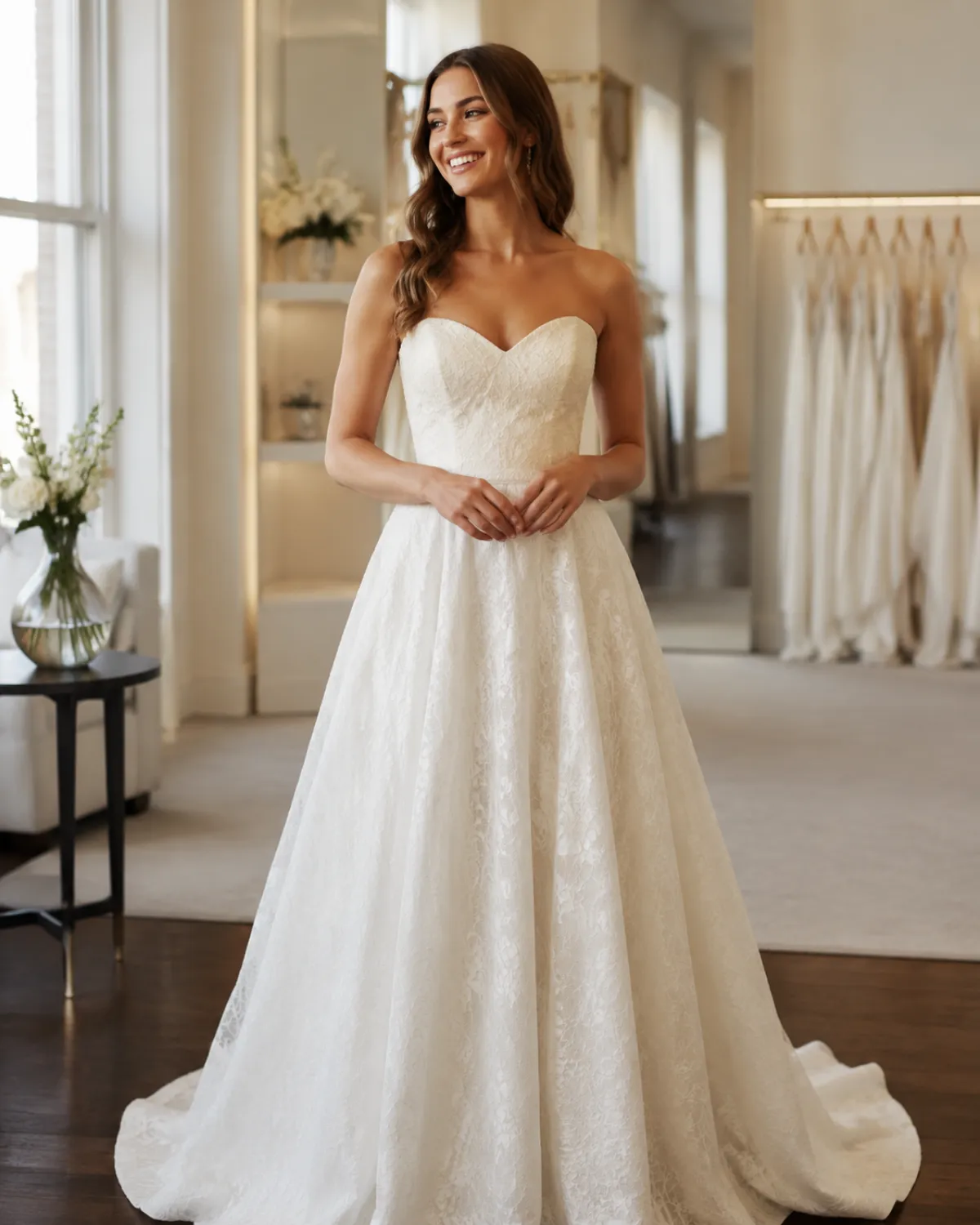
AI wedding dress try-on lets you upload one clear photo of yourself and preview any gown silhouette — ballgown, mermaid, A-line, or sheath — on your own body in about a minute, all before you book a single bridal appointment or set foot in a salon. Start free with an AI clothes changer: upload your picture, describe or pick the dress, and see the shape on you, not a stranger on a model.
It won't replace standing in a real gown — nothing does. But it answers the question that quietly drives most of the appointment-booking stress: would this even suit me? You can ask that question fifteen times in an evening, in your pajamas, for free.
Last updated: June 21, 2026 · ~7 min read
What AI wedding dress try-on actually does
A virtual gown fitting takes one still photo of you and re-renders a gown onto it, keeping your face, hair, and pose. You're not scanning your body or downloading an app — a single front-facing photo is enough for the AI to map a silhouette onto your shoulders, waist, and proportions.
That makes it genuinely useful for one job: narrowing the field. Bridal salons usually carry a few dozen dresses, and you can only try on a handful before decision fatigue sets in. Previewing silhouettes first means you walk in already knowing that, say, ballgowns overwhelm your frame but a fit-and-flare reads beautifully — so the appointment is spent confirming a direction instead of starting from zero.
What it's great for: style, silhouette, and color on your body. What it can't do: tell you how the fabric feels, how a corset back fits, or whether the length is right for your shoes. Treat the preview as a shortlist tool, not a substitute for the real thing.
Try on a wedding dress in 3 steps
The whole flow is upload → describe the gown → preview, and you can repeat it as many times as you like.
- Upload a clear, front-facing photo. Good light, full upper body visible, arms relaxed at your sides. A simple standing pose gives the AI the most to work with, so the gown drapes naturally.
- Pick or describe the dress. Name a silhouette and detail — "a strapless A-line gown with a sweetheart neckline" or "a fitted ivory mermaid dress with lace sleeves." The more specific you are, the closer the preview.
- Preview, save, and compare. The tool renders the gown over your photo while keeping your face and pose. Save a few versions and line them up side by side to spot which silhouette flatters you.
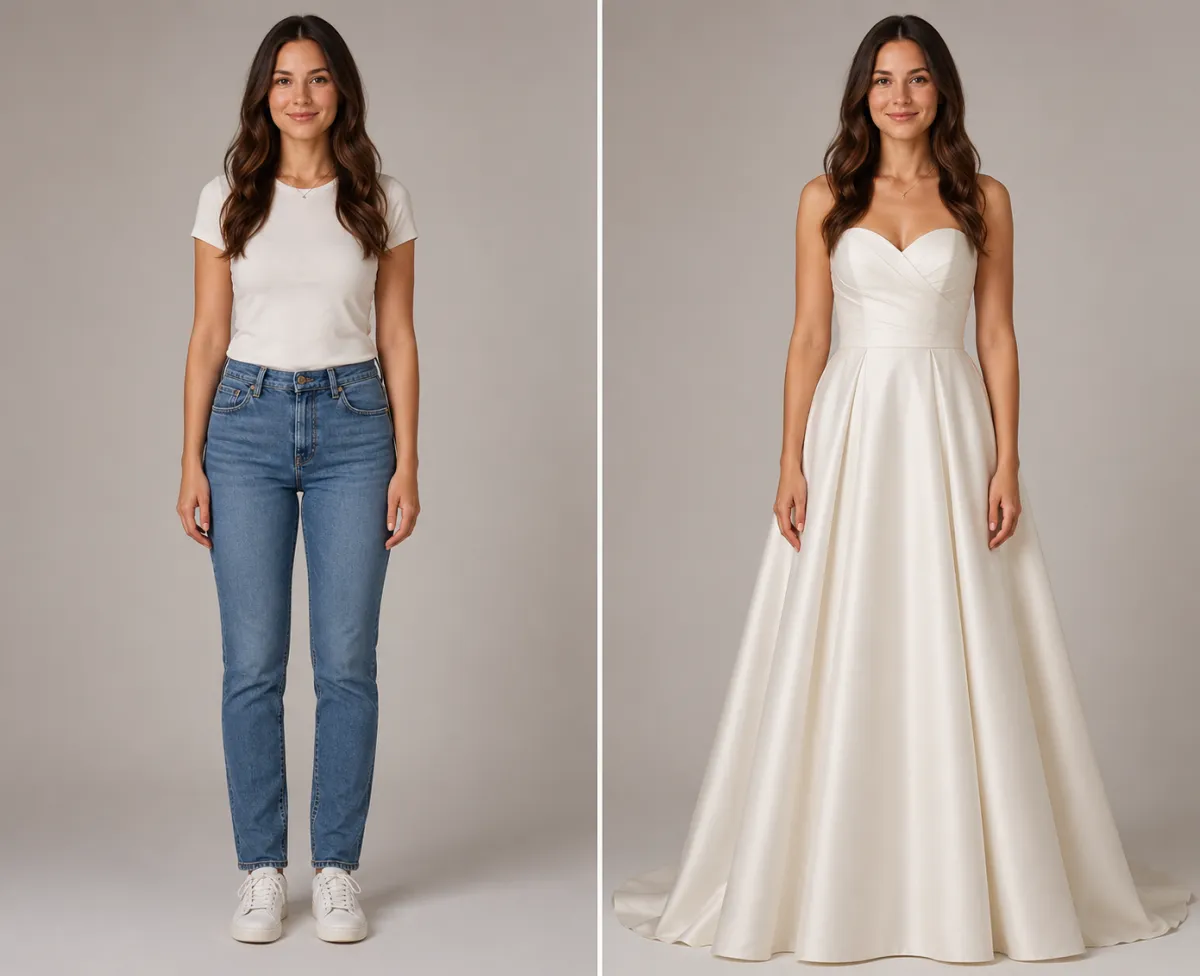
Same photo, same pose — her everyday outfit previewed as a structured A-line gown she's considering for the salon shortlist.
Which silhouette suits you? A quick reference
Knowing the vocabulary makes your prompts — and your salon visit — far more productive. Here's a plain-English guide to the four classic shapes you can preview:
| Silhouette | The shape | Often flatters | Try previewing if you want |
|---|---|---|---|
| Ballgown | Fitted bodice, full dramatic skirt | A defined waist; a fairytale look | Maximum drama and a "moment" walking in |
| Mermaid | Hugs body to the knee, then flares | An hourglass figure; bold curves | A sleek, formal, red-carpet feel |
| A-line | Fitted top, gently widening skirt | Nearly everyone; very forgiving | A safe, classic, universally flattering shape |
| Sheath | Straight, narrow, body-skimming | Tall or lean frames; minimalists | An understated, modern, easy-to-move-in look |
Preview two or three of these on your own photo and the differences become obvious fast. A ballgown that looks regal in a catalog can swamp a petite frame, while an A-line you'd never have clicked on might be the one.
AI try-on vs. the bridal salon vs. a Pinterest board
If you're deciding where to start, here's the honest comparison:
| Approach | Time | Best for | The catch |
|---|---|---|---|
| AI gown preview | ~1 minute each | Seeing a silhouette on your body before booking | Previews style, not fit, fabric, or true length |
| Bridal salon appointment | A booked trip + a consultant | Confirming real fit, fabric, and feel | Limited stock; decision fatigue after a few gowns |
| Pinterest mood board | Endless scrolling | Gathering inspiration and details | Every dress is on a model who isn't you |
A Pinterest board shows you a thousand gorgeous dresses on a thousand other people. A salon shows you a handful on yourself but costs a whole afternoon. AI try-on sits between them: it puts the dress on you — the thing a mood board can't — without spending an appointment to find out. Use all three. Most brides who try this build a shortlist with AI, gather details on Pinterest, then book the salon to confirm the winners.
Tip: Try-on previews are non-destructive, so generate three or four versions of the same dress with small changes — a different neckline, sleeves vs. strapless, ivory vs. champagne. A detail that reads "meh" on a hanger often transforms on your own frame.
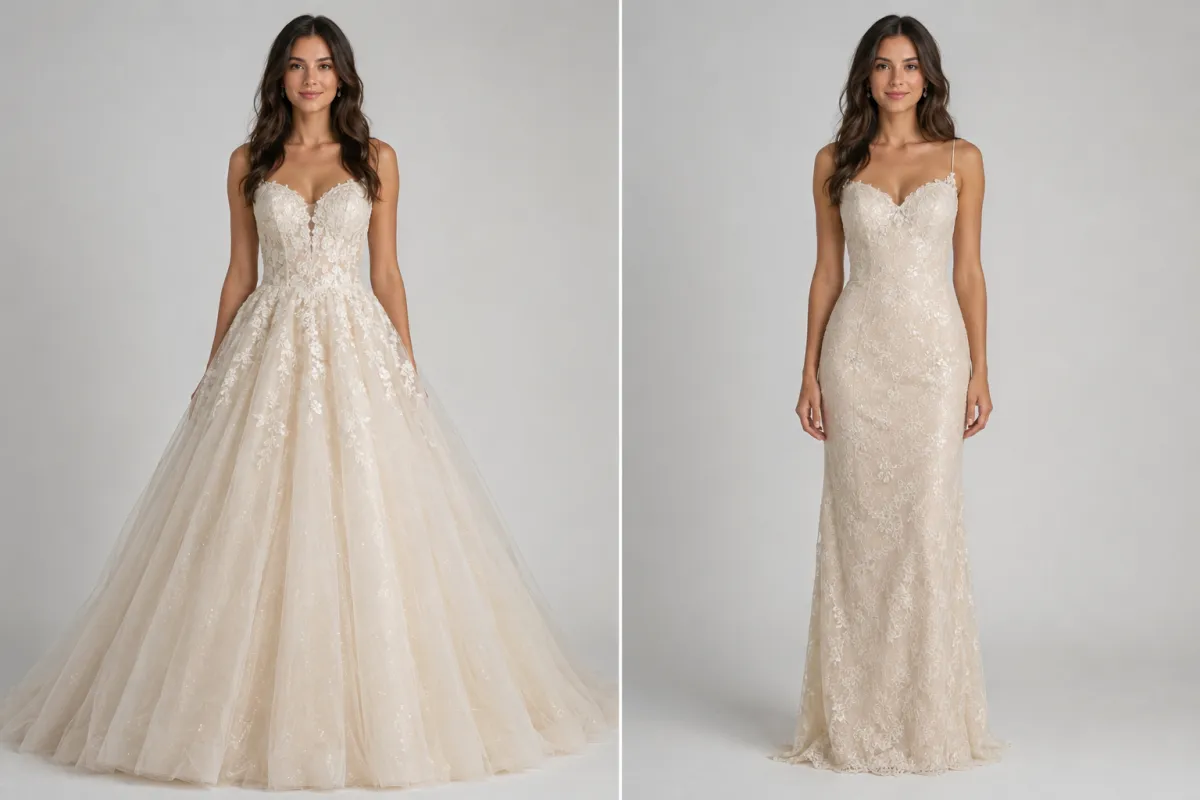
Two silhouettes on one photo — a full ballgown and a sleek sheath, compared on the same person before booking any appointment.
Beyond your own shortlist: a few more uses
Wedding try-on isn't only for the bride staring down a salon calendar. A few other moments it helps:
- Engagement-shoot looks. Previewing a formal gown or two before a photoshoot helps you and your photographer agree on a vibe — romantic, modern, classic — without renting anything first.
- Helping bridesmaids visualize. Share a couple of previews of a proposed bridesmaid style so the whole party can picture the look before you order. It saves the "I didn't realize it looked like that" conversation.
- Trying styles you'd never click on. It costs nothing to preview a silhouette outside your comfort zone. Plenty of brides find their dress is a shape they'd written off on sight.
If you're also planning the rest of the look, the same tool handles other outfits — see our guide on AI virtual try-on for everyday clothes, or changing the color of an outfit if you want to test ivory against champagne or blush.
Honest limits before you get attached
So the preview helps instead of disappoints, keep three things in mind:
- It shows style, not fit. A preview tells you whether a silhouette and color suit you. It does not measure your body, confirm a size, or show how a structured bodice will actually sit. The salon is still where fit gets settled.
- Detailed gowns are approximations. Heavy beading, intricate lace, and long trains are where AI takes its best guess. The overall shape will be right; the exact placement of every appliqué won't be.
- A clean starting photo matters most. A bulky jacket, a busy background, or an arms-crossed pose hides your shape and gives the gown less to work with. A simple, well-lit standing photo is the single biggest quality lever — if a preview looks off, start from a cleaner picture and regenerate.
Frequently asked questions
Can I use AI to see how a dress looks on me before buying?
Yes. Upload one clear, front-facing photo, describe or pick the gown, and an AI wedding dress try-on renders the dress onto you while keeping your face and pose. You see the silhouette and color on your own body in about a minute — accurate for style, though it previews look rather than exact fit or sizing.
Is there a free wedding dress try-on?
Yes. You can try on wedding dresses online free by starting from the home page, uploading a photo, and generating your first previews in the browser with nothing to download. It's the fastest way to narrow your shortlist before you book a salon appointment or buy anything.
How accurate is a virtual wedding dress try-on?
It's accurate for style — silhouette, neckline, sleeves, and color on your body — and only approximate for fit and fine detail. A clean, well-lit standing photo gives the truest preview. Heavily beaded or lace gowns are AI's best guess on detail, so treat the result as a shortlist tool, not a sizing guarantee.
What do you wear to try on wedding dresses?
For a salon appointment, wear smooth, seamless underwear in a skin-tone shade and a strapless bra so necklines sit correctly, and bring shoes near your heel height. For AI try-on, none of that matters — just upload a simple, front-facing photo in any outfit, and the tool renders the gown over it.
How many wedding dresses should you try on?
Most consultants suggest five to seven dresses per appointment before decision fatigue sets in. That's exactly why previewing silhouettes with AI first helps: you can rule out shapes that don't suit you in advance, so the dresses you actually try on in the salon are all real contenders.
Can AI help bridesmaids pick a dress too?
Yes. Preview a proposed bridesmaid style on a photo and share it so the whole party can picture the look before anyone orders. It's a low-stakes way to test a color or silhouette across different body types and settle on a direction without ordering samples.
Does the AI keep my face and hair in the preview?
Yes — a purpose-built clothes changer re-renders only the dress while holding your face, hair, and pose steady, so the preview genuinely looks like you in the gown. That's the main advantage over a generic chatbot, which often shifts faces and poses when it edits a photo.
Related guides
Keep planning before you book:
- Try the free AI clothes changer → — upload your photo and preview any wedding dress silhouette on the home page.
- AI virtual try-on: see clothes on you before you buy
- AI outfit generator: get outfit ideas from your photo
- How to change the color of clothes in a photo
- Is an AI clothes changer safe? What happens to your photos
See the dress on you first
Stop guessing from catalog photos on models who aren't you. Upload a photo and preview a wedding dress free → and build your shortlist before the first appointment.