
AI Outfit Changer for E-commerce: Studio-Quality Product Photos Without a Photoshoot
Use an AI outfit changer to create consistent, studio-quality e-commerce product photos without a shoot. Cut costs, ship listings faster with AIClothSwap.
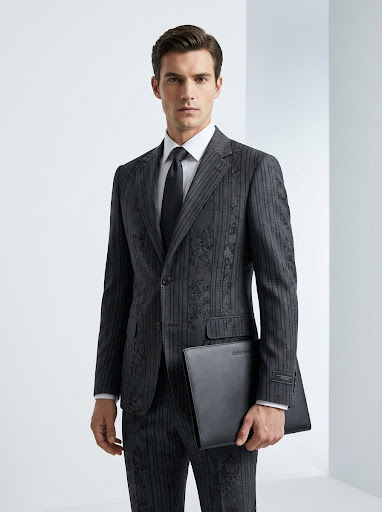
Product photography is one of the biggest hidden costs in e-commerce. A single photoshoot means hiring a model, booking a studio, paying a photographer, and waiting days for edits — and you repeat it every time you add a SKU or a new colorway. An AI outfit changer flips that equation: start with one base photo and generate studio-quality product imagery for many garments without booking a shoot. Here's how online sellers use AI outfit changing to cut costs and ship listings faster.
The Real Cost of Traditional Product Photos
For a growing store, the photography bottleneck is brutal:
- Money: models, studios, photographers, and retouchers add up fast per shoot.
- Time: scheduling, shooting, and editing can stretch a new listing out by a week or more.
- Consistency: different shoots, lighting, and models make your catalog look uneven.
- Scale: every new product or color means another round of the whole process.
An AI outfit changer addresses all four by letting you reuse a strong base photo and swap the garment digitally.
How an AI Outfit Changer Helps E-commerce
The core idea is simple: photograph (or source) one good image of a person, then use AI to put your products on them. Because the body, pose, and lighting stay consistent, your whole catalog gains a unified, professional look.
Consistent on-model imagery
Show every product on the same model in the same setting. That consistency reads as "professional brand" to shoppers and makes your product grid look intentional rather than cobbled together.
Faster time-to-listing
Instead of waiting on a shoot, you can generate on-model imagery as soon as you have the garment image. New colorway? Swap the color and regenerate. New SKU? Drop in the product shot.
Lower cost per product
Once you have a base photo, the marginal cost of each additional garment image drops dramatically compared with re-shooting.
How to Create Product Photos with AIClothSwap
Here's a practical workflow using AIClothSwap.
1. Choose a strong base photo
Pick a clear, well-lit photo of a person in a neutral pose. This becomes your reusable "model" for many products.
2. Add your product
Upload your garment's product image. AIClothSwap renders it onto the model, fitting it to the pose and matching the lighting so it looks worn, not pasted.
3. Build full outfits when you need them
Selling a coordinated set? AIClothSwap lets you swap up to six garments at once, so you can show a complete styled look — top, bottom, outerwear, and accessories — in a single generation.
4. Export at the right resolution
Use 1K for quick catalog drafts and 2K or 4K for the hero images on your product detail pages where detail matters most.
5. Keep your catalog consistent
Reuse the same base photo across products so every listing shares the same model, pose, and lighting for a cohesive storefront.
Setting Honest Expectations
AI-generated product imagery is editorial-grade and natural-looking — ideal for catalog and marketing use. A few tips to get the most from it:
- Source clean garment images. A crisp, well-lit product photo gives the AI the best material to work with.
- Pick base photos with clear poses. Simple, unobstructed poses render most reliably.
- Iterate on tricky items. Complex textures, prints, or heavy layering may need a couple of passes or a more detailed description.
For most apparel and accessory listings, this produces polished, on-brand imagery that converts — without the logistics of a full shoot.
A Note on Honesty and Compliance
When using AI imagery in listings, represent your products accurately. Use AI try-on to show fit and styling, and make sure colors and materials match what customers will actually receive. Accurate imagery builds trust and keeps returns down.
Start for Free
You can test AI product photography on your own catalog before committing. AIClothSwap gives you 20 free credits at signup plus 20 every day, enough to generate real on-model images for several products and judge the quality yourself.
Create studio-quality product photos free with AIClothSwap →