
AI Clothes Swap: How to Change Any Outfit in a Photo (Free Guide)
Learn how AI clothes swap works and change any outfit in a photo for free, step by step, with AIClothSwap. Multi-garment swaps, quality tiers, free daily credits.
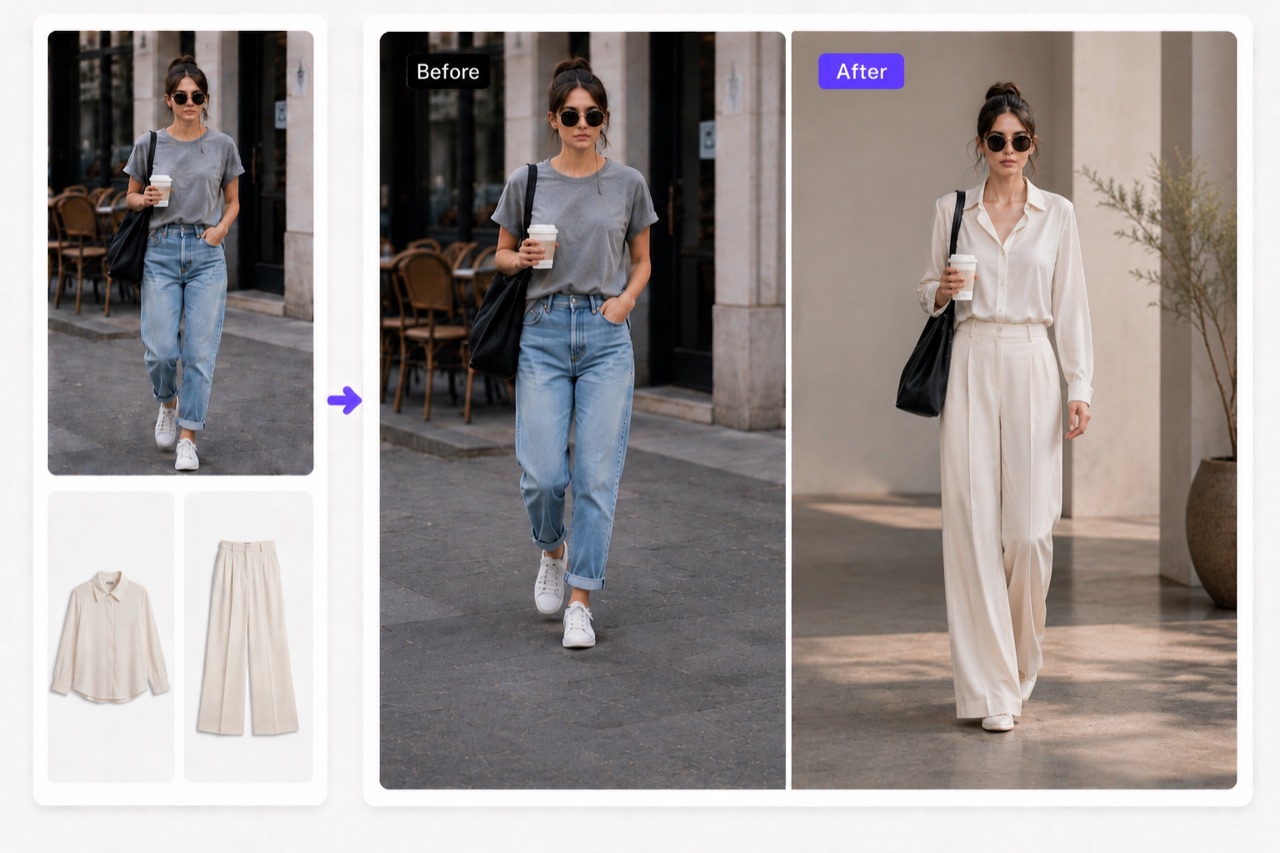
AI clothes swap technology lets you change the outfit in any photo without a camera, a model, or a single stitch of real fabric. Upload a picture, point the tool at the clothing you want to replace, describe (or supply) the new garment, and an AI model redraws the outfit while keeping the person, their pose, and the lighting intact. This guide explains what an AI clothes changer actually does, how the process works under the hood, and the exact steps to swap an outfit for free using AIClothSwap.
What Is an AI Clothes Swap?
An AI clothes swap (also called an AI clothes changer or AI outfit changer) is an image-editing tool that replaces the clothing on a person in a photo with a different garment. Instead of masking and compositing by hand in Photoshop for an hour, you let an AI model do the heavy lifting in seconds.
The key difference from a simple cut-and-paste edit is that the AI understands the body underneath. It re-renders how a new shirt drapes over shoulders, how a dress falls at the hips, and how fabric folds where an arm bends. The result looks like the person actually wore the outfit, not like a sticker was slapped on top.
How Does AI Clothes Swapping Work?
Under the hood, modern clothes-swap tools combine a few AI techniques:
- Segmentation identifies which pixels are clothing versus skin, hair, and background.
- Pose and body understanding maps where the torso, arms, and legs are so the new garment can be fitted to the real silhouette.
- Generative rendering paints in the new outfit, matching the photo's lighting, perspective, and fabric physics.
You guide that process in one of two ways: by uploading a reference image of the garment you want, or by describing it in plain language ("a tailored charcoal blazer over a white tee"). Better tools accept both, so you can be as precise or as exploratory as you like.
Step-by-Step: Swap an Outfit with AIClothSwap
Here is the full workflow, start to finish.
1. Upload your photo
Choose a clear photo where the person is reasonably well lit and the clothing is visible. Front-facing shots work best, but three-quarter angles are fine too.
2. Mark or describe the clothing to change
Tell the tool what you want swapped. With AIClothSwap you can replace a single piece or layer up to six garments at once — for example, swap the jacket, shirt, and trousers in a single pass to build a complete look.
3. Provide the new outfit
Either upload a reference image of the garment or type a description. Want to see how a customer's photo looks in your new product? Upload the product shot. Just exploring styles? Describe it and let the model interpret.
4. Pick a quality tier
AIClothSwap offers 1K, 2K, and 4K output. Use 1K for quick drafts and social previews; step up to 2K or 4K when you need editorial-grade detail for a portfolio or a product page.
5. Generate and refine
Run the swap, review the result, and iterate. If the drape or color isn't quite right, adjust your description and try again. Natural-looking results usually come within a couple of passes.
What You Can Realistically Expect
AI clothes swapping has come a long way, but it helps to set honest expectations:
- Great for experimenting with styles, building lookbooks, refreshing product photos, and trying outfits before buying.
- Strongest results come from clear source photos with even lighting and an unobstructed view of the clothing.
- Output is editorial-grade and natural-looking rather than a forensic, pixel-perfect photograph — think polished campaign imagery, which is exactly what most use cases need.
Tricky cases — heavy patterns, complex layering, or extreme poses — may need a few tries or a more detailed prompt. That's normal, and the iteration is fast.
Common Use Cases
- Shoppers preview how an outfit might look on them before checkout.
- Stylists and creators build mood boards and outfit concepts without a photoshoot.
- E-commerce sellers generate consistent product imagery across many garments.
- Social media users refresh their feed with new looks from a single base photo.
How Much Does It Cost?
You can start free. AIClothSwap gives you 20 credits when you sign up, plus 20 more every day, so you can run real swaps without paying anything. That's enough to test the tool on your own photos, compare quality tiers, and decide whether it fits your workflow before you ever consider a paid plan.
Try an AI Clothes Swap for Free
The fastest way to understand what an AI clothes changer can do is to run one on your own photo. Upload an image, swap an outfit, and see the result in seconds.