
How to Preview Wedding Guest Outfits on Your Photo
Use AI dress up to compare wedding guest outfit colors, dress codes, and silhouettes on your own photo before you shop.
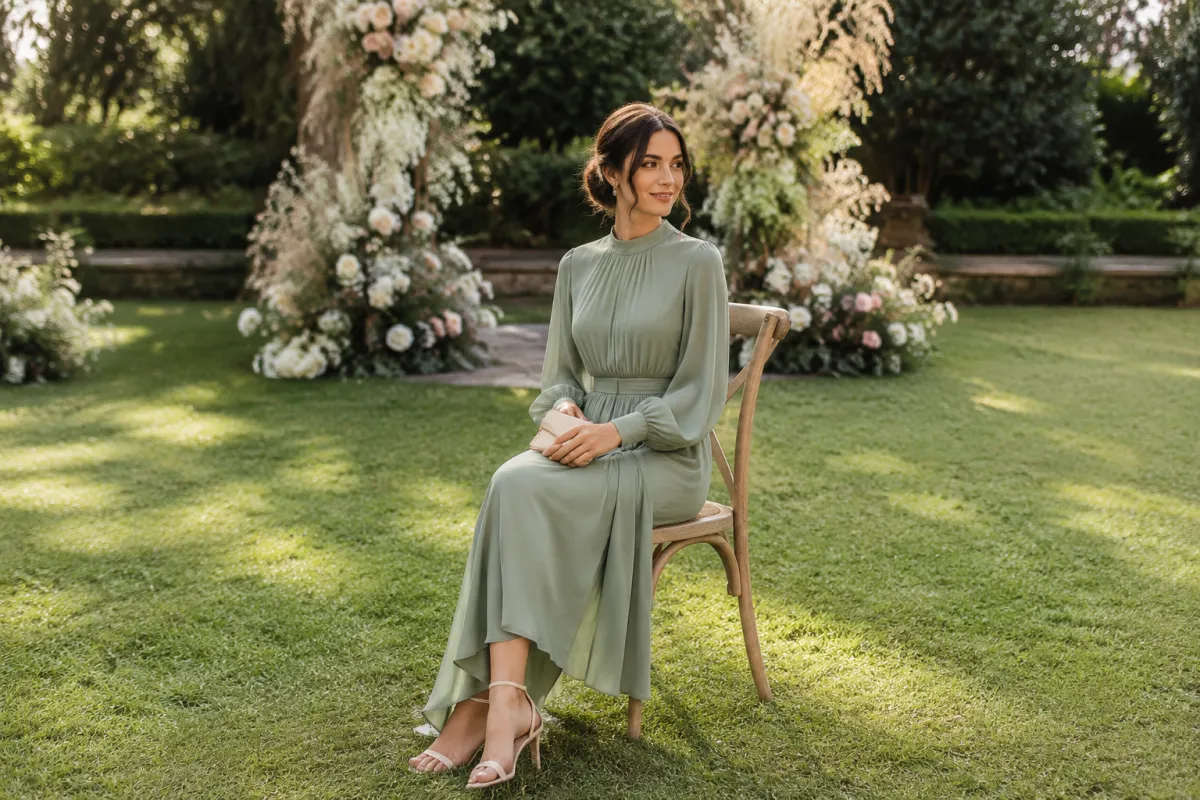
A wedding guest outfit preview is useful when it helps you narrow the direction before you buy: color, formality, neckline, and how the look reads in a real photo. Use AI dress up on one clear picture, compare a few sensible options, then check the invitation and dress code before treating any result as a final outfit.
Last updated: July 12, 2026 - about 6 min read
Quick answer
For a wedding guest outfit try-on, test three directions on the same photo: one that matches the venue, one that matches the stated dress code, and one slightly more relaxed backup. Keep your face, pose, hair, and background unchanged. You are deciding between ideas, not measuring a garment.
Start with the invitation. A garden ceremony, a city evening reception, and a beach wedding can all call for different levels of structure. The easiest mistake is choosing a look that is attractive in isolation but wrong for the time, location, or couple's request.
Pick the decision you actually need to make
Before you generate anything, write down the constraint that matters most. It keeps a wedding guest outfit preview from turning into an endless stream of unrelated dresses.
| Event clue | First direction to test | What to avoid assuming |
|---|---|---|
| Black-tie wording | Formal, floor-length or elevated evening silhouette | That every dark dress is automatically formal enough |
| Garden or daytime ceremony | Light-to-mid color, movement, practical shoes | That a photo can predict grass, heat, or walking comfort |
| Cocktail attire | Polished midi dress, tailored set, refined jumpsuit | That "cocktail" means the same thing at every venue |
| Beach or destination event | Breathable, simple shape, stable straps or sleeves | That a generated fabric will move like a real fabric |
The preview should answer a visible question: does this color flatten the photo, does the neckline frame your face well, or does the silhouette feel too formal for the setting? It cannot tell you how a real dress will fit, feel, or travel.
Use one photo for all three tests
A controlled comparison is more useful than a dramatic makeover. Choose a photo with your head, shoulders, and enough torso visible to judge the outfit direction. Then make only the clothing change.
- Upload one well-lit photo to AIClothSwap.
- Test one outfit that follows the invitation closely.
- Test one alternative color or silhouette, then compare at both full size and thumbnail size.
Ask for simple, fully clothed looks with a clear event context. For example: "midi wedding guest dress in muted sage, daytime garden setting, modest neckline, keep face, pose, hair, and background unchanged." A long prompt with new makeup, a different room, a new pose, and a new outfit makes it harder to judge the outfit itself.
A wedding guest outfit try-on is a planning visual. It is not a size chart, a fabric sample, or permission to ignore a couple's stated dress code.
Compare color before chasing detail
Most people notice color first in a wedding photo. Test a small set of colors that fit the event rather than asking for every trend at once. If the invitation asks guests to avoid a color, follow that request even if a preview looks flattering.
Good comparisons usually include:
- A soft color that separates you from the likely background.
- A deeper alternative for an evening or formal venue.
- A neutral option if the event has a strong color palette.
Avoid treating generated styling as etiquette advice. Regional customs, cultural dress, religious requirements, and the couple's own instructions matter more than an image result. If the event notes a specific standard, that is the standard to use.
Use a preview to compare visible direction; use the invitation to make the final call.
Check the result like a photo, not a catalog
When you compare outputs, look at the areas that will matter in the photos you actually take:
- Neckline and shoulders: Do they make your face look clear or crowded?
- Color contrast: Does the outfit disappear into your skin tone or background?
- Formality: Would the look feel out of place beside the venue and other guests?
- Edges and hands: Are straps, sleeves, and body outlines stable enough to be a useful visual?
- Comfort reality: Can you find a real version you can sit, walk, and celebrate in?
For more general outfit comparisons, AI outfit generator ideas can help you broaden the first pass. Once the occasion is fixed, reduce the choices instead of adding more.
What an AI preview cannot settle
It cannot show exact sizing, whether a fabric is sheer in daylight, how a hem behaves on stairs, or whether a color conflicts with the wedding party. It also cannot replace a fitting or a real mirror check.
Use the result as a reference when you shop. Save one or two favorite directions, then look for real garments with similar color, structure, and coverage. If you are between two options, choose the one that better respects the event and feels comfortable enough to wear for several hours.
Final checklist
Before you buy, confirm that the outfit:
- Respects the invitation and any cultural or venue guidance.
- Fits the time of day and level of formality.
- Creates enough contrast for photos without drawing focus from the couple.
- Has a real-world fit and comfort plan.
- Was compared on the same source photo, not across unrelated edits.
FAQ
Can an AI dress up tool tell me what to wear to a wedding?
It can help you compare visual directions on your own photo. The invitation, dress code, venue, and the couple's preferences should decide the final choice.
Should I preview a long dress or a short dress first?
Start with the formality the invitation signals. If the wording is vague, test one polished midi option and one slightly dressier alternative, then choose based on the venue and time of day.
Does a wedding guest outfit try-on show real fit?
No. It is a visual planning tool. Check the real garment's measurements, return policy, fabric, and comfort before committing.
Related guides
- Try AI dress up on your photo
- Prom dress try-on ideas
- Outfit color matcher
- Best photo for an AI clothes changer
Use the preview to make one calmer choice before you shop, then let the real invitation and real garment make the final decision.