
How to Preview Business Attire on Your Photo Before a Headshot
Preview business attire on your own photo before a headshot. Compare blazer, suit, shirt, and business-casual options with an AI clothes changer.

A good business attire photo does not start with the most formal outfit. It starts with the outfit that makes your face look credible, current, and easy to trust at thumbnail size. Before you book a shoot or edit a profile picture, use an AI clothes changer to preview business attire on your own photo and compare the options side by side.
Last updated: July 8, 2026 - about 7 min read
Most headshot advice tells you to wear a navy blazer, a white shirt, or "business casual." That is useful, but it is still generic. Your actual photo has its own lighting, crop, posture, hair, background, and skin tone. A professional headshot outfit can look polished in one photo and stiff in another.
This guide helps you choose business attire for a photo without guessing.
Quick answer
For most professional photos, start with three previews:
- Navy blazer or suit with a white or light blue shirt.
- Charcoal blazer with a simple white or cream top.
- Business-casual knit, blouse, or open-collar shirt with a structured layer.
Generate all three on the same source photo. Choose the version where your face looks clear, the neckline frames you cleanly, and the outfit still reads well when the image is small.
If the photo is for LinkedIn, a CV, a speaker bio, or a company page, do not judge the outfit only at full size. Zoom out until the photo is about the size it will appear online. That is where a business attire photo either works or disappears.
What counts as business attire for a photo?
Business attire in a photo is less about dress-code theory and more about visual signal. The outfit should support the role you want the photo to play.
| Photo use | Safer outfit direction | What to avoid |
|---|---|---|
| LinkedIn profile | Blazer, collared shirt, clean blouse, neat knit | Loud patterns, low contrast, wrinkled fabric |
| CV or resume | Navy, charcoal, white, light blue, soft neutrals | Novelty colors, heavy accessories |
| Team page | Business casual with structure | Anything too casual for the company culture |
| Speaker bio | Slightly sharper jacket or suit | Distracting prints near the face |
| Sales or consulting | Classic suit or blazer | Trendy cuts that date quickly |
The point is not to look more corporate than you are. The point is to make the photo easy to read in the context where it will be used.
Use the same photo for every preview
Do not compare one outfit on a sunny selfie and another on a dim indoor photo. That tells you more about lighting than clothing.
Use one clear source image:
- Head and shoulders visible.
- Face toward camera or slightly turned.
- Even lighting on the face.
- Hair and neckline not hidden by heavy shadows.
- Plain or calm background.
Then change only the clothes. An AI business attire preview is most useful when the face, pose, crop, and background stay stable. That lets you judge the outfit instead of judging a completely different photo. It also makes the AI business attire result easier to compare with a real shirt, blazer, or suit you might already own.
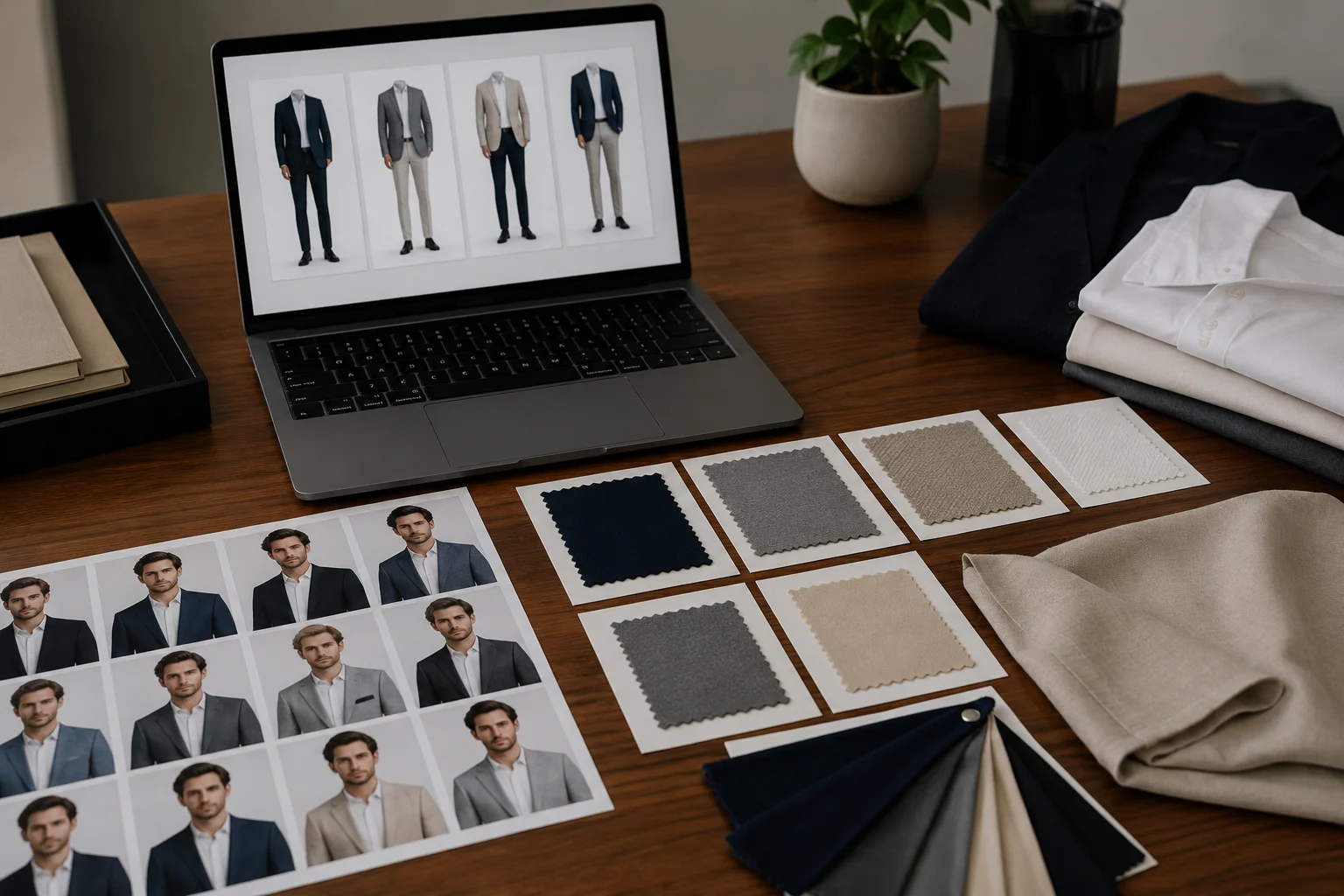
Use one source photo, then compare business attire options by neckline, contrast, and job context.
The three business-attire lanes to test
1. Classic suit or blazer
This is the safest first test for a professional headshot outfit. Try a navy or charcoal jacket with a white, cream, or pale blue shirt. It works because the structure frames the shoulders and the contrast draws attention to the face.
Use this lane when the photo is for finance, consulting, law, leadership, enterprise sales, or any role where people expect polish before personality.
Prompt idea:
navy blazer, white collared shirt, clean professional headshot outfit, natural fabric, realistic fit
2. Business casual with shape
Business casual can look excellent in a photo when it still has structure. Think blouse with a soft blazer, fine knit with a clean neckline, tailored trousers if the crop is wider, or a simple button-down without a tie.
Use this lane for tech, product, design, marketing, founder profiles, and team pages where a full suit might look too formal.
Prompt idea:
business casual outfit, soft grey blazer, simple cream top, polished but approachable, realistic fabric
3. Role-specific polish
Some people need the photo to match a niche: medical, coaching, real estate, hospitality, beauty, education, or creative work. Here the business attire photo should still feel professional, but the colors and styling can be warmer.
Try one version that reflects the actual client or audience you face. A therapist might choose softer neutrals. A real estate profile might benefit from a crisp jacket. A creative director may look better with a simple black layer than a traditional suit.
Check neckline before color
Color gets attention, but neckline often decides whether the headshot works. A strong neckline creates a clean frame around the face. A weak neckline can make the outfit look unfinished even if the color is right.
Reliable choices:
- Open collar under a blazer.
- Crew neck knit with enough structure.
- Simple blouse with a modest V or round neck.
- Collared shirt without a busy tie.
Riskier choices:
- Deep necklines that pull attention down.
- Very high collars that crowd the chin.
- Thin straps or casual tees for formal use.
- Scarves or jewelry that create visual clutter.
If two business attire previews are close, choose the one with the cleaner neckline.
Match the outfit to the background
A navy blazer on a dark background may disappear. A white shirt against a bright wall can look washed out. A beige top may be elegant in person but flat in a pale photo.
Use contrast deliberately:
- Dark jacket on a light background.
- Light shirt under a dark jacket.
- Mid-tone blazer if the background is already high contrast.
- Softer colors if the face is strongly lit.
For LinkedIn and company pages, the outfit should separate your face from the background without shouting.
AI preview vs. real shoot
An AI clothes changer is useful for choosing direction before you spend time or money. It can show whether a blazer, suit, or business-casual outfit suits the photo. It can also help you turn a casual headshot into a usable profile image when the original photo is already sharp.
It cannot guarantee exact fabric fit, shoulder tailoring, or how a real jacket will sit when you move. Treat the preview as a visual decision tool, not a tailoring measurement.
If you need an executive portrait for print, a photographer and real wardrobe still matter. If you need a polished online business attire photo, an AI preview is often enough to choose the right lane quickly.
Common mistakes
Choosing the most formal version by default
Formal does not always mean better. A full suit can look powerful in a board bio and overly stiff on a startup team page. Compare suit, blazer, and business casual before deciding.
Ignoring the crop
If the photo will be cropped tightly, the lapel, neckline, and shirt color matter more than the full outfit. If it will show more of the torso, fit and proportions matter more.
Using a busy outfit near the face
Small patterns, shiny fabric, large necklaces, and high-contrast prints can pull attention away from your face. Keep the area near the face calm.
Forgetting the platform
A CV photo, LinkedIn avatar, company bio, and conference headshot do not need the same outfit. Save the strongest business attire photo for the place where it matters most.
Related guides
Try business attire on your own photo
Start with one clear headshot, preview three business attire directions, and pick the version that makes your face look sharp at real profile-photo size. You can upload a photo to AIClothSwap and compare the options before you book a shoot, edit a profile, or send the picture to your team.