
Halloween Costume Generator: Preview Ideas on Your Photo
Use a Halloween costume generator to compare a few costume directions on your own photo before you shop, sew, or plan a group look.
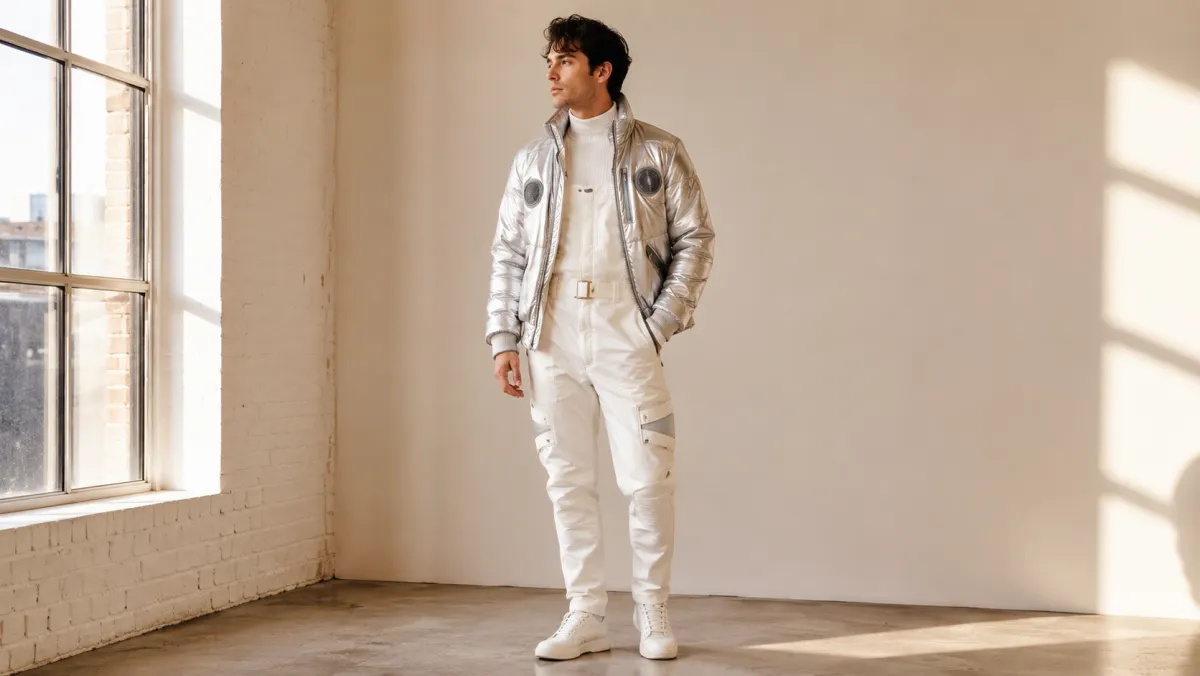
A Halloween costume generator is most useful when it helps you compare a few clear costume directions on your own photo before you buy anything. With AI dress up, keep your face, pose, and background fixed while you test the outfit silhouette, coverage, and color story. Treat the result as a planning visual, not a promise that a real costume will fit or behave the same way.
Last updated: July 13, 2026 - about 6 min read
Quick answer
Start with three directions, not thirty: one classic idea, one character or theme idea, and one comfortable fallback. Use the same photo for all three. That makes it easier to notice whether the costume reads clearly, whether the color works with your hair and skin tone, and whether the amount of coverage feels right for the event. In an AI dress up comparison, the stable source photo is what makes the differences useful.
The best Halloween costume generator result answers a visible question. It cannot tell you whether the fabric is itchy, a mask blocks your view, or the costume works with a venue rule.
Choose the constraint before the costume
A costume idea gets much easier once you name the thing it has to do.
| Constraint | First direction to preview | Keep in mind |
|---|---|---|
| Long party or event | Simple layers and comfortable shoes | A photo cannot predict warmth or mobility |
| Group costume | One shared color or era cue | Confirm the group plan before ordering |
| Work or school event | Recognizable, fully covered look | Follow the host's rules first |
| Outdoor night | Jacket-friendly silhouette | Generated fabric does not show real insulation |
For example, ask for a single, recognizable edit: "classic astronaut costume with a silver jacket and simple helmet prop, keep face, pose, hair, and background unchanged." Do not combine a costume swap with new makeup, a new body position, and a new location. You will not know which change you are actually reacting to.
Use one photo for a fair comparison
Choose a photo with your face, shoulders, and enough of your body visible to judge the outfit. Good light and an uncluttered background make the comparison easier.
- Upload a clear photo to AIClothSwap.
- Generate one costume direction at a time.
- Compare the results at full size and as a small phone-sized image.
- Save only the two ideas you could realistically wear.
At thumbnail size, a good costume still has a readable shape. If it becomes a pile of props or a fuzzy color block, simplify the actual plan. Big accessories, narrow sleeves, and layered edges are also where an image edit is most likely to look unreliable.
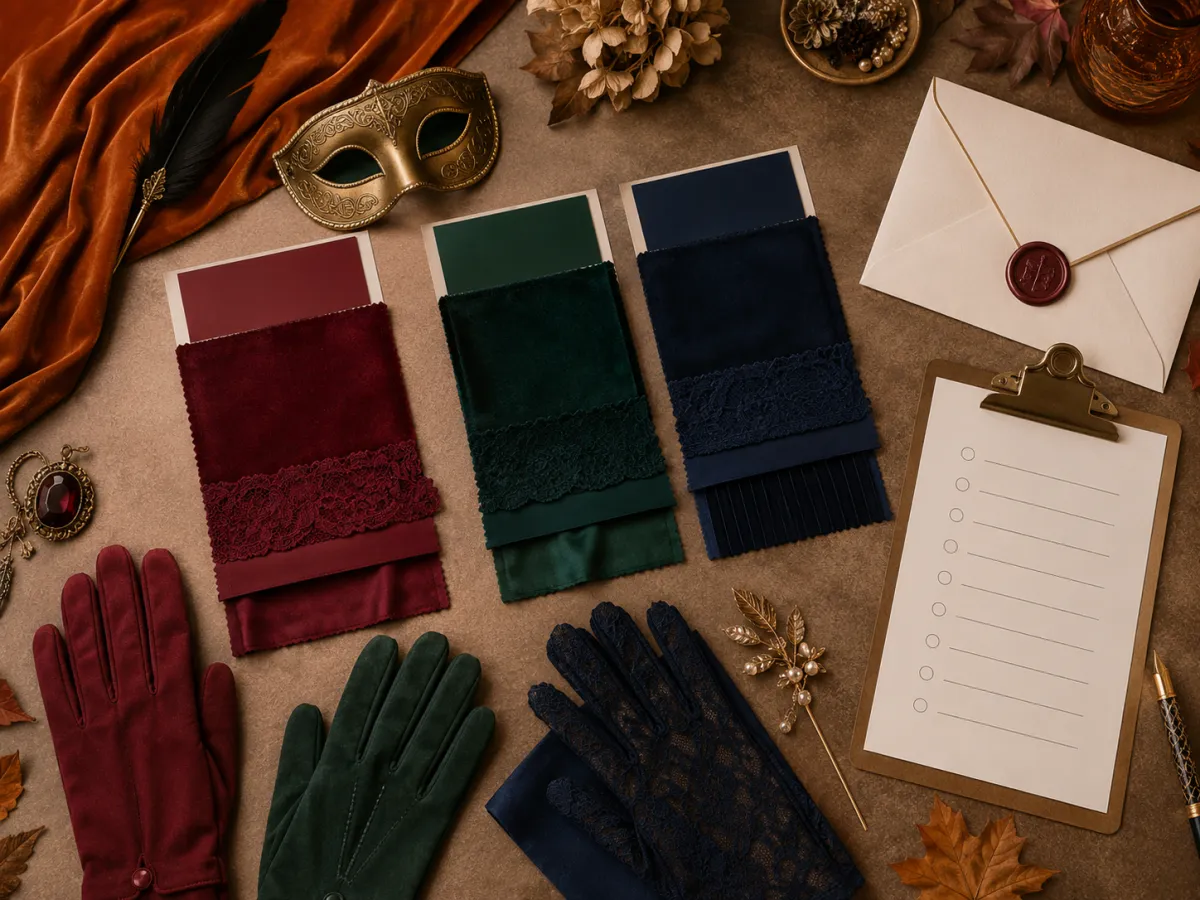
A planning board helps narrow the direction; the photo preview helps you judge how it reads on you.
Compare silhouette before detail
The first pass is about the outline: cape or jacket, short or long shape, fitted or loose layers. Once the outline works, test one color variation. Skip the temptation to add every accessory in the same request.
Useful checks include:
- Does the costume still look understandable without a caption?
- Does the main color separate from your background and hair?
- Is the neckline or headwear likely to crowd your face in photos?
- Can you reproduce the key visual cues with real, permitted items?
A visual preview can be especially helpful for couples or groups. Keep one person's photo and pose stable, then test only the clothing direction. That gives you a reference without asking the tool to invent extra people or a final group photograph.
What a preview cannot decide
It cannot verify licensing for a character, safety for an event, real garment fit, or the comfort of contacts, masks, shoes, and props. It also cannot replace common-sense choices about cultural references or a venue's dress code.
Use the image to decide what to look for, then inspect the real item. Check measurements, materials, visibility, weather, and whether a prop is allowed where you are going.
Final checklist
- Compare no more than three directions on the same photo.
- Keep the costume change separate from face, pose, and location edits.
- Choose a real-world version that works for the event length and weather.
- Verify rules, safety, and permissions outside the generated image.
- Save a reference for shopping or making, not a false expectation of exact fit.
FAQ
Can a Halloween costume generator show how a costume will fit?
No. It can show a visual direction, but it cannot predict sizing, stretch, fabric weight, comfort, or how a costume will move.
What photo works best for an AI costume preview?
Use a clear, well-lit photo with your face and upper body visible. Keep hats, heavy filters, and large objects out of the frame when possible.
Should I generate a whole group costume in one image?
It is more reliable to preview one person at a time. Use the same color palette or theme notes to coordinate the real group plan.
Related guides
- Preview an outfit with AI dress up
- AI outfit generator ideas
- Best photo for an AI clothes changer
- Family matching outfit ideas
Use a Halloween costume generator to make one calm visual choice, then let the real event and real clothing finish the job.